Category: CMS Public Newsletter

  • September Classes and Events at the Claremont MakerSpace

    CMS Logo

    Greetings Upper Valley Makers:

    September brings a diverse list of classes to the Claremont MakerSpace with new additions and regular favorites. Plasma cutting classes are now open to the public, and are brought to you by Hypertherm and their HOPE Foundation. Also don’t miss the chance to learn about the Actuator business incubator program from Black River Innovation Campus. Stop by the CMS Open House and Maker Market on the 14th to see demonstrations and purchase products for sale by CMS members. Check our online calendar through the month as other additions are expected.

    For most classes and events, CMS MEMBERSHIP IS NOT REQUIRED. That said, members receive a discount on registration and there are some classes/events that are for members only (this will be clearly noted in the event description).

    Class policies (liability waiver, withdrawal, cancellation, etc.) can be found here.

    Instructors: Interested in teaching a class at CMS? Please fill out our Class Proposal Form.

    Tours: Want to see what the Claremont MakerSpace is all about? Contact Us to schedule your tour where you can learn about all the awesome tools that the CMS offers access to, as well as how membership, classes, and studio spaces work.


    Upcoming Events

    Events that are currently open for registration.

    Image for Actuator - Thinking about starting a business?

    Actuator – Thinking about starting a business?

    Sept. 4, 2024 5:30 p.m. — 7 p.m.

    Embark on a dynamic business-building ideation session that delves into the lean business canvas template and inspires innovative business ideas.  We guide you through a series of interactive warm-up events that encourage active participation and then lead you through the creation of a lean business canvas that captures your initial business concept. At the conclusion of the session, you’ll have the opportunity to learn more about how the Black River Innovation Campus Actuator program can collaborate with you to bring your business idea to life. 

    Claremont MakerSpace is excited to partner with Black River Innovation Campus to bring this Actuator class to CMS. 

    About the Instructor(s): The Black River Innovation team has been running the Actuator program to help many individuals bring their business ideas to life. BRIC is located at 60 Park St in Springfield VT.  To learn more visit bricvt.org.  

    Class Fees: free for members/ $10 non-members

    Materials Fee: none

    Prerequisite(s): none

    Skill Level: beginner

    Age requirement: Adults only (18 years and older)

    Register for this class now!


    Image for Introduction to Wire Sculpted Jewelry - Make a pendant or ring!

    Introduction to Wire Sculpted Jewelry – Make a pendant or ring!

    Sept. 10, 2024 5:30 p.m. — 8:30 p.m.

    This is a fun class for anyone who would like an introduction or refresher for wirework jewelry.  Each participant will choose to make either a beautiful ring with a Cubic Zirconia stone OR sculpt a pendant with a gem stone.

    This is a beginning class in wirework and wire sculptured jewelry.  The participants do not have to know about working with wire. All the basics of working with all types of wire and how to use wire tools will be covered. We will also learn how to make properly sized rings, how to set and attach a stone, how to finish with a simple sculpture and how to professionally wrap a ring shank.

    Wire work involves small work so students should bring magnifiers to wear while they are working. Requirements for the Jewelry Studio include close-toed shoes and safety glasses (which are available for use). Anyone using the polishing or soldiering area must also be wearing no hanging or hand jewelry and must have their hair tied back. Requirements to prevent cross contamination must always be followed (which is taught during a class). 

    About the Instructor(s): Angela Hill has been making jewelry for over 50 years. She has taught classes for 30 years. She has sold her jewelry in stores, online and in market places for 20 years. She especially loves wire work jewelry, but also does silversmithing, stringing, knotting, seed bead weaving and mixed media metal work.


    Class Fees: $25 members / $40 non-members

    Materials Fee: $10 included in the class fee

    Prerequisite(s): none

    Skill Level: beginner

    Age requirement: Youth and adult (15 years and older)

    Register for this class now!


    Image for September Open Electronics Meetup

    September Open Electronics Meetup

    Sept. 10, 2024 6 p.m. — 9 p.m.

    Bring your electronics projects and supplies and have fun visiting with other Electronics Enthusiasts. Work on your projects in our stocked Electronics and Digital Fabrication Lab. In addition to the MakerSpace’s soldering irons, diagnostic tools, and parts library, there will be some LED soldering kits and soldering irons available for purchase as well.
     
    Hang out, finish your projects, think about future projects, and just enjoy being around other electronics enthusiasts.
     
    Tiffany, the electronics shop lead, will be available to help you set up, find parts, and offer support.

    Class Fees: Free for members and $5 for non-members.

    Materials Fee: None (LED soldering kits and personal soldering irons are available onsite for purchase

    Prerequisite(s): None

    Skill Level: Any

    Age requirement: Youth and adult (15 years and older). Under 15 must be accompanied by a parent/guardian partner.

    Register for this class now!


    Image for Introduction to Digital Photography

    Introduction to Digital Photography

    Sept. 11, 2024 6 p.m. — Oct. 2, 2024 8 p.m.

    This introductory course into photography will give you gain an understanding of fundamental photographic principles and techniques. The goal of this course is for you to feel more confident behind your camera, and better your skills! I hope you join us, in an incredibly eye opening journey of the photography world!

    Session 1: Introduction to Photography Lingo and your Camera
    Learn about the basic mechanisms of photography, and set up your camera for success!

    Session 2*: Composition, Cameras, and Critique
    Learn about compositions! Talk about what it was like to shoot with your camera, go through what challenges you had – and hear feedback from peers about a few images.

    Session 3*: Introduction to Editing and Critique
    Learn about the basic elements to digital photograph editing. More time spent talking about photographic elements, and your experience from the past week of shooting!

    Session 4*: Printing and Wrap-Up
    Learn how to print an image and take it home!

    *All of the topics are subject to change based on the interest of the people taking the class – this is FOR YOU so I want to make sure you get what you want from this class!


    Please bring to class: Digital Camera (DSLR, SLR, or Mirrorless), preferably with a detachable lens. A laptop (there are 6 computers available if needed – please reach out if you will need to use one as there is a limited number.)


    This class will meet on four consecutive Wednesdays:

    September 11, 2024 6:00pm – 8:00pm 

    September 18, 2024 6:00pm – 8:00pm

    September 25, 2024 6:00pm – 8:00pm

    October 2, 2024 6:00pm – 8:00pm


    About the Instructor(s): Hi! I am a recent graduate from Clark University in Worcester, MA, born and raised in Massachusetts. I have been practicing photography for over 10 years! I shoot in many formats, including digital, 35mm film, 120 film, large format film, vintage and new age polaroid films. Being behind a camera is my passion, and teaching about it is even more exciting  – the class is designed to be for beginners with a digital camera. This class is for those of you who want a better understand of the mechanisms behind not only a camera but also photography, editing and potentially printing! My goal is to make understanding your camera not to be intimidating, and I hope to see you there!


    Class Fees: $170 members/ $210 non-members

    Materials Fee: $20 included in class fee

    Prerequisite(s): none

    Skill Level: beginner

    Age requirement: Adults only (18 years and older)

    Register for this class now!


    Image for Introduction to Foundation Piecing

    Introduction to Foundation Piecing

    Sept. 12, 2024 2 p.m. — 5 p.m.

    Precise points! Seams that match!

    If “regular” piecing leaves you frustrated because the blocks don’t always fit together* the way the pattern shows, you will love paper piecing. Students will make four 6” blocks of simple, classic designs. These could later be put together for a pillow, or used as the start of an entire quilt.

    We will make sample 6” squares of increasing complexity that can be assembled later into a pillow top or wall hanging. 

    This class or the equivalent experience will be required for intermediate foundation piecing classes. 


    *I am all for “wonky” quilts! no judgement here! It’s always nice to have options, though.


    <<< This class requires a kit that can be purchased at Golden Anchor Quilting in Claremont, NH >>>

    The cost of this kit is $19.99 and includes an Add-a-Quarter Ruler, a fabric glue stick, a “finger presser”, the paper patterns that we will be working on and a coupon for a discount on any fabric purchased during your visit. The cost of this kit also covers additional supplies that will be used during class.

    Please bring your own fabric. Bring at least 2 different coordinating fabrics, more variety (4-6 fabrics) will be more fun to play with. A scrappy look works well, too. A total of a yard-ish should be plenty. Some fabric from the instructor’s stash will be made available in class. 


    About the Instructor(s): Michelle Goldsmith has been sewing since she was eight and quilting since she was eighteen (no, she’s not doing the math for how long ago that was). She has experimented with many different sewing, quilting and mixed media techniques. She has had many pieces of her work in shows and juried exhibits.


    Class Fees: $10 members, $20 non-members

    Materials Fee: $19.99 (not included in the class fee, see note above)

    Prerequisite(s): Able to use a sewing machine independently

    Skill Level: beginner

    Age requirement: Adult, 18 and up

    Register for this class now!


    Image for Introduction to Foundation Piecing

    Introduction to Foundation Piecing

    Sept. 13, 2024 5:30 p.m. — 8:30 p.m.

    Precise points! Seams that match!

    If “regular” piecing leaves you frustrated because the blocks don’t always fit together* the way the pattern shows, you will love paper piecing. Students will make four 6” blocks of simple, classic designs. These could later be put together for a pillow, or used as the start of an entire quilt.

    We will make sample 6” squares of increasing complexity that can be assembled later into a pillow top or wall hanging. 

    This class or the equivalent experience will be required for intermediate foundation piecing classes. 


    *I am all for “wonky” quilts! no judgement here! It’s always nice to have options, though.


    <<< This class requires a kit that can be purchased at Golden Anchor Quilting in Claremont, NH >>>

    The cost of this kit is $19.99 and includes an Add-a-Quarter Ruler, a fabric glue stick, a “finger presser”, the paper patterns that we will be working on and a coupon for a discount on any fabric purchased during your visit. The cost of this kit also covers additional supplies that will be used during class.

    Please bring your own fabric. Bring at least 2 different coordinating fabrics, more variety (4-6 fabrics) will be more fun to play with. A scrappy look works well, too. A total of a yard-ish should be plenty. Some fabric from the instructor’s stash will be made available in class. 


    About the Instructor(s): Michelle Goldsmith has been sewing since she was eight and quilting since she was eighteen (no, she’s not doing the math for how long ago that was). She has experimented with many different sewing, quilting and mixed media techniques. She has had many pieces of her work in shows and juried exhibits.


    Class Fees: $10 members, $20 non-members

    Materials Fee: $19.99 (not included in the class fee, see note above)

    Prerequisite(s): Able to use a sewing machine independently

    Skill Level: beginner

    Age requirement: Adult, 18 and up

    Register for this class now!


    Image for Claremont MakerSpace Open House & Maker Market

    Claremont MakerSpace Open House & Maker Market

    Sept. 14, 2024 2 p.m. — 6 p.m.

    Come see what all the makerspace buzz is about in the historic Sawtooth Building located right next to the parking garage at 46 Main Street in Claremont, New Hampshire.  See demonstrations, learn about shop tools and browse our maker market and yard sale. CMS has seven shops that cover:

    • Wood shop: Wood you believe we have most woodworking tools, plus a CNC Router, wood turning lathes and more?
    • Electronics lab:  Resistance is futile – amp things up with tools for small electronics, 3D printers, a laser cutter, and a trinocular microscope.
    • Jewelry studio: Beadware! Making jewelry is addictive! We have the tools needed for shaping, texturing, enameling and soldering, finishing your project.
    • Metal shop: Weld, do we have a great Metal shop for you! Everything needed for working with metal, cutting, shaping, MIG, TIG and Stick welding, plasma cutting.
    • Fiber arts studio: Weave your way into the textiles studio when you need needles, thread and sewing machines, but we also have a mid arm quilter, a textile dyeing area, a Cricut cutter and an embroidery machine.
    • Computer lab: Print life-size photos! Learn about our large format printer and new photography print options. 
    • Machine shop:  Mill your prototype! We are opening the machine shop with new metrology and machining classes that cover the mill, lathe and grinder. 

    All shops will be open for tours and members/staff will be on hand to answer your questions.  

    This event is FREE. There is plenty of parking next door in the municipal parking garage. Everyone is welcome! Registration is requested but not required. 

    Come connect with members of the local creative community and learn what the Claremont MakerSpace has to offer. 

    Open to all ages, children under 16 years old must be accompanied by their adult.


    Register for this class now!


    Image for CMS Amateur Radio Club (W1CMS) Monthly Meetup

    CMS Amateur Radio Club (W1CMS) Monthly Meetup

    Sept. 15, 2024 1 p.m. — 3 p.m.

    The Claremont MakerSpace has an Amateur Radio club! Before makers, hackers, and DIY, there was Amateur Radio. 

    Join us on September 15 at 1 p.m. for our monthly meeting (every third Sunday) You do not have to be a licensed ham to participate, just bring your curiosity and energy! Everyone is welcome! Each month, we feature a presenter (45 minutes to an hour), and after we adjourn to MakerSpace’s Digital Fabrication and Electronics Lab for open-time kit building, sharing, studying, and socializing.

    This Month’s Presentation: HF DXing

    Presenter:  Barry Whittemore (NF10)

    Barry has been since 1977 (as WB1EDI). He is a Navy Veteran and has held Novice(1977), Technician(1977), Advanced(1983), and Extra Class(1994). He became NF1O in 2010. He has earned WAS, WAC, and DXCC with 100W and indoor dipole. He presently has 318 (316 current) countries confirmed. He has 9BWAS, 9BWAC, and 9BDXCC all with 100 W from a city lot in Manchester! He’s now on a mountaintop lot in Unity.

    What is Amateur Radio?

    Amateur Radio (often called ham radio) is a popular hobby and service that brings people, electronics, and communication together. People use Amateur Radio to talk across town, around the world, or even into space, all without the Internet or cell phones. It’s fun, social, educational, and can be a lifeline during times of need.

    How is Amateur Radio used?

    Amateur Radio is used for a variety of recreational and service-related activities. Amateur Radio operators, also called “hams,” use Amateur Radio equipment to engage in two-way personal communications with other hams, as well as:

    • Aid communication during public events, such as parades and road races
    • Act as a vital communications link during emergencies and disasters
    • Advance their technical skills and build their own radio components (ever wanted to talk to an astronaut in orbit?)
    • Participate in competitive events and earn awards in contests

    Who can become a ham?

    Anyone of any age who is not a representative of a foreign government can be an Amateur Radio operator in the US. Before you can get on the air, you’ll need to be licensed and know the rules to operate legally. In the US there are three license classes — Technician, General, and Amateur Extra. The Claremont MakerSpace has resources and support available to help you learn and prepare to take your exam. 

    You can learn more about amateur radio here: arrl.org/what-is-ham-radio

    Register for this class now!


    Image for Open Sew-In

    Open Sew-In

    Sept. 16, 2024 4 p.m. — 6:30 p.m.

    Bring your sewing projects and supplies and have fun visiting with other Fiber Artists and Enthusiasts. Work on your projects in our roomy and comfortable sewing department. We have plenty of table space and 5 Singer heavy duty sewing machines, irons, ironing board, and a variety of sewing notions to use in the Fiber Arts Studio.
     
    Allison, our shop lead will be available to help with any questions you may have.


    About the Instructor: Allison Zito received a Bachelor of Fine Arts Degree from the University of the Arts. Her artwork has been exhibited in numerous museums including The Barnes Foundation in Philadelphia, The Berkshire Museum in Pittsfield, MA, The Delaware Art Museum, The Pennsylvania State Museum in Harrisburg, and The Philadelphia Museum of Art.  Allison has decades of teaching experience, having taught a variety of classes at The Philadelphia Museum of Art, at Harcum College in Bryn Mawr, PA, and at the University of Pennsylvania Morris Arboretum. She has taught Studio Art in the Upper Valley at AVA Gallery and Art Center, Craftstudies at Hanover League of New Hampshire Craftsmen, ArtisTree, and Claremont Maker Space with stunning results.  Allison Zito was awarded The Albert Nelson Marquis Lifetime Achievement Award in 2018 for her work as an artist and art educator. In 2019 Allison was awarded an Artist in Residency at The Claremont Maker Space. There she created an art installation addressing the issue of Global Warming and she organized a symposium on site, to inspire positive action within the greater community. Allison created two local public art murals in 2021, one for The Sullivan County Conservation District in Unity and Allison created the Bee and the Monarch Medallions on the Lebanon Art Tunnel Way Pollinator Mural. Making a statement and creating beautiful art as a way to open a conversation that leads to a better world, is the cornerstone of Allison’s career as an artist and art educator. 

    Age requirement: Adults (18 and older)

    Class Fees: Free for members and $10 for non-members.

    Materials Fee: None

    Register for this class now!


    Image for Learning VCarve and the ShopBot

    Learning VCarve and the ShopBot

    Sept. 16, 2024 6 p.m. — Sept. 30, 2024 7:30 p.m.

    Learn VCarve and the ShopBot

    Back by popular demand!  We are planning a set of three training sessions for users to learn the VCarve software application and the ShopBot.  The VCarve application by Vectric is used to design parts, which are cut by the Shopbot.  The ShopBot is a computer-controlled router that can cut various materials with a high degree of precision.  These three training sessions are intended to get you proficient in using these systems.  After these sessions, the successful student will be well-prepared for certification on the ShopBot.

    Please note: This class meets for three sessions on the following dates:

    September 16, 2024 6:00 – 7:30 pm

    September 23, 2024 6:00 – 7:30 pm

    September 30, 2024 6:00 – 7:30 pm


    Bring to class: A laptop computer would be helpful, but not essential.


    Session 1, VCarve part 1:

    The first session will introduce the user to 2D design using Vectric VCarve.  We’ll start with a review of user interface and progress to using its CAD features draw parts we plan to make.  The use of various drawing tools will be discussed in addition to managing and importing vector files.  We will use these drawing tools in VCarve to design a sign. 


    Session 2, VCarve part 2:

    The second session will introduce the selection of router bits and how to control the chip load of the bit in the ShopBot.  We will also review router bit management using the tool database.  When our sign design is complete, we will discuss the CAM features in VCarve and construct tool paths.  We will learn how to save and export these toolpaths for cutting the sign in the ShopBot.


    Session 3, Using the ShopBot:

    This session will start with a review of the safety features of the ShopBot.  This will be followed by a discussion of the machine components, holding down the work piece and setting the X, Y and Z axis.  Finally, we will discuss the workflow used to manage the created toolpaths and, finally, cut the sign we designed in class.


    About the Instructor(s): Russ Scaduto received his doctorate in biochemistry from Indiana University and then spent 34 years at the Penn State University College of Medicine where he conducted research and taught graduate and medical students.   Retirement in 2018 brought Russ to New Hampshire, where he joined the Claremont MakerSpace to further pursue his woodworking hobby.  Last spring Russ was juried in as a craftsman in the League of New Hampshire Craftsmen. 

    Class Fees: $40 members/ $65 non-members

    Materials Fee: none

    Prerequisite(s): none

    Skill Level: Intermediate

    Age requirement: Adult (18 and up)

    Register for this class now!


    Image for Intermediate Wire Sculpture

    Intermediate Wire Sculpture

    Sept. 17, 2024 5:30 p.m. — 8:30 p.m.

    This is an exciting class for anyone who enjoys wire weaving and wire sculpting jewelry with gem stones. The frame and bail are woven with different weaves.  The front of the stone is covered in wire netting and the back has a simple wire sculpture. Students will develop their expertise with wire weaving and wire sculpture for jewelry.  Each participant will produce a beautiful wire woven gem stone pendant.

    This is an intermediate class so the participants should already know how to weave wire.  We will create an intricate pendant using an oval gemstone and copper wire. 


    About the Instructor(s): Angela Hill has been making jewelry for over 50 years. She has taught classes for 30 years. She has sold her jewelry in stores, online and in market places for 20 years. She especially loves Wire work jewelry, but also does silversmithing, stringing, knotting, seed bead weaving and mixed media metal work.

    Class Fees: $30 for Members / $50 for non-Members

    Materials Fee: $10 included in the class fee

    Prerequisite(s): This is an Intermediate class. The participants should already have taken the beginning wire weaving class or be comfortable with wire weaving and wire sculpture.

    Skill Level: Intermediate

    Age requirement: Youth and Adult (15 years and older)

    Register for this class now!


    Image for Make a Silver Ring

    Make a Silver Ring

    Sept. 18, 2024 6 p.m. — 8 p.m.

    In this workshop, you’ll learn the basics of silver-smithing while you make a simple silver ring! The instructor will guide you through various options for how to embellish your band, the shape of which you will get to choose.  You’ll try soldering and learn how to polish your finished product into a beautiful ring! No experience necessary. All materials will be provided, and the $10 materials fee is included in the registration cost.


    About the Instructor(s): Melanie has been making silver jewelry at CMS since 2018. Her first introduction was THIS VERY CLASS! She proceeded to get certified in the studio and now creates nature inspired jewelry for fun in her free time. She also owns and operates Mel Tata Photography and loves shooting wicked fun weddings on analogue mediums.


    Class Fees: $50 members/ $60 non-members

    Materials Fee: $10 included in the fee

    Prerequisite(s): none

    Skill Level: beginner

    Age requirement: Adults only (18 years and older)

    Register for this class now!


    Image for Build a Beautiful Cutting Board!

    Build a Beautiful Cutting Board!

    Sept. 19, 2024 6 p.m. — Sept. 26, 2024 8:30 p.m.

    Would you like to learn how to use basic shop machinery to make a lovely hardwood serving/cutting board?  Then this is the course for you.  Starting with raw lumber you will learn how to make a useful and beautiful piece that can serve you or a special friend for years to come.

    You will learn about wood selection, milling it “foursquare”, and designing a layout.  Then you will practice gluing it up and sanding it (wet and dry) before applying mineral oil and beeswax. 

    All tools, materials, and safety gear will be provided – though, students are welcome to bring their own tools and gear.

    About the Instructor(s): Peter Gunn is a long time high school history teacher who loves wood from trees to the table.  Eight years ago he began taking woodworking courses and has been practicing steadily ever since.  He loves working on the lathe and with the jointer and planer to reveal the beauty of wood and make useful things.  Learning to make a cutting board encouraged him to develop his skills and nurtured his appreciation of what wood can become.  During the holidays in 2020, when Covid altered so much of our world, he began making cutting/serving boards to raise money for local food pantries.  Over three years and two hundred boards later, he is excited to share his knowledge.  He hopes people will enjoy making something uniquely beautiful and growing their skills and self-confidence in the process.


    ***This class meets twice***

    Thursday September 19, 2024 6pm-8:30pm

    AND

    Thursday September 26, 2024 6pm-8:30pm


    Class Fees: $75 CMS members/ $100 non-members

    Materials Fee: $25 included in class fee

    Prerequisite(s): none

    Skill Level: Beginner

    Age requirement: Adults only (18 years and older)

    Register for this class now!


    Image for Sumi-e Japanese Ink PaintingPainting the Bamboo Forest

    Sumi-e Japanese Ink Painting
    Painting the Bamboo Forest

    Sept. 20, 2024 6 p.m. — 8:30 p.m.

    We will cultivate a Zen state of mind by exploring aspects of the Japanese Tea Ceremony. We’ll look at images of Japanese Ink Paintings and learn the basic brush strokes used in this specific type of painting. These techniques can be applied to a variety of painting media. The art is in the touch of the brush stroke, quality of the line, appreciation of the natural world, and the beauty in asymmetry. All supplies are provided. We’ll create multiple paintings.

    Come to class dressed to paint! 

    About the Instructor(s): Allison Zito has been the shop lead in the Fibers Department at Claremont MakerSpace since 2018.  Allison majored in Fibers and received a Bachelor of Fine Arts Degree from the University of the Arts. Her artwork has been exhibited in numerous museums including The Barnes Foundation in Philadelphia, The Berkshire Museum in Pittsfield, MA, The Delaware Art Museum, The Pennsylvania State Museum in Harrisburg, and The Philadelphia Museum of Art.  Allison has decades of teaching experience, having taught a variety of classes at The Philadelphia Museum of Art, at Harcum College in Bryn Mawr, PA, and at the University of Pennsylvania Morris Arboretum. She has taught Studio Art in the Upper Valley at AVA Gallery and Art Center, Craftstudies at Hanover League of New Hampshire Craftsmen, ArtisTree, and Claremont Maker Space with stunning results.  Allison Zito was awarded The Albert Nelson Marquis Lifetime Achievement Award in 2018 for her work as an artist and art educator. In 2019 Allison was awarded an Artist in Residency at The Claremont Maker Space. There she created an art installation addressing the issue of Global Warming and she organized a symposium on site, to inspire positive action within the greater community. Allison created two local public art murals in 2021, one for The Sullivan County Conservation District in Unity and Allison created the Bee and the Monarch Medallions on the Lebanon Art Tunnel Way Pollinator Mural. Creating beautiful art in an effort to open a conversation that can inspire hope and action for a better world. This the cornerstone of Allison’s work as an artist and art educator. 


    Class Fees: $80 members/ $90 non-members

    Materials Fee: $15 included in the class fee

    Prerequisite(s): none

    Skill Level: beginner

    Age requirement: Adults only (18 years and older)

    Register for this class now!


    Image for Learn How to Use the Mid-Arm Quilting Machine

    Learn How to Use the Mid-Arm Quilting Machine

    Sept. 21, 2024 10 a.m. — noon

    Intro to Mid Arm Quilting Machine is designed for people looking to learn how to use our mid-arm quilting machine, a Brother Dream Quilter 15. It can be used to quilt all sizes, from baby quilt to king size. Premade clothing can also be fitted onto the frame for quilting! The cost of the class includes a follow-up certification session. Members may use the machine on their own after passing the certification.

    About the Instructors: 

    Allison Zito serves as Shop Lead in the Fibers Department at Claremont MakerSpace. She has been teaching The Mid Arm Quilting Classes for six years.

    Allison Zito received a Bachelor of Fine Arts from The University of the Arts. Her artwork has been exhibited in numerous museums including The Barnes Foundation in Philadelphia, The Berkshire Museum in Pittsfield MA, The Delaware Art Museum, The Pennsylvania State Museum, and The Philadelphia Museum of Art.

    Allison has decades of teaching experience, having taught a considerable variety of classes at The Philadelphia Museum of Art, at Harcum College in Bryn Mawr, PA, and and at the University of Pennsylvania Morris Arboretum. She has been teaching studio art in the Upper Valley with excellent results at AVA Gallery, Claremont MakerSpace, CraftStudies at The League of New Hampshire Craftsmen and Artistree.

    Allison was awarded an Artist in Residency in 2019 at Claremont MakerSpace where she created an art installation and symposium to inspire positive action, addressing the issue of Global Warming. In 2021 Allison Zito created an outdoor mural for The Sullivan County Public Cidery Building. She was part of a team of five artists who created a mural in Lebanon, NH. You can see her Bee and Monarch Medallions in the Lebanon Art Tunnel Way.

    Allison Zito was awarded the Albert Nelson Marquis Lifetime Achievement Award in 2018 for her work as an artist and her work in arts education.

    Class Fees: $65/member $75/non-member

    Materials Fee: none

    Age Requirement: Adults only (18 and older)

    Skill Level: All levels

    Prerequisites: none

    Register for this class now!


    Image for Make a Custom Laser-Engraved Cutting Board

    Make a Custom Laser-Engraved Cutting Board

    Sept. 24, 2024 6 p.m. — 8 p.m.

    Join us as we explore the amazing capabilities of our laser cutter. We will guide you through the process of customizing designs and text with a laser engraver. Each participant will have the opportunity to see their own small bamboo cutting board personalized with a handwritten recipe, a custom bit of art, or their name. If you have a cutting board you’d like to engrave, bring it! This is a great way to add personalization to a cutting board made at the Claremont MakerSpace in one of Peter Gunn’s cutting board classes.

    This experience offers a fantastic introduction to the laser cutter, allowing you to see it in action without the need for technical expertise. While this session does not provide certification, it’s a great way to get a glimpse at the many possibilities our laser cutter offers.

    About the Instructors: Tiffany and Brian are the shop leads for the Digital Fabrication Lab at the Claremont MakerSpace. 

    Class Fees: $50 members. $65 non-members

    Materials Fee: $10 (included in price)

    Prerequisite(s): None

    Skill Level: Beginner

    Age requirement: Any age (children under 16 years old must be accompanied by their adult)

    Register for this class now!


    Image for Introduction to Plasma Cutting (Hypertherm)

    Introduction to Plasma Cutting (Hypertherm)

    Sept. 25, 2024 6 p.m. — 8:30 p.m.

    Plasma cutting is a powerful and versatile means of cutting steel, aluminum, and other conductive materials, for applications ranging from heavy industry to abstract art. In Intro to Plasma Cutting, students will the learn the fundamental processes and techniques for handheld plasma cutting using the Claremont MakerSpace’s Hypertherm Powermax85 – and will get plenty of hands-on practice with the tool. The goal of this class is to prepare students to be certified to use the CMS’s plasma cutter, handheld, independently.  

    Note:  This is a CMS member only class;  non-member classes will start in September. 


    About the Instructor(s): Tim Renner serves as a Program Manager on Hypertherm’s Learning and Development team, where he oversees the technical training of internal associates in areas ranging from plasma cutting to automation and 3D printing. He began his journey with Hypertherm in 2013, fulfilling the role of Technical Service Engineer, with duties encompassing customer support, product repair, and training.


    Class Fees: $30 for members and $60 for non-members

    Materials Fee: none

    Prerequisite(s): none

    Skill Level: beginner

    Age requirement: Adult (18 years and older)

    Register for this class now!


    Image for Member Social & Silent Disco

    Member Social & Silent Disco

    Sept. 28, 2024 7 p.m. — 10 p.m.

    CMS members and their guests can dance the night away during this Member Social & Silent Disco!  DJ Josh will provide the headsets that you can tune to either of three stations: current hits, great oldies and a request station. So there will be music playing that everyone will enjoy.   NOTE – All CMS shops will be closed for use starting at 7pm. 

    Venue:  If the weather is good, we will transform our parking lot to an outdoor disco! Bring a lawn chair to sit outside.  If the weather does not cooperate, we’ll move the disco indoors to the mezzanine and lobby. 

    Food/Beverage: Bring a dish to share for this pot luck style event and BYOB (bring your own beverage – beer/wine/cider/selzers permitted, bottled liquors not permitted).  A signup sheet for food will be posted in the lobby to give you ideas of what members are bringing for food.

    Cost:  Members $5 and guests $15, which covers the cost of the DJ. 

    Age requirement: This event is open to guests aged 21 and older. 

    Register for this class now!


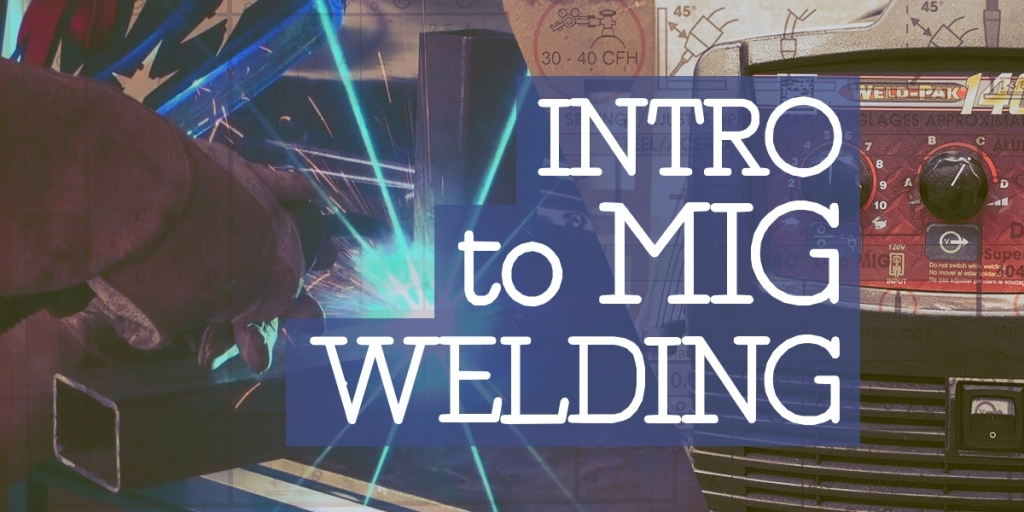
    Image for Intro to MIG Welding

    Intro to MIG Welding

    Sept. 30, 2024 5:30 p.m. — 8:30 p.m.

    Thinking about trying out MIG welding? This is an introductory workshop in learning, safety, tools and techniques in MIG welding. No experience required.


    Must provide your own safety glasses, leather work shoes and leather gloves. Helmets, jackets and materials will be provided. 


    Students will:
    . Learn about safety in the metal shop and welding studio
    . Learn about MIG welding equipment and materials to be used
    . Use the MIG welding equipment to spot weld, draw a bead and join two prices of metal


    About the Instructors: Jo Ann Clifford is a Master Teacher and Metal Artist. She has been creating metal Art in her home studio and at The Claremont Maker Space for several years. She is a past Artist In Residence at CMS and has shown her work regionally. She loves to teach and inspire others to try something new in a fun and supportive environment.

    Class Fees: $55 members, $75 non-members.

    Materials Fee: $10 included in class fee

    Prerequisite: none

    Skill Level: beginner

    Age Requirement: Adults only (18 years and above)


    Register for this class now!


    Image for Spooky Decorative Potion Bottles

    Spooky Decorative Potion Bottles

    Oct. 1, 2024 6 p.m. — 9 p.m.

    Learn how to make enchanting decorative potion bottles perfect for Halloween! We’ll guide you through the process of transforming ordinary bottles into magical displays filled with interesting, scary, or curious items. Bring your own bottles and weird items, or just bring your playful self and use some of ours. From wax seals to shimmering liquids to aging techniques and spiderwebs, there will be a plethora of things to learn and items to fill and decorate your bottles with. We may even do some sculpting to fill your bottles with strange creatures.

    By the end of this class, you’ll have a set of captivating potion bottles ready to add a magical or spooky touch to your Halloween decor. Perfect for parties, haunted houses, or simply to spark the imagination of all who see them!

    About the Instructor(s): Tiffany Vincent is the Electronics Shop lead for the Claremont MakerSpace. She has a long history of making and designing props with a magical twist.

    Class Fees: $20 Members  /  $30 Non-members

    Materials Fee: $10 (included in class fee)

    Prerequisite(s): None

    Skill Level: Beginner

    Age requirement: All ages. (Under 15 requires a parent partner.)

    Register for this class now!


    Happy Makin’!

    We are grateful for all of the public support that our 501(c)(3), non-profit organization receives. If you’d like to make a donation,please visit the Support Us page of our website.

  • August Classes & Events at the Claremont MakerSpace – It’s Jewelry Month!

    CMS Logo

    Greetings Upper Valley Makers:

    We have an exciting list of upcoming classes at the Claremont MakerSpace! With jewelry maker Angela Hill visiting, August is definitely jewelry month with many opportunities to learn wire wrapping techniques. We also have an assortment of regular classes and new classes including a laser-engraved cutting board and intro to plasma cutting. We are thrilled to partner with Hypertherm and their HOPE Foundation to bring plasma cutting classes back to CMS. The first intro class is for members only and public classes will open in September. Happy making!

    For most classes and events, CMS MEMBERSHIP IS NOT REQUIRED. That said, members receive a discount on registration and there are some classes/events that are for members only (this will be clearly noted in the event description).

    Class policies (liability waiver, withdrawal, cancellation, etc.) can be found here.

    Instructors: Interested in teaching a class at CMS? Please fill out our Class Proposal Form.

    Tours: Want to see what the Claremont MakerSpace is all about? Contact Us to schedule your tour where you can learn about all the awesome tools that the CMS offers access to, as well as how membership, classes, and studio spaces work.


    Upcoming Events

    Events that are currently open for registration.

    Image for Introduction to Wire Sculpted Jewelry - Ring

    Introduction to Wire Sculpted Jewelry – Ring

    Aug. 13, 2024 5:30 p.m. — 8:30 p.m.

    This is a fun class for anyone who would like an introduction or refresher for wirework jewelry.  Each participant will produce a beautiful ring with a Cubic Zirconia stone.

    This is a beginning class in wirework and wire sculptured jewelry.  The participants do not have to know about working with wire. All the basics of working with all types of wire and how to use wire tools will be covered. We will also learn how to make properly sized rings, how to set and attach a stone, how to finish with a simple sculpture and how to professionally wrap a ring shank.

    Wire work involves small work so students should bring magnifiers to wear while they are working. Requirements for the Jewelry Studio include close-toed shoes and safety glasses (which are available for use). Anyone using the polishing or soldiering area must also be wearing No hanging or hand jewelry and must have their hair tied back. Requirements to prevent cross contamination must always be followed (which is taught during a class). 

    About the Instructor(s): Angela Hill has been making jewelry for over 50 years. She has taught classes for 30 years. She has sold her jewelry in stores, online and in market places for 20 years. She especially loves Wire work jewelry, but also does silversmithing, stringing, knotting, seed bead weaving and mixed media metal work.

    Class Fees: $25 members / $40 non-members

    Materials Fee: $10 included in the class fee

    Prerequisite(s): none

    Skill Level: beginner

    Age requirement: Youth and adult (15 years and older)

    Register for this class now!


    Image for August Open Electronics Meetup

    August Open Electronics Meetup

    Aug. 13, 2024 6 p.m. — 9 p.m.

    Bring your electronics projects and supplies and have fun visiting with other Electronics Enthusiasts. Work on your projects in our stocked Electronics and Digital Fabrication Lab. In addition to the MakerSpace’s soldering irons, diagnostic tools, and parts library, there will be some LED soldering kits and soldering irons available for purchase as well.
     
    Hang out, finish your projects, think about future projects, and just enjoy being around other electronics enthusiasts.
     
    Tiffany, the electronics shop lead, will be available to help you set up, find parts, and offer support.

    Class Fees: Free for members and $5 for non-members.

    Materials Fee: None (LED soldering kits and personal soldering irons are available onsite for purchase

    Prerequisite(s): None

    Skill Level: Any

    Age requirement: Youth and adult (15 years and older). Under 15 must be accompanied by a parent/guardian partner.

    Register for this class now!


    Image for Jewelry Work Session (Members Only)

    Jewelry Work Session (Members Only)

    Aug. 15, 2024 5:30 p.m. — 8:30 p.m.

    This is an exciting session for CMS members who enjoy creating jewelry and would like to work with other jewelry enthusiasts while also having a knowledgeable person present to answer questions or help. It is an informal environment for those who have taken a class and have not finished a project and would like help doing so. It is an enjoyable environment for those who are working on their own project and would like to do so with others of likeminded enthusiasm. It is a session time to use expensive or complicated equipment with a knowledgeable person that can give guidance.

    Each participant will bring their own project to work on.

    Bring to class: Magnifiers. Also, Requirements for the Jewelry Studio include safety glasses (which are available for use) and closed toed shoes. Anyone using the polishing or soldiering area must also be wearing: No hanging jewelry or clothing such as scarves, No hand jewelry and must have their hair tied back. 

    About the Instructor(s): Angela Hill has been making jewelry for over 50 years. She has taught classes for 30 years. She has sold her jewelry in stores, online and in market places for over 20 years. She especially loves Wire work jewelry, but also does silversmithing, stringing, knotting, seed bead weaving and mixed media metal work.

    Class Fees: Free for Members only 

    Materials Fee: none

    Prerequisite(s): none

    Skill Level: none

    Age requirement: Youth and Adult (15 years and older)

    Register for this class now!


    Image for Introduction to Wire Sculpted Jewelry - Pendant

    Introduction to Wire Sculpted Jewelry – Pendant

    Aug. 17, 2024 1 p.m. — 4 p.m.

    This is a fun class for anyone who would like an introduction or refresher for wirework jewelry.  Each participant will be sculpting a pendant with an oval gem stone.

    This is a beginning class in wirework and wire sculptured jewelry.  The participants do not have to know about working with wire. All the basics of working with all types of wire and how to use wire tools will be covered. 

    Wire work involves small work so students should bring magnifiers to wear while they are working. Requirements for the Jewelry Studio include close-toed shoes and safety glasses (which are available for use). Anyone using the polishing or soldiering area must also be wearing No hanging or hand jewelry and must have their hair tied back. 

    About the Instructor(s): Angela Hill has been making jewelry for over 50 years. She has taught classes for 30 years. She has sold her jewelry in stores, online and in market places for 20 years. She especially loves Wire work jewelry, but also does silversmithing, stringing, knotting, seed bead weaving and mixed media metal work.

    Class Fees: $25 members / $40 non-members

    Materials Fee: $10 included in the class fee

    Prerequisite(s): none

    Skill Level: beginner

    Age requirement: Youth and adult (15 years and older)

    Register for this class now!


    Image for CMS Amateur Radio Club (W1CMS) Monthly Meetup

    CMS Amateur Radio Club (W1CMS) Monthly Meetup

    Aug. 18, 2024 1 p.m. — 3 p.m.

    The Claremont MakerSpace has an Amateur Radio club! Before makers, hackers, and DIY, there was Amateur Radio. 

    Join us on August 18 at 1 p.m. for our monthly meeting (every third Sunday) You do not have to be a licensed ham to participate, just bring your curiosity and energy! Everyone is welcome! Each month, we feature a presenter (45 minutes to an hour), and after we adjourn to MakerSpace’s Digital Fabrication and Electronics Lab for open-time kit building, sharing, studying, and socializing.

    This Month’s Presentation: When is an end fed antenna not an end fed antenna

    In this short talk, Paul will present “When is an end fed antenna not an end fed antenna?” where the principle of operation of these popular antennas is discussed, as well as misconceptions and why it may not actually be what you think.

    Presented by: Paul Davis (K9MR) First licensed as a novice in 1974 and granted the callsign K9MR in 1977, Paul has been active in ham radio across many areas of interest. From DXing and contesting, or operating moonbounce, to building QRP transceivers and ATV transmitters, he’s acquired a broad range of ham knowledge. In addition to amateur radio, he’s interested in 3D printing and microprocessors, as well as metalworking.
     

    What is Amateur Radio?

    Amateur Radio (often called ham radio) is a popular hobby and service that brings people, electronics, and communication together. People use Amateur Radio to talk across town, around the world, or even into space, all without the Internet or cell phones. It’s fun, social, educational, and can be a lifeline during times of need.

    How is Amateur Radio used?

    Amateur Radio is used for a variety of recreational and service-related activities. Amateur Radio operators, also called “hams,” use Amateur Radio equipment to engage in two-way personal communications with other hams, as well as:

    • Aid communication during public events, such as parades and road races
    • Act as a vital communications link during emergencies and disasters
    • Advance their technical skills and build their own radio components (ever wanted to talk to an astronaut in orbit?)
    • Participate in competitive events and earn awards in contests

    Who can become a ham?

    Anyone of any age who is not a representative of a foreign government can be an Amateur Radio operator in the US. Before you can get on the air, you’ll need to be licensed and know the rules to operate legally. In the US there are three license classes — Technician, General, and Amateur Extra. The Claremont MakerSpace has resources and support available to help you learn and prepare to take your exam. 

    You can learn more about amateur radio here: arrl.org/what-is-ham-radio

    Register for this class now!


    Image for Open Sew-In

    Open Sew-In

    Aug. 20, 2024 4 p.m. — 6:30 p.m.

    Bring your sewing projects and supplies and have fun visiting with other Fiber Artists and Enthusiasts. Work on your projects in our roomy and comfortable sewing department. We have plenty of table space and 5 Singer heavy duty sewing machines, irons, ironing board, and a variety of sewing notions to use in the Fiber Arts Studio.
     
    Allison, our shop lead will be available to help with any questions you may have.
     

    About the Instructor: Allison Zito received a Bachelor of Fine Arts Degree from the University of the Arts. Her artwork has been exhibited in numerous museums including The Barnes Foundation in Philadelphia, The Berkshire Museum in Pittsfield, MA, The Delaware Art Museum, The Pennsylvania State Museum in Harrisburg, and The Philadelphia Museum of Art.  Allison has decades of teaching experience, having taught a variety of classes at The Philadelphia Museum of Art, at Harcum College in Bryn Mawr, PA, and at the University of Pennsylvania Morris Arboretum. She has taught Studio Art in the Upper Valley at AVA Gallery and Art Center, Craftstudies at Hanover League of New Hampshire Craftsmen, ArtisTree, and Claremont Maker Space with stunning results.  

    Allison Zito was awarded The Albert Nelson Marquis Lifetime Achievement Award in 2018 for her work as an artist and art educator. In 2019 Allison was awarded an Artist in Residency at The Claremont Maker Space. There she created an art installation addressing the issue of Global Warming and she organized a symposium on site, to inspire positive action within the greater community. Allison created two local public art murals in 2021, one for The Sullivan County Conservation District in Unity and Allison created the Bee and the Monarch Medallions on the Lebanon Art Tunnel Way Pollinator Mural. Making a statement and creating beautiful art as a way to open a conversation that leads to a better world, is the cornerstone of Allison’s career as an artist and art educator. 

    Age requirement: Adults (18 and older)

    Class Fees: Free for members and $10 for non-members.

    Materials Fee: None

    Register for this class now!


    Image for An Introduction to Wire Weaving for Jewelry

    An Introduction to Wire Weaving for Jewelry

    Aug. 20, 2024 5:30 p.m. — 8:30 p.m.

    This is a fun class for anyone who wants to learn how to weave wire into various patterns.  Woven wire patterns can be used to create intricate bails, to enclose stones, to add a decorative finish to a sculpture, to encircle a glass vase and any other application that comes to your mind. Each participant will create a sample of five different weaves and then produce a simple pendant of a gemstone with a woven bail.

    This is a beginner class so the participants do not have to know anything about wirework to attend.

    Wire weaving involves tiny work so students should bring magnifiers to wear. General requirements for the Jewelry Studio include close-toed shoes and safety glasses (which are available for use). Anyone using the polishing or soldering area must also be wearing No hanging or hand jewelry and must have their hair tied back. Requirements to prevent cross contamination must always be followed (which is taught during a class).

    About the Instructor(s): Angela Hill has been making jewelry for over 50 years. She has taught classes for 30 years. She has sold her jewelry in stores, online and in market places for 20 years. She especially loves Wire work jewelry but also does silversmithing, stringing, knotting, seed bead weaving and mixed media metal work.

    Class Fees: $30 members/ $45 non-members

    Materials Fee: $15 included in the class fee

    Prerequisite(s): Students should be comfortable holding thin wire in their hands.

    Skill Level: beginner

    Age requirement: Youth and Adult (15 years and older)

    Register for this class now!


    Image for Make a Silver Ring

    Make a Silver Ring

    Aug. 21, 2024 6 p.m. — 8 p.m.

    In this workshop, you’ll learn the basics of silver-smithing while you make a simple silver ring! The instructor will guide you through various options for how to embellish your band, the shape of which you will get to choose.  You’ll try soldering and learn how to polish your finished product into a beautiful ring! No experience necessary. All materials will be provided, and the $10 materials fee is included in the registration cost.


    About the Instructor(s): Melanie has been making silver jewelry at CMS since 2018. Her first introduction was THIS VERY CLASS! She proceeded to get certified in the studio and now creates nature inspired jewelry for fun in her free time. She also owns and operates Mel Tata Photography and loves shooting wicked fun weddings on analogue mediums.

    Class Fees: $50 members/ $60 non-members

    Materials Fee: $10 included in the fee

    Prerequisite(s): none

    Skill Level: beginner

    Age requirement: Adults only (18 years and older)

    Register for this class now!


    Image for Jewelry Work Session

    Jewelry Work Session

    Aug. 22, 2024 5:30 p.m. — 8:30 p.m.

    This is an exciting session for anyone who enjoys creating jewelry and would like to work with other jewelry enthusiasts while also having a knowledgeable person present to answer questions or help. It is an informal environment for those who have taken a class and have not finished a project and would like help doing so. It is an enjoyable environment for those who are working on their own project and would like to do so with others of likeminded enthusiasm. It is a session time to use expensive or complicated equipment with a knowledgeable person that can give guidance.

    Each participant will bring their own project to work on.

    Bring to class: Magnifiers. Also, Requirements for the Jewelry Studio include safety glasses (which are available for use) and closed toed shoes. Anyone using the polishing or soldiering area must also be wearing: No hanging jewelry or clothing such as scarves, No hand jewelry and must have their hair tied back. 

    About the Instructor(s): Angela Hill has been making jewelry for over 50 years. She has taught classes for 30 years. She has sold her jewelry in stores, online and in market places for over 20 years. She especially loves Wire work jewelry, but also does silversmithing, stringing, knotting, seed bead weaving and mixed media metal work.

    Class Fees: Free for members / $20 for non-members

    Materials Fee: none

    Prerequisite(s): none

    Skill Level: none

    Age requirement: Youth and Adult (15 years and older)

    Register for this class now!


    Image for Learn How to Use the Mid-Arm Quilting Machine

    Learn How to Use the Mid-Arm Quilting Machine

    Aug. 24, 2024 1 p.m. — 3 p.m.

    Intro to Mid Arm Quilting Machine is designed for people looking to learn how to use our mid-arm quilting machine, a Brother Dream Quilter 15. It can be used to quilt all sizes, from baby quilt to king size. Premade clothing can also be fitted onto the frame for quilting! The cost of the class includes a follow-up certification session. Members may use the machine on their own after passing the certification.

    About the Instructors: 

    Allison Zito serves as Shop Lead in the Fibers Department at Claremont MakerSpace. She has been teaching The Mid Arm Quilting Classes for six years.

    Allison Zito received a Bachelor of Fine Arts from The University of the Arts. Her artwork has been exhibited in numerous museums including The Barnes Foundation in Philadelphia, The Berkshire Museum in Pittsfield MA, The Delaware Art Museum, The Pennsylvania State Museum, and The Philadelphia Museum of Art.

    Allison has decades of teaching experience, having taught a considerable variety of classes at The Philadelphia Museum of Art, at Harcum College in Bryn Mawr, PA, and and at the University of Pennsylvania Morris Arboretum. She has been teaching studio art in the Upper Valley with excellent results at AVA Gallery, Claremont MakerSpace, CraftStudies at The League of New Hampshire Craftsmen and Artistree.

    Allison was awarded an Artist in Residency in 2019 at Claremont MakerSpace where she created an art installation and symposium to inspire positive action, addressing the issue of Global Warming. In 2021 Allison Zito created an outdoor mural for The Sullivan County Public Cidery Building. She was part of a team of five artists who created a mural in Lebanon, NH. You can see her Bee and Monarch Medallions in the Lebanon Art Tunnel Way.

    Allison Zito was awarded the Albert Nelson Marquis Lifetime Achievement Award in 2018 for her work as an artist and her work in arts education.

    Class Fees: $65/member $75/non-member

    Materials Fee: none

    Age Requirement: Adults only (18 and older)

    Skill Level: All levels

    Prerequisites: none

    Register for this class now!


    Image for Intermediate Wire Sculpture

    Intermediate Wire Sculpture

    Aug. 24, 2024 1 p.m. — 4 p.m.

    This is an exciting class for anyone who enjoys wire weaving and wire sculpting jewelry with gem stones. The frame and bail are woven with different weaves.  The front of the stone is covered in wire netting and the back has a simple wire sculpture. Students will develop their expertise with wire weaving and wire sculpture for jewelry.  Each participant will produce a beautiful wire woven gem stone pendant.

    This is an intermediate class so the participants should already know how to weave wire.  We will create an intricate pendant using an oval gemstone and copper wire.

    About the Instructor(s): Angela Hill has been making jewelry for over 50 years. She has taught classes for 30 years. She has sold her jewelry in stores, online and in market places for 20 years. She especially loves Wire work jewelry, but also does silversmithing, stringing, knotting, seed bead weaving and mixed media metal work.

    Class Fees: $30 for Members / $50 for non-Members

    Materials Fee: $10 included in the class fee

    Prerequisite(s): This is an Intermediate class. The participants should already have taken the beginning wire weaving class or be comfortable with wire weaving and wire sculpture.

    Skill Level: Intermediate

    Age requirement: Youth and Adult (15 years and older)

    Register for this class now!


    Image for Intro to MIG Welding

    Intro to MIG Welding

    Aug. 26, 2024 5:30 p.m. — 8:30 p.m.

    Thinking about trying out MIG welding? This is an introductory workshop in learning, safety, tools and techniques in MIG welding. No experience required.


    Must provide your own safety glasses, leather work shoes and leather gloves. Helmets, jackets and materials will be provided. 

    Students will:
    . Learn about safety in the metal shop and welding studio
    . Learn about MIG welding equipment and materials to be used
    . Use the MIG welding equipment to spot weld, draw a bead and join two prices of metal

    About the Instructors: Jo Ann Clifford is a Master Teacher and Metal Artist. She has been creating metal Art in her home studio and at The Claremont Maker Space for several years. She is a past Artist In Residence at CMS and has shown her work regionally. She loves to teach and inspire others to try something new in a fun and supportive environment.

    Class Fees: $55 members, $75 non-members.

    Materials Fee: $10 included in class fee

    Prerequisite: none

    Skill Level: beginner

    Age Requirement: Adults only (18 years and above)


    Register for this class now!


    Image for Introduction to Jewelry Making and Tools

    Introduction to Jewelry Making and Tools

    Aug. 27, 2024 5:30 p.m. — Aug. 29, 2024 8:30 p.m.

    This class is an introduction to the basic knowledge, tools and procedures for Jewelry Making. Each student will complete a spinner ring of copper. Each participant will also receive a handout for future reference when they are in the Jewelry Studio alone. Requirements: safety goggles (we have some to borrow), NO jewelry worn, close-toed shoes, hair tied back, sleeves rolled up, no gloves worn. The following will be covered:

    • Safety in the studio and with the tools
    • Cross contamination avoidance since this is a shared space
    • Intro. to metals for jewelry
    • Measuring tools and procedures
    • Cutting tools and procedures
    • Filing tools and procedures
    • Introduction to the torch
    • Annealing and soldering
    • Introduction to the Flex Shaft
    • Introduction to the Bench Grinder
    • Sanding, Hammering and Dapping
    • Introduction to Cleaning and Polishing

    Each Participant will be given all the materials to complete a Copper Spinner Ring from cutting metal plate to complete polishing.

    ***This class meets twice***

    Tuesday August 27, 2024 5:30pm-8:30pm

    AND

    Thursday August 29, 2024 5:30pm-8:30pm

    About the Instructor: Angela Hill has been making jewelry since she completed her first seed bead woven bracelet at 9 years of age. After she retired from a successful career of teaching K-12, she sold her jewelry to local jewelry stores, on line and in crafts fairs for several years. Now she’s back to just doing it for pleasure. She enjoys wire work the most but also does silversmithing, stringing, knotting, seed bead weaving and mixed media metal work. 

    Class Fees: $45 for CMS Members / $70 for Non-Members

    Materials Fee: $15 included in the class fee

    Skill Level: Beginner

    Age requirement: Youth and Adult (15 years and older)


    Register for this class now!


    Image for Make a Custom Laser-Engraved Cutting Board

    Make a Custom Laser-Engraved Cutting Board

    Aug. 27, 2024 6 p.m. — 8 p.m.

    Join us as we explore the amazing capabilities of our laser cutter. We will guide you through the process of customizing designs and text with a laser engraver. Each participant will have the opportunity to see their own small bamboo cutting board personalized with a handwritten recipe, a custom bit of art, or their name. If you have a cutting board you’d like to engrave, bring it! This is a great way to add personalization to a cutting board made at the Claremont MakerSpace in one of Peter Gunn’s cutting board classes.

    This experience offers a fantastic introduction to the laser cutter, allowing you to see it in action without the need for technical expertise. While this session does not provide certification, it’s a great way to get a glimpse at the many possibilities our laser cutter offers.

    About the Instructors: Tiffany and Brian are the shop leads for the Digital Fabrication Lab at the Claremont MakerSpace. 

    Class Fees: $50 members. $65 non-members

    Materials Fee: $10 (included in price)

    Prerequisite(s): None

    Skill Level: Beginner

    Age requirement: Any age (children under 16 years old must be accompanied by their adult)

    Register for this class now!


    Image for Introduction to Plasma Cutting (Hypertherm)

    Introduction to Plasma Cutting (Hypertherm)

    Aug. 29, 2024 6 p.m. — 8:30 p.m.

    Plasma cutting is a powerful and versatile means of cutting steel, aluminum, and other conductive materials, for applications ranging from heavy industry to abstract art. In Intro to Plasma Cutting, students will the learn the fundamental processes and techniques for handheld plasma cutting using the Claremont MakerSpace’s Hypertherm Powermax85 – and will get plenty of hands-on practice with the tool. The goal of this class is to prepare students to be certified to use the CMS’s plasma cutter, handheld, independently.  

    Note:  This is a CMS member only class;  non-member classes will start in September. 

    About the Instructor(s): Tim Renner serves as a Program Manager on Hypertherm’s Learning and Development team, where he oversees the technical training of internal associates in areas ranging from plasma cutting to automation and 3D printing. He began his journey with Hypertherm in 2013, fulfilling the role of Technical Service Engineer, with duties encompassing customer support, product repair, and training.

    Class Fees: $20 for members

    Materials Fee: none

    Prerequisite(s): none

    Skill Level: beginner

    Age requirement: Adult (18 years and older)

    Register for this class now!


    Image for Actuator - Thinking about starting a business?

    Actuator – Thinking about starting a business?

    Sept. 4, 2024 5:30 p.m. — 7 p.m.

    Embark on a dynamic business-building ideation session that delves into the lean business canvas template and inspires innovative business ideas.  We guide you through a series of interactive warm-up events that encourage active participation and then lead you through the creation of a lean business canvas that captures your initial business concept. At the conclusion of the session, you’ll have the opportunity to learn more about how the Black River Innovation Campus Actuator program can collaborate with you to bring your business idea to life. 

    Claremont MakerSpace is excited to partner with Black River Innovation Campus to bring this Actuator class to CMS. 

    About the Instructor(s): The Black River Innovation team has been running the Actuator program to help many individuals bring their business ideas to life. BRIC is located at 60 Park St in Springfield VT.  To learn more visit bricvt.org.  

    Class Fees: free for members/ $10 non-members

    Materials Fee: none

    Prerequisite(s): none

    Skill Level: beginner

    Age requirement: Adults only (18 years and older)

    Register for this class now!


    Happy Makin’!

    We are grateful for all of the public support that our 501(c)(3), non-profit organization receives. If you’d like to make a donation,please visit the Support Us page of our website.

  • Upcoming Classes and Events at the Claremont MakerSpace

    CMS Logo

    Greetings Upper Valley Makers:

    With the July weather finally more comfortable, come learn something new at the Claremont MakerSpace. There are many new classes listed this month that might interest you!

    For most classes and events, CMS MEMBERSHIP IS NOT REQUIRED. That said, members receive a discount on registration and there are some classes/events that are for members only (this will be clearly noted in the event description).

    Class policies (liability waiver, withdrawal, cancellation, etc.) can be found here.

    Instructors: Interested in teaching a class at CMS? Please fill out our Class Proposal Form.

    Tours: Want to see what the Claremont MakerSpace is all about? Contact Us to schedule your tour where you can learn about all the awesome tools that the CMS offers access to, as well as how membership, classes, and studio spaces work.


    Upcoming Events

    Events that are currently open for registration.

    Image for You Can Design in 3D

    You Can Design in 3D

    July 20, 2024 1 p.m. — 4 p.m.

    In this class, we’ll learn how to use the Tinkercad software to create 3D objects we can use on the Claremont MakerSpace’s 3D printers and laser cutter (other tools too, but the 3D printer is our focus). You’ll learn how to work with dimensions and measurements to create precise designs. You can design almost anything in Tinkercad, but it’s also a great introduction to higher-end 3D modeling software. If you have a laptop, bring it, and make sure you bring a mouse (3D design is a lot easier using a mouse than a trackpad). No laptop? Use one of the Claremont MakerSpace’s machines. (Please confirm your laptop can meet the following browser, platform, and hardware requirements:

    Hardware:

    • Most laptops purchased within the last 6 years should work well with Tinkercad. There is one strict requirement that the graphics card supports webGL. WebGL enables working in 3D in the browser. If you are not sure that your graphics card supports webGL, visit this page to see if you see a spinning cube:

      https://get.webgl.org/

    Operating Systems that are known to work well with Tinkercad:

    • Microsoft Windows 10
    • Apple MacOS High Sierra 10.13.2 or later
    • Google Chrome OS on Chromebooks

    Browsers that work best with Tinkercad:

    • Google Chrome version 50 (or newer)
    • Safari 13 (or newer)
    • Microsoft Edge (Chromium)

    About the Instructor(s): In addition to being the Digital Fabrication and Electronics Shop Lead at Claremont MakerSpace, Tiffany Vincent is a maker, designer, and programmer with a deep love for all things DIY. 

    Class Fees: $45 members / $60 non-members

    Materials Fee: $5 (Included in class fee)

    Prerequisite(s): Participants in this class should have basic computer navigation skills before joining.

    Skill Level: Beginner

    Age requirement: Adults (18 and up)

    Register for this class now!


    Image for CMS Amateur Radio Club (W1CMS) Monthly Meetup

    CMS Amateur Radio Club (W1CMS) Monthly Meetup

    July 21, 2024 1 p.m. — 3 p.m.

    The Claremont MakerSpace has an Amateur Radio club! Before makers, hackers, and DIY, there was Amateur Radio. 

    Join us on July 21 at 1 p.m. for our monthly meeting (every third Sunday) You do not have to be a licensed ham to participate, just bring your curiosity and energy! Everyone is welcome! Each month, we feature a presenter (45 minutes to an hour), and after we adjourn to MakerSpace’s Digital Fabrication and Electronics Lab for open-time kit building, sharing, studying, and socializing.

    This Month’s Presentation: TBD 

    What is Amateur Radio?

    Amateur Radio (often called ham radio) is a popular hobby and service that brings people, electronics, and communication together. People use Amateur Radio to talk across town, around the world, or even into space, all without the Internet or cell phones. It’s fun, social, educational, and can be a lifeline during times of need.

    How is Amateur Radio used?

    Amateur Radio is used for a variety of recreational and service-related activities. Amateur Radio operators, also called “hams,” use Amateur Radio equipment to engage in two-way personal communications with other hams, as well as:

    • Aid communication during public events, such as parades and road races
    • Act as a vital communications link during emergencies and disasters
    • Advance their technical skills and build their own radio components (ever wanted to talk to an astronaut in orbit?)
    • Participate in competitive events and earn awards in contests

    Who can become a ham?

    Anyone of any age who is not a representative of a foreign government can be an Amateur Radio operator in the US. Before you can get on the air, you’ll need to be licensed and know the rules to operate legally. In the US there are three license classes — Technician, General, and Amateur Extra. The Claremont MakerSpace has resources and support available to help you learn and prepare to take your exam. 

    You can learn more about amateur radio here: arrl.org/what-is-ham-radio

    Register for this class now!


    Image for Introduction to Metal Working Tools

    Introduction to Metal Working Tools

    July 22, 2024 6 p.m. — 8 p.m.

    Would you like to learn to use the metal working tools in the metal shop at the Claremont Maker Space? This workshop will introduce safe use of the Metal Brake, Metal Shear, Metal Band Saw, Drill Press, Bead Roller and the Sand Blaster. Each participant will have the opportunity to use each of the tools during the workshop. This introduction will prepare members for certification on these tools but will not include time for individual CMS certifications during class time.

    This class is offered in a collaborative format, participants will work in a group and progress through each tool.

    Students must wear safety glasses, work shoes and bring leather gloves.


    About the Instructor(s): 

    Jo Ann Clifford is a Master Teacher, Metal Shop Lead and Metal Artist. She has been using metal working tools to create art for several years at the Claremont MakerSpace. She is a past Artist in Residence at CMS and has shown her work locally and regionally. She loves to teach and inspire others to try something new.


    Class Fees: $55 members/ $65 non-members

    Materials Fee: none

    Prerequisite(s): none

    Skill Level: beginner

    Age requirement: Adults only (18 years and older)

    Register for this class now!


    Image for Make A Beaded Wire Tree!

    Make A Beaded Wire Tree!

    July 23, 2024 6 p.m. — 7:30 p.m.

     Learn how to make your own beautiful beaded wire tree using twisted black copper wire and colored beads of your choice. The course is beginner friendly and requires no previous experience. Students will walk away with their own finished decorative tree sculpture.


    About the Instructor(s): Alice Breisch is a freshman at Keene State college. She has been making art with wire for the past five years, and has sold her work at various art galleries and craft fairs, including the Gallery of Gifts at the Newport Library Arts Center.


    Class Fees: $20 Members/ $30 non-members

    Materials Fee: $10 included in the class fee

    Prerequisite(s): none

    Skill Level: beginner

    Age requirement: Any age (children under 16 years old must be accompanied by an adult)

    Register for this class now!


    Image for Sumi e (Japanese Ink Painting)Painting the Bamboo Forest

    Sumi e (Japanese Ink Painting)
    Painting the Bamboo Forest

    July 27, 2024 10 a.m. — 12:30 p.m.

    We will cultivate a Zen state of mind by exploring aspects of the Japanese Tea Ceremony. We’ll look at images of Japanese Ink Paintings and learn the basic brush strokes used in this specific type of painting. These techniques can be applied to a variety of painting media. The art is in the touch of the brush stroke, quality of the line, appreciation of the natural world, and the beauty in asymmetry. All supplies are provided. We’ll create multiple paintings.

    Come to class dressed to paint! 

    About the Instructor(s): Allison Zito has been the shop lead in the Fibers Department at Claremont MakerSpace since 2018.  Allison majored in Fibers and received a Bachelor of Fine Arts Degree from the University of the Arts. Her artwork has been exhibited in numerous museums including The Barnes Foundation in Philadelphia, The Berkshire Museum in Pittsfield, MA, The Delaware Art Museum, The Pennsylvania State Museum in Harrisburg, and The Philadelphia Museum of Art.  Allison has decades of teaching experience, having taught a variety of classes at The Philadelphia Museum of Art, at Harcum College in Bryn Mawr, PA, and at the University of Pennsylvania Morris Arboretum. She has taught Studio Art in the Upper Valley at AVA Gallery and Art Center, Craftstudies at Hanover League of New Hampshire Craftsmen, ArtisTree, and Claremont Maker Space with stunning results.  Allison Zito was awarded The Albert Nelson Marquis Lifetime Achievement Award in 2018 for her work as an artist and art educator. In 2019 Allison was awarded an Artist in Residency at The Claremont Maker Space. There she created an art installation addressing the issue of Global Warming and she organized a symposium on site, to inspire positive action within the greater community. Allison created two local public art murals in 2021, one for The Sullivan County Conservation District in Unity and Allison created the Bee and the Monarch Medallions on the Lebanon Art Tunnel Way Pollinator Mural. Creating beautiful art in an effort to open a conversation that can inspire hope and action for a better world. This the cornerstone of Allison’s work as an artist and art educator. 


    Class Fees: $80 members/ $90 non-members

    Materials Fee: $15 included in the class fee

    Prerequisite(s): none

    Skill Level: beginner

    Age requirement: Adults only (18 years and older)

    Register for this class now!


    Image for August Open Electronics Meetup

    August Open Electronics Meetup

    Aug. 13, 2024 6 p.m. — 9 p.m.

    Bring your electronics projects and supplies and have fun visiting with other Electronics Enthusiasts. Work on your projects in our stocked Electronics and Digital Fabrication Lab. In addition to the MakerSpace’s soldering irons, diagnostic tools, and parts library, there will be some LED soldering kits and soldering irons available for purchase as well.
     
    Hang out, finish your projects, think about future projects, and just enjoy being around other electronics enthusiasts.
     
    Tiffany, the electronics shop lead, will be available to help you set up, find parts, and offer support.

    Class Fees: Free for members and $5 for non-members.

    Materials Fee: None (LED soldering kits and personal soldering irons are available onsite for purchase

    Prerequisite(s): None

    Skill Level: Any

    Age requirement: Youth and adult (15 years and older). Under 15 must be accompanied by a parent/guardian partner.

    Register for this class now!


    Ongoing Events

    These events are ongoing. Registration is currently closed, but these events may be offered again in the future.

    Image for How to Make a Rain Water Collection Barrel and Garden Irrigation System.

    How to Make a Rain Water Collection Barrel and Garden Irrigation System.

    July 20, 2024 10 a.m. — 1 p.m.


    Happy Makin’!

    We are grateful for all of the public support that our 501(c)(3), non-profit organization receives. If you’d like to make a donation,please visit the Support Us page of our website.

  • July Classes and Events at the Claremont MakerSpace

    CMS Logo

    Greetings Upper Valley Makers:

    Our July calendar is published and we have an exciting list of upcoming classes at the Claremont MakerSpace that we think might interest you.

    For most classes and events, CMS MEMBERSHIP IS NOT REQUIRED. That said, members receive a discount on registration and there are some classes/events that are for members only (this will be clearly noted in the event description).

    Class policies (liability waiver, withdrawal, cancellation, etc.) can be found here.

    Instructors: Interested in teaching a class at CMS? Please fill out our Class Proposal Form.

    Tours: Want to see what the Claremont MakerSpace is all about? Tours are by appointment only.

    Contact Us to schedule your tour where you can learn about all the awesome tools that the CMS offers access to, as well as how membership, classes, and studio spaces work.


    Upcoming Events

    Events that are currently open for registration.

    Image for Open Sew-InOpen Sew-In

    July 2, 2024 4 p.m. — 6:30 p.m.

    Bring your sewing projects and supplies and have fun visiting with other Fiber Artists and Enthusiasts. Work on your projects in our roomy and comfortable sewing department. We have plenty of table space and 5 Singer heavy duty sewing machines, irons, ironing board, and a variety of sewing notions to use in the Fiber Arts Studio.
     
    Allison, our shop lead will be available to help with any questions you may have.


    About the Instructor: Allison Zito received a Bachelor of Fine Arts Degree from the University of the Arts. Her artwork has been exhibited in numerous museums including The Barnes Foundation in Philadelphia, The Berkshire Museum in Pittsfield, MA, The Delaware Art Museum, The Pennsylvania State Museum in Harrisburg, and The Philadelphia Museum of Art.  Allison has decades of teaching experience, having taught a variety of classes at The Philadelphia Museum of Art, at Harcum College in Bryn Mawr, PA, and at the University of Pennsylvania Morris Arboretum. She has taught Studio Art in the Upper Valley at AVA Gallery and Art Center, Craftstudies at Hanover League of New Hampshire Craftsmen, ArtisTree, and Claremont Maker Space with stunning results.  Allison Zito was awarded The Albert Nelson Marquis Lifetime Achievement Award in 2018 for her work as an artist and art educator. In 2019 Allison was awarded an Artist in Residency at The Claremont Maker Space. There she created an art installation addressing the issue of Global Warming and she organized a symposium on site, to inspire positive action within the greater community. Allison created two local public art murals in 2021, one for The Sullivan County Conservation District in Unity and Allison created the Bee and the Monarch Medallions on the Lebanon Art Tunnel Way Pollinator Mural. Making a statement and creating beautiful art as a way to open a conversation that leads to a better world, is the cornerstone of Allison’s career as an artist and art educator. 

    Age requirement: Adults (18 and older)

    Class Fees: Free for members and $10 for non-members.

    Materials Fee: None

    Register for this class now!


    Image for CMS Member Social - Celebrating 6 years!CMS Member Social – Celebrating 6 years!

    July 6, 2024 5 p.m. — 8 p.m.

    Pot Luck Format …bring something to share. 

    BYOB  …bring your own beverages. 

    Guests …are welcome to join you. ~1/member.

    Location  …outside in the CMS parking lot unless weather requires us to be inside in the Mezzanine. Bring lawn chairs for outside seating. 

    Any questions?  …ask Felicia or Valerie. 

    RSVP  …registration preferred.

    Register for this event now!


    Image for Make a Copper Cuff BraceletMake a Copper Cuff Bracelet

    July 9, 2024 6 p.m. — 8 p.m.

     Students will learn how to create a hammered copper cuff bracelet using basic metalworking techniques. Techniques to be taught include safely and accurately measuring and cutting the copper sheet; smoothing and texturing the copper piece evenly; forming the copper piece into a comfortable and well-shaped cuff; finishing and polishing the cuff to a smooth and attractive finish. Students will go home with a finished cuff!


    About the Instructor(s): Melanie Hooker has been a member at CMS since 2018 and is currently the Jewelry co-lead at the Makerspace. She loves working with copper and silver and has been metal smithing since 2019 after taking a class at CMS! She also works full time as a film wedding photogrpaher and loves everything and anything creative!


    Class Fees: $30 members/ $40 non-members

    Materials Fee: $10 included in the fee

    Prerequisite(s): none

    Skill Level: all

    Age requirement: Youth and Adult (ages 15 and older)

    Register for this class now!


    Image for Build a Beautiful Cutting Board!Build a Beautiful Cutting Board!

    July 11, 2024 6 p.m. — July 18, 2024 8:30 p.m.

    Would you like to learn how to use basic shop machinery to make a lovely hardwood serving/cutting board?  Then this is the course for you.  Starting with raw lumber you will learn how to make a useful and beautiful piece that can serve you or a special friend for years to come.

    You will learn about wood selection, milling it “foursquare”, and designing a layout.  Then you will practice gluing it up and sanding it (wet and dry) before applying mineral oil and beeswax. 

    All tools, materials, and safety gear will be provided – though, students are welcome to bring their own tools and gear.

    About the Instructor(s): Peter Gunn is a long time high school history teacher who loves wood from trees to the table.  Eight years ago he began taking woodworking courses and has been practicing steadily ever since.  He loves working on the lathe and with the jointer and planer to reveal the beauty of wood and make useful things.  Learning to make a cutting board encouraged him to develop his skills and nurtured his appreciation of what wood can become.  During the holidays in 2020, when Covid altered so much of our world, he began making cutting/serving boards to raise money for local food pantries.  Over three years and two hundred boards later, he is excited to share his knowledge.  He hopes people will enjoy making something uniquely beautiful and growing their skills and self-confidence in the process.


    ***This class meets twice***

    Thursday July 11, 2024 6pm-8:30pm

    AND

    Friday July 18, 2024 6pm-8:30pm


    Class Fees: $100 CMS members/ $125 non-members

    Materials Fee: $25 included in class fee

    Prerequisite(s): none

    Skill Level: Beginner

    Age requirement: Adults only (18 years and older)

    Register for this class now!


    Image for Intro to Machining and MetrologyIntro to Machining and Metrology

    July 13, 2024 noon — 3 p.m.

    In this course, students will learn how to effectively use various types of measuring equipment for the purpose of precision metal fabrication. This class is oriented towards introductory students who may or may not have any experience in metalwork. We will start by going over the basics in the class room and then move our class into the machine shop. Each person will have the opportunity to use a Milling machine and leave with a finished product.

    We will be making a simple 1″x 2″x 3″ (+/- .001) block, which may not sound complex but is very difficult in practice. This is a good opportunity to see how a part goes from stock material to a finished part in a matter of a few hours or less.

    If you enjoy this course, stay tuned for the intermediate class!


    Please wear shop-safe clothing to class!


    About the Instructor(s): 

    Joe Sneed is the new lead in the metal shop. He has been a Tool and Die maker, CNC machinist, and is now doing Tool and Die repair work in Lebanon, NH. 

    Joe grew up in Springfield, MO and moved to Claremont last year for work. He enjoys rock climbing and doing things outside. He has a degree in Mechatronics, and has been doing fabrication and design for over 7 years. 

    “I look forward to meeting the class and passing along the insights and skills others have shown me.” 


    Class Fees: $60 members/ $80 non-members

    Materials Fee: $20 included in the fee

    Prerequisite(s): shop safety

    Skill Level: beginner/ intermediate

    Age requirement: Adults only (18 years and older)

    Register for this class now!


    Image for Learn How to Use the Mid-Arm Quilting MachineLearn How to Use the Mid-Arm Quilting Machine

    July 14, 2024 2 p.m. — 4 p.m.

    Intro to Mid Arm Quilting Machine is designed for people looking to learn how to use our mid-arm quilting machine, a Brother Dream Quilter 15. It can be used to quilt all sizes, from baby quilt to king size. Premade clothing can also be fitted onto the frame for quilting! The cost of the class includes a follow-up certification session. Members may use the machine on their own after passing the certification.

    About the Instructors: 

    Allison Zito serves as Shop Lead in the Fibers Department at Claremont MakerSpace. She has been teaching The Mid Arm Quilting Classes for six years.

    Allison Zito received a Bachelor of Fine Arts from The University of the Arts. Her artwork has been exhibited in numerous museums including The Barnes Foundation in Philadelphia, The Berkshire Museum in Pittsfield MA, The Delaware Art Museum, The Pennsylvania State Museum, and The Philadelphia Museum of Art.

    Allison has decades of teaching experience, having taught a considerable variety of classes at The Philadelphia Museum of Art, at Harcum College in Bryn Mawr, PA, and and at the University of Pennsylvania Morris Arboretum. She has been teaching studio art in the Upper Valley with excellent results at AVA Gallery, Claremont MakerSpace, CraftStudies at The League of New Hampshire Craftsmen and Artistree.

    Allison was awarded an Artist in Residency in 2019 at Claremont MakerSpace where she created an art installation and symposium to inspire positive action, addressing the issue of Global Warming. In 2021 Allison Zito created an outdoor mural for The Sullivan County Public Cidery Building. She was part of a team of five artists who created a mural in Lebanon, NH. You can see her Bee and Monarch Medallions in the Lebanon Art Tunnel Way.

    Allison Zito was awarded the Albert Nelson Marquis Lifetime Achievement Award in 2018 for her work as an artist and her work in arts education.

    Class Fees: $60/member $70/non-member

    Materials Fee: none

    Age Requirement: Adults only (18 and older)

    Skill Level: All levels

    Prerequisites: none

    Register for this class now!


    Image for July Open Electronics MeetupJuly Open Electronics Meetup

    July 16, 2024 6 p.m. — 9 p.m.

    Bring your electronics projects and supplies and have fun visiting with other Electronics Enthusiasts. Work on your projects in our stocked Electronics and Digital Fabrication Lab. In addition to the MakerSpace’s soldering irons, diagnostic tools, and parts library, there will be some LED soldering kits and soldering irons available for purchase as well.
     
    Hang out, finish your projects, think about future projects, and just enjoy being around other electronics enthusiasts.
     
    Tiffany, the electronics shop lead, will be available to help you set up, find parts, and offer support.

    Class Fees: Free for members and $5 for non-members.

    Materials Fee: None (LED soldering kits and personal soldering irons are available onsite for purchase

    Prerequisite(s): None

    Skill Level: Any

    Age requirement: Youth and adult (15 years and older). Under 15 must be accompanied by a parent/guardian partner.

    Register for this class now!


    Image for Basic Sewing ClassBasic Sewing Class

    July 16, 2024 6 p.m. — 7:30 p.m.

    Learn how to use the Singer Heavy Duty Sewing Machines we have at Claremont MakerSpace. Participants will learn the parts of the sewing machines, how to change needles and presserfeet, wind a bobbin and thread the machine, how to get the right tension, trouble shoot problems, sew basic stitches and stretch stitches, and button holes. 


    About the Instructor(s): Allison Zito has been the shop lead in the Fibers Department at Claremont MakerSpace since 2018. Allison received a Bachelor of Fine Arts Degree from the University of the Arts. Her artwork has been exhibited in numerous museums including The Barnes Foundation in Philadelphia, The Berkshire Museum in Pittsfield, MA, The Delaware Art Museum, The Pennsylvania State Museum in Harrisburg, and The Philadelphia Museum of Art.  Allison has decades of teaching experience, having taught a variety of classes at The Philadelphia Museum of Art, at Harcum College in Bryn Mawr, PA, and at the University of Pennsylvania Morris Arboretum. She has taught Studio Art in the Upper Valley at AVA Gallery and Art Center, Craftstudies at Hanover League of New Hampshire Craftsmen, ArtisTree, and Claremont Maker Space with stunning results.  Allison Zito was awarded The Albert Nelson Marquis Lifetime Achievement Award in 2018 for her work as an artist and art educator. In 2019 Allison was awarded an Artist in Residency at The Claremont Maker Space. There she created an art installation addressing the issue of Global Warming and she organized a symposium on site, to inspire positive action within the greater community. Allison created two local public art murals in 2021, one for The Sullivan County Conservation District in Unity and Allison created the Bee and the Monarch Medallions on the Lebanon Art Tunnel Way Pollinator Mural. Creating beautiful art in an effort to open a conversation that can inspire hope and action for a better world. This the cornerstone of Allison’s work as an artist and art educator. 


    Class Fees: $30 members/ $45 non-members

    Materials Fee: none

    Prerequisite(s): an interest in sewing!

    Skill Level: beginners to intermediate

    Age requirement: Youth and Adult (15 years and older)

    Register for this class now!


    Image for Make a Silver RingMake a Silver Ring

    July 17, 2024 6 p.m. — 8 p.m.

     In this workshop, you’ll learn the basics of silver-smithing while you make a simple silver ring! The instructor will guide you through various options for how to embellish your band, the shape of which you will get to choose.  You’ll try soldering and learn how to polish your finished product into a beautiful ring! No experience necessary. All materials will be provided, and $5 materials fee is included in the registration cost.


    About the Instructor(s): Melanie has been making silver jewelry at CMS since 2018. Her first introduction was THIS VERY CLASS! She proceeded to get certified in the studio and now creates nature inspired jewelry for fun in her free time. She also owns and operates Mel Tata Photography and loves shooting wicked fun weddings on analogue mediums.


    Class Fees: $50 members/ $60 non-members

    Materials Fee: $10 included in the fee

    Prerequisite(s): none

    Skill Level: beginner

    Age requirement: Adults only (18 years and older)

    Register for this class now!


    Image for How to Make a Rain Water Collection Barrel and Garden Irrigation System.How to Make a Rain Water Collection Barrel and Garden Irrigation System.

    July 20, 2024 10 a.m. — 1 p.m.

    Learn how to make a rain water collection barrel and garden irrigation system using well proven techniques.

    In this class, the instructor will present in a classroom and hands on in the shop demonstrating how to fabricate a rain water collection system using recycled blue 55 gallon barrels and plastic plumbing pipe and fittings. Instruction will also include estimating system catchment and garden volume needs, proper placement for a gravity feed system and the installation and use of interconnecting plumbing, connecting rain gutter to barrel, venting, foundation for barrel and proper water outlet. Instruction includes connecting the system to irrigation tubing including filter, timer, tubing and irrigation tubing.

    The first hour will be classroom instruction and short videos. The remainder will be in the shop modifying a barrel for water catchment and demonstrating how to fabricate and interconnect input and discharge plumbing.

    Students will learn how to use a drill and hole saw, how to cut and assemble PVC plumbing pipe, how to calculate system capacity and placement, and how to maintain and winterize a system of their own.

    About the Instructor(s): John Lambert has been a member of Claremont MakerSpace since it opened and is a substitute teacher at SRVRTC, the Claremont high school Tech. Center, in the construction trades, plumbing and heating and machine tool programs. He is a former aircraft repairman and instructor and an automotive technician and auto dealer. He lives in Charlestown NH in a home he and his wife built 50 years ago, which was off the electric grid for ten years. 

    Students must wear closed toe shoes and safety glasses for the wood shop portion of this class Some safety glasses are available for use.

    Class Fees: $15 members/ $25 non-members

    Materials Fee: none

    Prerequisite(s): none

    Skill Level: all levels

    Age requirement: Any age (children under 16 years old must be accompanied by their adult)

    Register for this class now!


    Image for You Can Design in 3DYou Can Design in 3D

    July 20, 2024 1 p.m. — 4 p.m.


    In this class, we’ll learn how to use the Tinkercad software to create 3D objects we can use on the Claremont MakerSpace’s 3D printers and laser cutter (other tools too, but the 3D printer is our focus). You’ll learn how to work with dimensions and measurements to create precise designs. You can design almost anything in Tinkercad, but it’s also a great introduction to higher-end 3D modeling software. If you have a laptop, bring it, and make sure you bring a mouse (3D design is a lot easier using a mouse than a trackpad). No laptop? Use one of the Claremont MakerSpace’s machines. (Please confirm your laptop can meet the following browser, platform, and hardware requirements:

    Hardware:

    • Most laptops purchased within the last 6 years should work well with Tinkercad. There is one strict requirement that the graphics card supports webGL. WebGL enables working in 3D in the browser. If you are not sure that your graphics card supports webGL, visit this page to see if you see a spinning cube:

      https://get.webgl.org/

    Operating Systems that are known to work well with Tinkercad:

    • Microsoft Windows 10
    • Apple MacOS High Sierra 10.13.2 or later
    • Google Chrome OS on Chromebooks

    Browsers that work best with Tinkercad:

    • Google Chrome version 50 (or newer)
    • Safari 13 (or newer)
    • Microsoft Edge (Chromium)

    About the Instructor(s): In addition to being the Digital Fabrication and Electronics Shop Lead at Claremont MakerSpace, Tiffany Vincent is a maker, designer, and programmer with a deep love for all things DIY. 

    Class Fees: $45 members / $60 non-members

    Materials Fee: $5 (Included in class fee)

    Prerequisite(s): Participants in this class should have basic computer navigation skills before joining.

    Skill Level: Beginner

    Age requirement: Adults (18 and up)

    Register for this class now!


    Image for CMS Amateur Radio Club (W1CMS) Monthly MeetupCMS Amateur Radio Club (W1CMS) Monthly Meetup

    July 21, 2024 1 p.m. — 3 p.m.

    The Claremont MakerSpace has an Amateur Radio club! Before makers, hackers, and DIY, there was Amateur Radio. 

    Join us on July 21 at 1 p.m. for our monthly meeting (every third Sunday) You do not have to be a licensed ham to participate, just bring your curiosity and energy! Everyone is welcome! Each month, we feature a presenter (45 minutes to an hour), and after we adjourn to MakerSpace’s Digital Fabrication and Electronics Lab for open-time kit building, sharing, studying, and socializing.

    This Month’s Presentation: TBD 

    What is Amateur Radio?

    Amateur Radio (often called ham radio) is a popular hobby and service that brings people, electronics, and communication together. People use Amateur Radio to talk across town, around the world, or even into space, all without the Internet or cell phones. It’s fun, social, educational, and can be a lifeline during times of need.

    How is Amateur Radio used?

    Amateur Radio is used for a variety of recreational and service-related activities. Amateur Radio operators, also called “hams,” use Amateur Radio equipment to engage in two-way personal communications with other hams, as well as:

    • Aid communication during public events, such as parades and road races
    • Act as a vital communications link during emergencies and disasters
    • Advance their technical skills and build their own radio components (ever wanted to talk to an astronaut in orbit?)
    • Participate in competitive events and earn awards in contests

    Who can become a ham?

    Anyone of any age who is not a representative of a foreign government can be an Amateur Radio operator in the US. Before you can get on the air, you’ll need to be licensed and know the rules to operate legally. In the US there are three license classes — Technician, General, and Amateur Extra. The Claremont MakerSpace has resources and support available to help you learn and prepare to take your exam. 

    You can learn more about amateur radio here: arrl.org/what-is-ham-radio

    Register for this class now!


    Image for Introduction to Metal Working ToolsIntroduction to Metal Working Tools

    July 22, 2024 6 p.m. — 8 p.m.


    Would you like to learn to use the metal working tools in the metal shop at the Claremont Maker Space? This workshop will introduce safe use of the Metal Brake, Metal Shear, Metal Band Saw, Drill Press, Bead Roller and the Sand Blaster. Each participant will have the opportunity to use each of the tools during the workshop. This introduction will prepare members for certification on these tools but will not include time for individual CMS certifications during class time.

    This class is offered in a collaborative format, participants will work in a group and progress through each tool.

    Students must wear safety glasses, work shoes and bring leather gloves.


    About the Instructor(s): 

    Jo Ann Clifford is a Master Teacher, Metal Shop Lead and Metal Artist. She has been using metal working tools to create art for several years at the Claremont Maker Space. She is a past Artist in Residence at CMS and has shown her locally work and regionally. She loves to teach and inspire others to try something new.


    Class Fees: $55 members/ $65 non-members

    Materials Fee: none

    Prerequisite(s): none

    Skill Level: beginner

    Age requirement: Adults only (18 years and older)

    Register for this class now!


    Image for Make A Beaded Wire Tree!Make A Beaded Wire Tree!

    July 23, 2024 6 p.m. — 7:30 p.m.

     Learn how to make your own beautiful beaded wire tree using twisted black copper wire and colored beads of your choice. The course is beginner friendly and requires no previous experience. Students will walk away with their own finished decorative tree sculpture.


    About the Instructor(s): Alice Breisch is a freshman at Keene State college. She has been making art with wire for the past five years, and has sold her work at various art galleries and craft fairs, including the Gallery of Gifts at the Newport Library Arts Center.


    Class Fees: $20 Members/ $30 non-members

    Materials Fee: $10 included in the class fee

    Prerequisite(s): none

    Skill Level: beginner

    Age requirement: Any age (children under 16 years old must be accompanied by an adult)

    Register for this class now!


    Image for Sumi e (Japanese Ink Painting) Painting the Bamboo ForestSumi e (Japanese Ink Painting)
    Painting the Bamboo Forest

    July 27, 2024 10 a.m. — 12:30 p.m.


    We will cultivate a Zen state of mind by exploring aspects of the Japanese Tea Ceremony. We’ll look at images of Japanese Ink Paintings and learn the basic brush strokes used in this specific type of painting. These techniques can be applied to a variety of painting media. The art is in the touch of the brush stroke, quality of the line, appreciation of the natural world, and the beauty in asymmetry. All supplies are provided. We’ll create multiple paintings.

    Come to class dressed to paint! 

    About the Instructor(s): Allison Zito has been the shop lead in the Fibers Department at Claremont MakerSpace since 2018.  Allison majored in Fibers and received a Bachelor of Fine Arts Degree from the University of the Arts. Her artwork has been exhibited in numerous museums including The Barnes Foundation in Philadelphia, The Berkshire Museum in Pittsfield, MA, The Delaware Art Museum, The Pennsylvania State Museum in Harrisburg, and The Philadelphia Museum of Art.  Allison has decades of teaching experience, having taught a variety of classes at The Philadelphia Museum of Art, at Harcum College in Bryn Mawr, PA, and at the University of Pennsylvania Morris Arboretum. She has taught Studio Art in the Upper Valley at AVA Gallery and Art Center, Craftstudies at Hanover League of New Hampshire Craftsmen, ArtisTree, and Claremont Maker Space with stunning results.  Allison Zito was awarded The Albert Nelson Marquis Lifetime Achievement Award in 2018 for her work as an artist and art educator. In 2019 Allison was awarded an Artist in Residency at The Claremont Maker Space. There she created an art installation addressing the issue of Global Warming and she organized a symposium on site, to inspire positive action within the greater community. Allison created two local public art murals in 2021, one for The Sullivan County Conservation District in Unity and Allison created the Bee and the Monarch Medallions on the Lebanon Art Tunnel Way Pollinator Mural. Creating beautiful art in an effort to open a conversation that can inspire hope and action for a better world. This the cornerstone of Allison’s work as an artist and art educator. 


    Class Fees: $80 members/ $90 non-members

    Materials Fee: $15 included in the class fee

    Prerequisite(s): none

    Skill Level: beginner

    Age requirement: Adults only (18 years and older)

    Register for this class now!


    We are grateful for all of the public support that our 501(c)(3), non-profit organization receives. If you’d like to make a donation,please visit the Support Us page of our website.

  • New CMS Summer Teacher Program and Upcoming Events at the Claremont MakerSpace

    CMS Logo

    Greetings Upper Valley Makers:

    We have an exciting list of upcoming classes and a special summer membership for teachers this summer at the Claremont MakerSpace that we think might interest you.

    For most classes and events, CMS MEMBERSHIP IS NOT REQUIRED. That said, members receive a discount on registration and there are some classes/events that are for members only (this will be clearly noted in the event description).

    Class policies (liability waiver, withdrawal, cancellation, etc.) can be found here.

    Instructors: Interested in teaching a class at CMS? Please fill out our Class Proposal Form.

    Tours: Want to see what the Claremont MakerSpace is all about? Contact Us to schedule your tour where you can learn about all the awesome tools that the CMS offers access to, as well as how membership, classes, and studio spaces work.


    CMS Launches New Summer Teacher Program

    The Claremont MakerSpace has created a special program to enable local teachers to learn new skills and create projects for themselves and their classrooms.  This NEW Summer Teacher Program provides unlimited membership access from 8am to 9pm daily, for the Summer months. The cost is $200 for 3 full months, including a locker and member discounts on classes (valued over $350). All other aspects of membership and access to the many shops and studios of CMS are the same. CMS provides shared tools and workshops for woodworking, fiber arts, electronics, large format printing, welding, jewelry, metal crafting, robotics, digital fabrication, precision machining and more!

    Interested teachers and staff from schools part of the SAU6 and the Claremont Christian Academy are invited to register here, and select membership level “CMS Special Program Preauth”, which will start the registration process. Teachers are welcome to attend an Open House on June 15th during 10am to noon, or schedule a tour to learn more. New members are required to present their SAU6 or CCA identification to confirm membership, and they will then be scheduled for CMS orientation. 

    This program is open for registration until the end of June or until it reaches capacity. Teachers and staff from Claremont schools are invited to register first, and the program will expand to other area schools if space is available. For any questions about this program, please contact felicia@twinstatemakerspaces.org.

    Come learn at CMS this Summer!


    Upcoming Events

    Events that are currently open for registration.

    Image for Claremont MakerSpace Open HouseClaremont MakerSpace Open House

    June 15, 2024 10 a.m. — noon

    Come see for yourself what all the buzz is about in the historic Sawtooth Building located right next to the parking garage at 46 Main Street in Claremont, New Hampshire. Learn about the tools available in these shops:


    • Wood shop: Wood you believe we have most woodworking tools, plus a CNC Router, wood turning lathes and more?
    • Electronics lab:  Resistance is futile – amp things up with tools for small electronics, 3D printers, a laser cutter, and a trinocular microscope.
    • Jewelry studio: Beadware! Making jewelry is addictive! We have the tools needed for shaping, texturing, enameling and soldering, finishing your project.
    • Metal shop: Weld, do we have a great Metal shop for you! Everything needed for working with metal, cutting, shaping, MIG, TIG and Stick welding, plasma cutting.
    • Fiber arts studio: Weave your way into the textiles studio when you need needles, thread and sewing machines, but we also have a mid arm quilter, a textile dyeing area, a Cricut cutter and an embroidery machine.
    • Computer lab: Print life-size photos! Learn about our large format printer and new photography print options. 
    • Machine shop:  Mill your prototype! We are opening the machine shop with new metrology and machining classes that cover the mill, lathe and grinder. 


    Studios will be open and skilled craftsmen will be on hand to answer your questions, showcase their work and offer tours of their shops.  A select number of members will be selling their products so you can pick up a last minute gift for Father’s Day. 

    This event is FREE. There is plenty of parking next door in the municipal parking garage. Everyone is welcome! Registration is requested but not required. 

    Come connect with members of the local creative community and learn what the Claremont MakerSpace has to offer. 

    Open to all ages, children under 16 years old must be accompanied by their adult.


    Register for this Open House now!


    Image for CMS Amateur Radio Club (W1CMS) Monthly MeetupCMS Amateur Radio Club (W1CMS) Monthly Meetup

    June 16, 2024 1 p.m. — 3 p.m.

    The Claremont MakerSpace has an Amateur Radio club! Before makers, hackers, and DIY, there was Amateur Radio. 

    Join us on June 16 at 1 p.m. for our monthly meeting (every third Sunday) You do not have to be a licensed ham to participate, just bring your curiosity and energy! Everyone is welcome! Each month, we feature a presenter (45 minutes to an hour), and after we adjourn to MakerSpace’s Digital Fabrication and Electronics Lab for open-time kit building, sharing, studying, and socializing.

    This Month’s Presentation: Radiosport – the games that Amateur Radio Operators play

    Amateur Radio Contesting is an exciting way to improve your operating skills. You can participate with a team, or on your own. Contests can be short, lasting just one to four hours, or might run 48 hours straight, or even an entire year. Some can literally last a lifetime. Each contest has different rules, objectives, and incentives. Every weekend you will find a contest on UHF, VHF, HF, Satellite or you might even find a contest involving bouncing signals off the moon.

    Field Day (coming up on June 22-23, 2024) is a “non-contest contest”. DXCC is an incentive to work as many countries as possible during your entire Amateur Radio career. Summits on the Air, Parks on the Air, Islands on the Air, and Radio Direction Finding are all popular Radiosport activities..

    This month’s presenter is Steve Goldsmith (W1HS). A technology and environmental geek, Steve spent his career designing, building, and operating telecommunications networks and high-availability computer facilities. Steve has been a licensed Amateur Radio Operator for 41 years and currently serves as a Volunteer Examiner and Technical Specialist for the New Hampshire Section of the Amateur Radio Relay League (ARRL).

    What is Amateur Radio?

    Amateur Radio (often called ham radio) is a popular hobby and service that brings people, electronics, and communication together. People use Amateur Radio to talk across town, around the world, or even into space, all without the Internet or cell phones. It’s fun, social, educational, and can be a lifeline during times of need.

    How is Amateur Radio used?

    Amateur Radio is used for a variety of recreational and service-related activities. Amateur Radio operators, also called “hams,” use Amateur Radio equipment to engage in two-way personal communications with other hams, as well as:

    • Aid communication during public events, such as parades and road races
    • Act as a vital communications link during emergencies and disasters
    • Advance their technical skills and build their own radio components (ever wanted to talk to an astronaut in orbit?)
    • Participate in competitive events and earn awards in contests

    Who can become a ham?

    Anyone of any age who is not a representative of a foreign government can be an Amateur Radio operator in the US. Before you can get on the air, you’ll need to be licensed and know the rules to operate legally. In the US there are three license classes — Technician, General, and Amateur Extra. The Claremont MakerSpace has resources and support available to help you learn and prepare to take your exam. 

    You can learn more about amateur radio here: arrl.org/what-is-ham-radio

    Register for this meetup now!


    Image for June Open Electronics MeetupJune Open Electronics Meetup

    June 18, 2024 6 p.m. — 9 p.m.

    Bring your electronics projects and supplies and have fun visiting with other Electronics Enthusiasts. Work on your projects in our stocked Electronics and Digital Fabrication Lab. In addition to the MakerSpace’s soldering irons, diagnostic tools, and parts library, there will be some LED soldering kits and soldering irons available for purchase as well.
     
    Hang out, finish your projects, think about future projects, and just enjoy being around other electronics enthusiasts.
     
    Tiffany, the electronics shop lead, will be available to help you set up, find parts, and offer support.

    Class Fees: Free for members and $5 for non-members.

    Materials Fee: None (LED soldering kits and personal soldering irons are available onsite for purchase

    Prerequisite(s): None

    Skill Level: Any

    Age requirement: Youth and adult (15 years and older). Under 15 must be accompanied by a parent/guardian partner.

    Register for this meetup now!


    Image for Make a Silver RingMake a Silver Ring

    June 19, 2024 6 p.m. — 8 p.m.

     In this workshop, you’ll learn the basics of silver-smithing while you make a simple silver ring! The instructor will guide you through various options for how to embellish your band, the shape of which you will get to choose.  You’ll try soldering and learn how to polish your finished product into a beautiful ring! No experience necessary. All materials will be provided, and $5 materials fee is included in the registration cost.


    About the Instructor(s): Melanie has been making silver jewelry at CMS since 2018. Her first introduction was THIS VERY CLASS! She proceeded to get certified in the studio and now creates nature inspired jewelry for fun in her free time. She also owns and operates Mel Tata Photography and loves shooting wicked fun weddings on analogue mediums.


    Class Fees: $50 members/ $60 non-members

    Materials Fee: $5 included in the fee

    Prerequisite(s): none

    Skill Level: beginner

    Age requirement: Adults only (18 years and older)

    Register for this class now!


    Image for Fusible Appliqué basicsFusible Appliqué basics

    June 20, 2024 3 p.m. — 5 p.m.


    Fusible applique is a fun, easy way to add to your quilts, make colorful pillows or bags, and patch clothing! We will experiment with shapes and decorative stitiching using double sided webbing that becomes an adhesive with heat. Students will go home with a variety of samples that they can refer to for future projects.


    About the Instructor(s):  Michelle Goldsmith has been sewing since she was eight and quilting since she was eighteen (no, she’s not doing the math for how long ago that was). She has experimented with many different sewing, quilting and mixed media techniques. She has had many pieces of her work in shows and juried exhibits.


    Class Fees:  $15 members/ $25 non-members

    Materials Fee: $10 (included in the class fee)

    Prerequisite(s): Students should be able to use a sewing machine

    Skill Level: beginner

    Age requirement: adults ages 18 and up

    Register for this class now!


    Image for Intro to MIG WeldingIntro to MIG Welding

    June 20, 2024 5:30 p.m. — 8:30 p.m.

    Thinking about trying out MIG welding? This is an introductory workshop in learning, safety, tools and techniques in MIG welding. No experience required.


    Must provide your own safety glasses, leather work shoes and leather gloves. Helmets, jackets and materials will be provided. 


    Students will:
    . Learn about safety in the metal shop and welding studio
    . Learn about MIG welding equipment and materials to be used
    . Use the MIG welding equipment to spot weld, draw a bead and join two prices of metal


    About the Instructors: Jo Ann Clifford is a Master Teacher and Metal Artist. She has been creating metal Art in her home studio and at The Claremont Maker Space for several years. She is a past Artist In Residence at CMS and has shown her work regionally. She loves to teach and inspire others to try something new in a fun and supportive environment.

    Class Fees: $55 members, $75 non-members.

    Materials Fee: none

    Prerequisite: none

    Skill Level: beginner

    Age Requirement: Adults only (18 years and above)


    Register for this class now!


    Image for Cyanotype Printing for BeginnersCyanotype Printing for Beginners

    June 23, 2024 1 p.m. — 3 p.m.

    Creatively arrange objects or negatives for exposure on the specially coated paper, develop and rinse the paper and you have art worthy of framing!

    Students will learn the process of creating cyanotype prints, understanding the chemical reactions involved, and exploring artistic creativity through this photographic printing process.

    Please bring: Any flat found objects such as leaves, dried flowers, ferns, lace, and anything that creates shadows.


    About the Instructor(s): Melanie Hooker graduated second in her class from Hallmark Institute of Photography in 2015. She has a passion for film photography and has been a member at CMS since 2018. Melanie runs a successful wedding photography business and loves sharing her enthusiasm for all type of photography and prints. 


    Class Fees: $15 members/ $20 non-members

    Materials Fee: $5 included in the class fee

    Prerequisite(s): none

    Skill Level: all

    Age requirement: any – ages 15 and under must be accompanied by an adult

    Register for this class now!


    Image for Learning VCarve and the ShopBotLearning VCarve and the ShopBot

    June 24, 2024 5:30 p.m. — June 27, 2024 7 p.m.


    Have you ever wanted to use a computer to design and make parts using computerized machine tools?  In this class we will learn how to design parts in Vectric VCarve Pro. Then we will use this design to cut out a part using a computerized milling machine (CNC), called a ShopBot.  Join us for the fun..     


    We are introducing a set of two training sessions to help users learn VCarve software and the ShopBot. The ShopBot is a computer-controlled router that can cut various materials with high degree of precision. The VCarve software application by Vectric is used to design parts, which are cut by the ShopBot. These training sessions are intended to get you proficient in using these systems. After these sessions, the successful student will be well-prepared for certification on the ShopBot.

    Session 1, VCarve (3 hours):
    The first session will introduce the user to 2D design using Vectric VCarve version 12. We’ll learn how to download and install a trial version of VCarve Pro. We will begin with a review of user interface in VCarve. We will then use the CAD features of VCarve to draw parts. The use of various drawing tools will be discussed in addition to managing and importing vectors. We will use these drawing tools in VCarve to design a simple sign while in class. We’ll review the use of layers to separate our design elements into more manageable pieces.
    Once our design is complete, we’ll discuss the use of router bits and how to control the chip load of the bit in the ShopBot. We’ll also discuss the various types of router bits. We will review router bit management using the tool database in VCarve. Once our sign design is complete, we will discuss the CAM features in VCarve and construct tool paths. We will learn how to organize, save and export these toolpaths for cutting the sign in the ShopBot.

    Session 2, Using the ShopBot (1 hour):
    This session will start with a review of the safety features of the ShopBot. This will be followed by a discussion of the machine components, holding down the work piece on the spoil board and setting the X, Y and Z axis. Next, we will discuss the workflow of managing the toolpaths we created in our prior class. Finally, we will execute the tool paths we created and cut the sign we designed in class.


    It would be helpful to bring a PC computer, but it is not necessary. VCarve is a PC only software (no Mac version).


    This class meets for 2 sessions:

    Monday, June 24, 2024 5:30-8:30p.m. (in the classroom)

    and

    Thursday June 27, 2024 5:30-7:00p.m.(in the wood shop)


    About the Instructor(s): Russ Scaduto received his doctorate in biochemistry from Indiana University and then spent 34 years at the Penn State University College of Medicine where he conducted research and taught graduate and medical students.   Retirement in 2018 brought Russ to New Hampshire, where he joined the Claremont MakerSpace to further pursue his woodworking hobby.  Last spring Russ was juried in as a craftsman in the League of New Hampshire Craftsmen. 

    Class Fees: $40 members/ $65 non-members

    Materials Fee: none

    Prerequisite(s): none

    Skill Level: Intermediate

    Age requirement: Adult (18 and up)

    Register for this class now!


    Image for MIG Welding Open StudioMIG Welding Open Studio

    June 27, 2024 5:30 p.m. — 8:30 p.m.

    Have you completed the “Introduction to MIG welding” class? Now you are looking for more experience or have a small project in mind? This class is offered in a collaborative, open studio format. It is designed for those who want to gain more experience or work on an individual project with a guide on the side. The instructor will be present to watch safety, discuss project ideas, answer questions, and make suggestions. There will be no formal instruction during this time. This open studio time is designed to be collaborative, time and equipment will be shared by participants. So bring your project (or just mess around with our scrap) and gain more experience under light collaborative guidance.

    About the Instructor(s): 

    Jo Ann Clifford is a Master Teacher and Metal Artist. She has been creating metal art for several years at the Claremont Maker Space and in her home studio. She is passionate about repurposing, rescuing, and reimagining discarded materials giving them new purpose through art. She is a past Artist in Residence at CMS and has shown her work regionally. She loves to teach and inspire others to try something new.

    You must be at least 18 years old to attend this class.

    Class Fees: $40 members/ $55 non-members

    Materials Fee: none

    Prerequisite(s): Successful completion of the “Intro to MIG Welding” class

    Skill Level: Beginners meeting the above prerequisite

    Age requirement: Adults only (18 years and older)

    Register for this class now!


    Image for Intro to Machining and MetrologyIntro to Machining and Metrology

    June 29, 2024 noon — 3 p.m.

    In this course, students will learn how to effectively use various types of measuring equipment for the purpose of precision metal fabrication. This class is oriented towards introductory students who may or may not have any experience in metalwork. We will start by going over the basics in the class room and then move our class into the machine shop. Each person will have the opportunity to use a Milling machine and leave with a finished product.

    We will be making a simple 1″x 2″x 3″ (+/- .001) block, which may not sound complex but is very difficult in practice. This is a good opportunity to see how a part goes from stock material to a finished part in a matter of a few hours or less.

    If you enjoy this course, stay tuned for the intermediate class!


    Please wear shop-safe clothing to class!


    About the Instructor(s): 

    Joe Sneed is the new lead in the metal shop. He has been a Tool and Die maker, CNC machinist, and is now doing Tool and Die repair work in Lebanon, NH. 

    Joe grew up in Springfield, MO and moved to Claremont last year for work. He enjoys rock climbing and doing things outside. He has a degree in Mechatronics, and has been doing fabrication and design for over 7 years. 

    “I look forward to meeting the class and passing along the insights and skills others have shown me.” 


    Class Fees: $60 members/ $80 non-members

    Materials Fee: $20 included in the fee

    Prerequisite(s): shop safety

    Skill Level: beginner/ intermediate

    Age requirement: Adults only (18 years and older)

    Register for this class now!


    Image for Intro to Machining and MetrologyIntro to Machining and Metrology

    July 13, 2024 noon — 3 p.m.

    In this course, students will learn how to effectively use various types of measuring equipment for the purpose of precision metal fabrication. This class is oriented towards introductory students who may or may not have any experience in metalwork. We will start by going over the basics in the class room and then move our class into the machine shop. Each person will have the opportunity to use a Milling machine and leave with a finished product.

    We will be making a simple 1″x 2″x 3″ (+/- .001) block, which may not sound complex but is very difficult in practice. This is a good opportunity to see how a part goes from stock material to a finished part in a matter of a few hours or less.

    If you enjoy this course, stay tuned for the intermediate class!


    Please wear shop-safe clothing to class!


    About the Instructor(s): 

    Joe Sneed is the new lead in the metal shop. He has been a Tool and Die maker, CNC machinist, and is now doing Tool and Die repair work in Lebanon, NH. 

    Joe grew up in Springfield, MO and moved to Claremont last year for work. He enjoys rock climbing and doing things outside. He has a degree in Mechatronics, and has been doing fabrication and design for over 7 years. 

    “I look forward to meeting the class and passing along the insights and skills others have shown me.” 


    Class Fees: $60 members/ $80 non-members

    Materials Fee: $20 included in the fee

    Prerequisite(s): shop safety

    Skill Level: beginner/ intermediate

    Age requirement: Adults only (18 years and older)

    Register for this class now!


    Just Missed

    These classes are currently full at time of writing. If you are interested, please check the event’s page; spots occasionally open up. Keep an eye on this newsletter to see when these classes are offered again.

    Image for Make a Copper Cuff BraceletMake a Copper Cuff Bracelet

    June 18, 2024 6 p.m. — 8 p.m.


    Happy Makin’!

    We are grateful for all of the public support that our 501(c)(3), non-profit organization receives. If you’d like to make a donation,please visit the Support Us page of our website.

  • Upcoming classes and events at the Claremont MakerSpace

    CMS Logo

    Greetings Upper Valley Makers:

    We have an exciting list of upcoming classes at the Claremont MakerSpace that we think might interest you.

    For most classes and events, CMS MEMBERSHIP IS NOT REQUIRED. That said, members receive a discount on registration and there are some classes/events that are for members only (this will be clearly noted in the event description).

    Class policies (liability waiver, withdrawal, cancellation, etc.) can be found here.

    Instructors: Interested in teaching a class at CMS? Please fill out our Class Proposal Form.

    Tours: Want to see what the Claremont MakerSpace is all about? Contact Us to schedule your tour where you can learn about all the awesome tools that the CMS offers access to, as well as how membership, classes, and studio spaces work.


    Upcoming Events

    Events that are currently open for registration.

    Image for Learn How to Use the Mid-Arm Quilting MachineLearn How to Use the Mid-Arm Quilting Machine

    June 8, 2024 9:30 a.m. — 11:30 a.m.

    Intro to Mid Arm Quilting Machine is designed for people looking to learn how to use our mid-arm quilting machine, a Brother Dream Quilter 15. It can be used to quilt all sizes, from baby quilt to king size. Premade clothing can also be fitted onto the frame for quilting! The cost of the class includes a follow-up certification session. Members may use the machine on their own after passing the certification.

    About the Instructors: 

    Allison Zito serves as Shop Lead in the Fibers Department at Claremont MakerSpace. She has been teaching The Mid Arm Quilting Classes for six years.

    Allison Zito received a Bachelor of Fine Arts from The University of the Arts. Her artwork has been exhibited in numerous museums including The Barnes Foundation in Philadelphia, The Berkshire Museum in Pittsfield MA, The Delaware Art Museum, The Pennsylvania State Museum, and The Philadelphia Museum of Art.

    Allison has decades of teaching experience, having taught a considerable variety of classes at The Philadelphia Museum of Art, at Harcum College in Bryn Mawr, PA, and and at the University of Pennsylvania Morris Arboretum. She has been teaching studio art in the Upper Valley with excellent results at AVA Gallery, Claremont MakerSpace, CraftStudies at The League of New Hampshire Craftsmen and Artistree.

    Allison was awarded an Artist in Residency in 2019 at Claremont MakerSpace where she created an art installation and symposium to inspire positive action, addressing the issue of Global Warming. In 2021 Allison Zito created an outdoor mural for The Sullivan County Public Cidery Building. She was part of a team of five artists who created a mural in Lebanon, NH. You can see her Bee and Monarch Medallions in the Lebanon Art Tunnel Way.

    Allison Zito was awarded the Albert Nelson Marquis Lifetime Achievement Award in 2018 for her work as an artist and her work in arts education.

    Class Fees: $50/member $65/non-member

    Materials Fee: none

    Age Requirement: Adults only (18 and older)

    Skill Level: All levels

    Prerequisites: none

    Register for this class now!


    Image for Intro to MIG WeldingIntro to MIG Welding

    June 10, 2024 5:30 p.m. — 8:30 p.m.

    Thinking about trying out MIG welding? This is an introductory workshop in learning, safety, tools and techniques in MIG welding. No experience required.


    Must provide your own safety glasses, leather work shoes and leather gloves. Helmets, jackets and materials will be provided. 


    Students will:
    . Learn about safety in the metal shop and welding studio
    . Learn about MIG welding equipment and materials to be used
    . Use the MIG welding equipment to spot weld, draw a bead and join two prices of metal


    About the Instructors: Jo Ann Clifford is a Master Teacher and Metal Artist. She has been creating metal Art in her home studio and at The Claremont Maker Space for several years. She is a past Artist In Residence at CMS and has shown her work regionally. She loves to teach and inspire others to try something new in a fun and supportive environment.

    Class Fees: $55 members, $75 non-members.

    Materials Fee: none

    Prerequisite: none

    Skill Level: beginner

    Age Requirement: Adults only (18 years and above)


    Register for this class now!


    Image for Open Sew-InOpen Sew-In

    June 12, 2024 4 p.m. — 6:30 p.m.

    Bring your sewing projects and supplies and have fun visiting with other Fiber Artists and Enthusiasts. Work on your projects in our roomy and comfortable sewing department. We have plenty of table space and 5 Singer heavy duty sewing machines, irons, ironing board, and a variety of sewing notions to use in the Fiber Arts Studio.
     
    Allison, our shop lead will be available to help with any questions you may have.


    About the Instructor: Allison Zito received a Bachelor of Fine Arts Degree from the University of the Arts. Her artwork has been exhibited in numerous museums including The Barnes Foundation in Philadelphia, The Berkshire Museum in Pittsfield, MA, The Delaware Art Museum, The Pennsylvania State Museum in Harrisburg, and The Philadelphia Museum of Art.  Allison has decades of teaching experience, having taught a variety of classes at The Philadelphia Museum of Art, at Harcum College in Bryn Mawr, PA, and at the University of Pennsylvania Morris Arboretum. She has taught Studio Art in the Upper Valley at AVA Gallery and Art Center, Craftstudies at Hanover League of New Hampshire Craftsmen, ArtisTree, and Claremont Maker Space with stunning results.  Allison Zito was awarded The Albert Nelson Marquis Lifetime Achievement Award in 2018 for her work as an artist and art educator. In 2019 Allison was awarded an Artist in Residency at The Claremont Maker Space. There she created an art installation addressing the issue of Global Warming and she organized a symposium on site, to inspire positive action within the greater community. Allison created two local public art murals in 2021, one for The Sullivan County Conservation District in Unity and Allison created the Bee and the Monarch Medallions on the Lebanon Art Tunnel Way Pollinator Mural. Making a statement and creating beautiful art as a way to open a conversation that leads to a better world, is the cornerstone of Allison’s career as an artist and art educator. 

    Age requirement: Adults (18 and older)

    Class Fees: Free for members and $5 for non-members.

    Materials Fee: None

    Register for this class now!


    Image for Claremont MakerSpace Open HouseClaremont MakerSpace Open House

    June 15, 2024 10 a.m. — noon

    Come see for yourself what all the buzz is about in the historic Sawtooth Building located right next to the parking garage at 46 Main Street in Claremont, New Hampshire. Learn about the tools available in these shops:


    • Wood shop: Wood you believe we have most woodworking tools, plus a CNC Router, wood turning lathes and more?
    • Electronics lab:  Resistance is futile – amp things up with tools for small electronics, 3D printers, a laser cutter, and a trinocular microscope.
    • Jewelry studio: Beadware! Making jewelry is addictive! We have the tools needed for shaping, texturing, enameling and soldering, finishing your project.
    • Metal shop: Weld, do we have a great Metal shop for you! Everything needed for working with metal, cutting, shaping, MIG, TIG and Stick welding, plasma cutting.
    • Fiber arts studio: Weave your way into the textiles studio when you need needles, thread and sewing machines, but we also have a mid arm quilter, a textile dyeing area, a Cricut cutter and an embroidery machine.
    • Computer lab: Print life-size photos! Learn about our large format printer and new photography print options. 
    • Machine shop:  Mill your prototype! We are opening the machine shop with new metrology and machining classes that cover the mill, lathe and grinder. 


    Studios will be open and skilled craftsmen will be on hand to answer your questions, showcase their work and offer tours of their shops.  A select number of members will be selling their products so you can pick up a last minute gift for Father’s Day. 

    This event is FREE. There is plenty of parking next door in the municipal parking garage. Everyone is welcome! Registration is requested but not required. 

    Come connect with members of the local creative community and learn what the Claremont MakerSpace has to offer. 

    Open to all ages, children under 16 years old must be accompanied by their adult.


    Register for this open house now!


    Image for CMS Amateur Radio Club (W1CMS) Monthly MeetupCMS Amateur Radio Club (W1CMS) Monthly Meetup

    June 16, 2024 1 p.m. — 3 p.m.

    The Claremont MakerSpace has an Amateur Radio club! Before makers, hackers, and DIY, there was Amateur Radio. 

    Join us on June 16 at 1 p.m. for our monthly meeting (every third Sunday) You do not have to be a licensed ham to participate, just bring your curiosity and energy! Everyone is welcome! Each month, we feature a presenter (45 minutes to an hour), and after we adjourn to MakerSpace’s Digital Fabrication and Electronics Lab for open-time kit building, sharing, studying, and socializing.

    This Month’s Presentation: Radiosport – the games that Amateur Radio Operators play

    Amateur Radio Contesting is an exciting way to improve your operating skills. You can participate with a team, or on your own. Contests can be short, lasting just one to four hours, or might run 48 hours straight, or even an entire year. Some can literally last a lifetime. Each contest has different rules, objectives, and incentives. Every weekend you will find a contest on UHF, VHF, HF, Satellite or you might even find a contest involving bouncing signals off the moon.

    Field Day (coming up on June 22-23, 2024) is a “non-contest contest”. DXCC is an incentive to work as many countries as possible during your entire Amateur Radio career. Summits on the Air, Parks on the Air, Islands on the Air, and Radio Direction Finding are all popular Radiosport activities..

    This month’s presenter is Steve Goldsmith (W1HS). A technology and environmental geek, Steve spent his career designing, building, and operating telecommunications networks and high-availability computer facilities. Steve has been a licensed Amateur Radio Operator for 41 years and currently serves as a Volunteer Examiner and Technical Specialist for the New Hampshire Section of the Amateur Radio Relay League (ARRL).

    What is Amateur Radio?

    Amateur Radio (often called ham radio) is a popular hobby and service that brings people, electronics, and communication together. People use Amateur Radio to talk across town, around the world, or even into space, all without the Internet or cell phones. It’s fun, social, educational, and can be a lifeline during times of need.

    How is Amateur Radio used?

    Amateur Radio is used for a variety of recreational and service-related activities. Amateur Radio operators, also called “hams,” use Amateur Radio equipment to engage in two-way personal communications with other hams, as well as:

    • Aid communication during public events, such as parades and road races
    • Act as a vital communications link during emergencies and disasters
    • Advance their technical skills and build their own radio components (ever wanted to talk to an astronaut in orbit?)
    • Participate in competitive events and earn awards in contests

    Who can become a ham?

    Anyone of any age who is not a representative of a foreign government can be an Amateur Radio operator in the US. Before you can get on the air, you’ll need to be licensed and know the rules to operate legally. In the US there are three license classes — Technician, General, and Amateur Extra. The Claremont MakerSpace has resources and support available to help you learn and prepare to take your exam. 

    You can learn more about amateur radio here: arrl.org/what-is-ham-radio

    Register for this meetup now!


    Image for Make a Copper Cuff BraceletMake a Copper Cuff Bracelet

    June 18, 2024 6 p.m. — 8 p.m.

     Students will learn how to create a hammered copper cuff bracelet using basic metalworking techniques. Techniques to be taught include safely and accurately measuring and cutting the copper sheet; smoothing and texturing the copper piece evenly; forming the copper piece into a comfortable and well-shaped cuff; finishing and polishing the cuff to a smooth and attractive finish. Students will go home with a finished cuff!


    About the Instructor(s): Melanie Hooker has been a member at CMS since 2018 and is currently the Jewelry co-lead at the Makerspace. She loves working with copper and silver and has been metal smithing since 2019 after taking a class at CMS! She also works full time as a film wedding photogrpaher and loves everything and anything creative!


    Class Fees: $30 members/ $40 non-members

    Materials Fee: $5 included in the fee

    Prerequisite(s): none

    Skill Level: all

    Age requirement: Youth and Adult (ages 15 and older)

    Register for this class now!


    Image for June Open Electronics MeetupJune Open Electronics Meetup

    June 18, 2024 6 p.m. — 9 p.m.

    Bring your electronics projects and supplies and have fun visiting with other Electronics Enthusiasts. Work on your projects in our stocked Electronics and Digital Fabrication Lab. In addition to the MakerSpace’s soldering irons, diagnostic tools, and parts library, there will be some LED soldering kits and soldering irons available for purchase as well.
     
    Hang out, finish your projects, think about future projects, and just enjoy being around other electronics enthusiasts.
     
    Tiffany, the electronics shop lead, will be available to help you set up, find parts, and offer support.

    Class Fees: Free for members and $5 for non-members.

    Materials Fee: None (LED soldering kits and personal soldering irons are available onsite for purchase

    Prerequisite(s): None

    Skill Level: Any

    Age requirement: Youth and adult (15 years and older). Under 15 must be accompanied by a parent/guardian partner.

    Register for this meetup now!


    Image for Make a Silver RingMake a Silver Ring

    June 19, 2024 6 p.m. — 8 p.m.

     In this workshop, you’ll learn the basics of silver-smithing while you make a simple silver ring! The instructor will guide you through various options for how to embellish your band, the shape of which you will get to choose.  You’ll try soldering and learn how to polish your finished product into a beautiful ring! No experience necessary. All materials will be provided, and $5 materials fee is included in the registration cost.


    About the Instructor(s): Melanie has been making silver jewelry at CMS since 2018. Her first introduction was THIS VERY CLASS! She proceeded to get certified in the studio and now creates nature inspired jewelry for fun in her free time. She also owns and operates Mel Tata Photography and loves shooting wicked fun weddings on analogue mediums.


    Class Fees: $50 members/ $60 non-members

    Materials Fee: $5 included in the fee

    Prerequisite(s): none

    Skill Level: beginner

    Age requirement: Adults only (18 years and older)

    Register for this class now!


    Image for Intro to MIG WeldingIntro to MIG Welding

    June 20, 2024 5:30 p.m. — 8:30 p.m.

    Thinking about trying out MIG welding? This is an introductory workshop in learning, safety, tools and techniques in MIG welding. No experience required.


    Must provide your own safety glasses, leather work shoes and leather gloves. Helmets, jackets and materials will be provided. 


    Students will:
    . Learn about safety in the metal shop and welding studio
    . Learn about MIG welding equipment and materials to be used
    . Use the MIG welding equipment to spot weld, draw a bead and join two prices of metal


    About the Instructors: Jo Ann Clifford is a Master Teacher and Metal Artist. She has been creating metal Art in her home studio and at The Claremont Maker Space for several years. She is a past Artist In Residence at CMS and has shown her work regionally. She loves to teach and inspire others to try something new in a fun and supportive environment.

    Class Fees: $55 members, $75 non-members.

    Materials Fee: none

    Prerequisite: none

    Skill Level: beginner

    Age Requirement: Adults only (18 years and above)


    Register for this class now!


    Image for Cyanotype Printing for BeginnersCyanotype Printing for Beginners

    June 23, 2024 1 p.m. — 3 p.m.

    Creatively arrange objects or negatives for exposure on the specially coated paper, develop and rinse the paper and you have art worthy of framing!

    Students will learn the process of creating cyanotype prints, understanding the chemical reactions involved, and exploring artistic creativity through this photographic printing process.

    Please bring: Any flat found objects such as leaves, dried flowers, ferns, lace, and anything that creates shadows.


    About the Instructor(s): Melanie Hooker graduated second in her class from Hallmark Institute of Photography in 2015. She has a passion for film photography and has been a member at CMS since 2018. Melanie runs a successful wedding photography business and loves sharing her enthusiasm for all type of photography and prints. 


    Class Fees: $15 members/ $20 non-members

    Materials Fee: $5 included in the class fee

    Prerequisite(s): none

    Skill Level: all

    Age requirement: any – ages 15 and under must be accompanied by an adult

    Register for this class now!


    Image for Learning VCarve and the ShopBotLearning VCarve and the ShopBot

    June 24, 2024 5:30 p.m. — June 27, 2024 7 p.m.


    Have you ever wanted to use a computer to design and make parts using computerized machine tools?  In this class we will learn how to design parts in Vectric VCarve Pro. Then we will use this design to cut out a part using a computerized milling machine (CNC), called a ShopBot.  Join us for the fun..     


    We are introducing a set of two training sessions to help users learn VCarve software and the ShopBot. The ShopBot is a computer-controlled router that can cut various materials with high degree of precision. The VCarve software application by Vectric is used to design parts, which are cut by the ShopBot. These training sessions are intended to get you proficient in using these systems. After these sessions, the successful student will be well-prepared for certification on the ShopBot.

    Session 1, VCarve (3 hours):
    The first session will introduce the user to 2D design using Vectric VCarve version 12. We’ll learn how to download and install a trial version of VCarve Pro. We will begin with a review of user interface in VCarve. We will then use the CAD features of VCarve to draw parts. The use of various drawing tools will be discussed in addition to managing and importing vectors. We will use these drawing tools in VCarve to design a simple sign while in class. We’ll review the use of layers to separate our design elements into more manageable pieces.
    Once our design is complete, we’ll discuss the use of router bits and how to control the chip load of the bit in the ShopBot. We’ll also discuss the various types of router bits. We will review router bit management using the tool database in VCarve. Once our sign design is complete, we will discuss the CAM features in VCarve and construct tool paths. We will learn how to organize, save and export these toolpaths for cutting the sign in the ShopBot.

    Session 2, Using the ShopBot (1 hour):
    This session will start with a review of the safety features of the ShopBot. This will be followed by a discussion of the machine components, holding down the work piece on the spoil board and setting the X, Y and Z axis. Next, we will discuss the workflow of managing the toolpaths we created in our prior class. Finally, we will execute the tool paths we created and cut the sign we designed in class.


    It would be helpful to bring a PC computer, but it is not necessary. VCarve is a PC only software (no Mac version).


    This class meets for 2 sessions:

    Monday, June 24, 2024 5:30-8:30p.m. (in the classroom)

    and

    Thursday June 27, 2024 5:30-7:00p.m.(in the wood shop)


    About the Instructor(s): Russ Scaduto received his doctorate in biochemistry from Indiana University and then spent 34 years at the Penn State University College of Medicine where he conducted research and taught graduate and medical students.   Retirement in 2018 brought Russ to New Hampshire, where he joined the Claremont MakerSpace to further pursue his woodworking hobby.  Last spring Russ was juried in as a craftsman in the League of New Hampshire Craftsmen. 

    Class Fees: $40 members/ $65 non-members

    Materials Fee: none

    Prerequisite(s): none

    Skill Level: Intermediate

    Age requirement: Adult (18 and up)

    Register for this class now!


    Image for MIG Welding Open StudioMIG Welding Open Studio

    June 27, 2024 5:30 p.m. — 8:30 p.m.

    Have you completed the “Introduction to MIG welding” class? Now you are looking for more experience or have a small project in mind? This class is offered in a collaborative, open studio format. It is designed for those who want to gain more experience or work on an individual project with a guide on the side. The instructor will be present to watch safety, discuss project ideas, answer questions, and make suggestions. There will be no formal instruction during this time. This open studio time is designed to be collaborative, time and equipment will be shared by participants. So bring your project (or just mess around with our scrap) and gain more experience under light collaborative guidance.

    About the Instructor(s): 

    Jo Ann Clifford is a Master Teacher and Metal Artist. She has been creating metal art for several years at the Claremont Maker Space and in her home studio. She is passionate about repurposing, rescuing, and reimagining discarded materials giving them new purpose through art. She is a past Artist in Residence at CMS and has shown her work regionally. She loves to teach and inspire others to try something new.

    You must be at least 18 years old to attend this class.

    Class Fees: $40 members/ $55 non-members

    Materials Fee: none

    Prerequisite(s): Successful completion of the “Intro to MIG Welding” class

    Skill Level: Beginners meeting the above prerequisite

    Age requirement: Adults only (18 years and older)

    Register for this class now!


    Image for Intro to Machining and MetrologyIntro to Machining and Metrology

    June 29, 2024 noon — 3 p.m.

    In this course, students will learn how to effectively use various types of measuring equipment for the purpose of precision metal fabrication. This class is oriented towards introductory students who may or may not have any experience in metalwork. We will start by going over the basics in the class room and then move our class into the machine shop. Each person will have the opportunity to use a Milling machine and leave with a finished product.

    We will be making a simple 1″x 2″x 3″ (+/- .001) block, which may not sound complex but is very difficult in practice. This is a good opportunity to see how a part goes from stock material to a finished part in a matter of a few hours or less.

    If you enjoy this course, stay tuned for the intermediate class!


    Please wear shop-safe clothing to class!


    About the Instructor(s): 

    Joe Sneed is the new lead in the metal shop. He has been a Tool and Die maker, CNC machinist, and is now doing Tool and Die repair work in Lebanon, NH. 

    Joe grew up in Springfield, MO and moved to Claremont last year for work. He enjoys rock climbing and doing things outside. He has a degree in Mechatronics, and has been doing fabrication and design for over 7 years. 

    “I look forward to meeting the class and passing along the insights and skills others have shown me.” 


    Class Fees: $60 members/ $80 non-members

    Materials Fee: $20 included in the fee

    Prerequisite(s): shop safety

    Skill Level: beginner/ intermediate

    Age requirement: Adults only (18 years and older)

    Register for this class now!


    Image for Intro to Machining and MetrologyIntro to Machining and Metrology

    July 13, 2024 noon — 3 p.m.

    In this course, students will learn how to effectively use various types of measuring equipment for the purpose of precision metal fabrication. This class is oriented towards introductory students who may or may not have any experience in metalwork. We will start by going over the basics in the class room and then move our class into the machine shop. Each person will have the opportunity to use a Milling machine and leave with a finished product.

    We will be making a simple 1″x 2″x 3″ (+/- .001) block, which may not sound complex but is very difficult in practice. This is a good opportunity to see how a part goes from stock material to a finished part in a matter of a few hours or less.

    If you enjoy this course, stay tuned for the intermediate class!


    Please wear shop-safe clothing to class!


    About the Instructor(s): 

    Joe Sneed is the new lead in the metal shop. He has been a Tool and Die maker, CNC machinist, and is now doing Tool and Die repair work in Lebanon, NH. 

    Joe grew up in Springfield, MO and moved to Claremont last year for work. He enjoys rock climbing and doing things outside. He has a degree in Mechatronics, and has been doing fabrication and design for over 7 years. 

    “I look forward to meeting the class and passing along the insights and skills others have shown me.” 


    Class Fees: $60 members/ $80 non-members

    Materials Fee: $20 included in the fee

    Prerequisite(s): shop safety

    Skill Level: beginner/ intermediate

    Age requirement: Adults only (18 years and older)

    Register for this class now!


    Ongoing Events

    These events are ongoing. Registration is currently closed, but these events may be offered again in the future.

    Image for Fusible Appliqué basicsFusible Appliqué basics

    June 20, 2024 3 p.m. — 5 p.m.


    Happy Makin’!

    We are grateful for all of the public support that our 501(c)(3), non-profit organization receives. If you’d like to make a donation,please visit the Support Us page of our website.

  • Upcoming classes and events at the Claremont MakerSpace

    CMS Logo

    Greetings Upper Valley Makers:

    We have an exciting list of upcoming classes at the Claremont MakerSpace that we think might interest you.

    For most classes and events, CMS MEMBERSHIP IS NOT REQUIRED. That said, members receive a discount on registration and there are some classes/events that are for members only (this will be clearly noted in the event description).

    Class policies (liability waiver, withdrawal, cancellation, etc.) can be found here.

    Instructors: Interested in teaching a class at CMS? Please fill out our Class Proposal Form.

    Tours: Want to see what the Claremont MakerSpace is all about? Contact Us to schedule your tour where you can learn about all the awesome tools that the CMS offers access to, as well as how membership, classes, and studio spaces work.


    Upcoming Events

    Events that are currently open for registration.

    Image for Bike Repair Workshop!Bike Repair Workshop!

    June 1, 2024 10 a.m. — 12:30 p.m.

    Welcome to the bike workshop!  We are going to shine up and tune our bikes for the summer and learn a little in the process.  Come on down with your two wheeled vehicles and bring parts and a can-do attitude! 

    Topics that will be covered:

    – flat fixes
    – bike safety checklist (will my bicycle kill me?)
    – brake adjustments
    – gear adjustments
    – various other solutions to common problems


    Please bring your bike and any parts needed for repairs. 


    About the Instructor(s): I’m Rosanna!  I love bikes and fixing bikes.  I love talking to people about bikes too.


    Class Fees: $5 members/ $10 non-members

    Materials Fee: none

    Prerequisite(s): 

    Skill Level: beginner

    Age requirement: Any age (children under 16 years old must be accompanied by their adult)

    Register for this class now!


    Image for Introduction to Foundation PiecingIntroduction to Foundation Piecing

    June 4, 2024 2 p.m. — 4:30 p.m.

    Precise points! Seams that match!

    If “regular” piecing leaves you frustrated because the blocks don’t always fit together* the way the pattern shows, you will love paper piecing. Students will make four 6” blocks of simple, classic designs. These could later be put together for a pillow, or used as the start of an entire quilt.


    *I am all for “wonky” quilts! no judgement here! It’s always nice to have options, though.


    <<< This class requires a kit that can be purchased at Golden Anchor Quilting in Claremont, NH >>>

    The cost of this kit is $19.99 and includes an Add-a-Quarter Ruler, a fabric glue stick, a “finger presser”, the paper patterns that we will be working on and a coupon for a discount on any fabric purchased during your visit. The cost of this kit also covers additional supplies that will be used during class.

    Please bring your own fabric. Bring at least 2 different coordinating fabrics, more variety (4-6 fabrics) will be more fun to play with. A scrappy look works well, too. A total of a yard-ish should be plenty. Some fabric from the instructor’s stash will be made available in class. 


    About the Instructor(s): Michelle Goldsmith has been sewing since she was eight and quilting since she was eighteen (no, she’s not doing the math for how long ago that was). She has experimented with many different sewing, quilting and mixed media techniques. She has had many pieces of her work in shows and juried exhibits.


    Class Fees: $10 members, $20 non-members

    Materials Fee: $19.99 (not included in the class fee, see note above)

    Prerequisite(s): Able to use a sewing machine independently

    Skill Level: beginner

    Age requirement: Adult, 18 and up

    Register for this class now!


    Image for Learn How to Use the Mid-Arm Quilting MachineLearn How to Use the Mid-Arm Quilting Machine

    June 8, 2024 9:30 a.m. — 11:30 a.m.

    Intro to Mid Arm Quilting Machine is designed for people looking to learn how to use our mid-arm quilting machine, a Brother Dream Quilter 15. It can be used to quilt all sizes, from baby quilt to king size. Premade clothing can also be fitted onto the frame for quilting! The cost of the class includes a follow-up certification session. Members may use the machine on their own after passing the certification.

    About the Instructors: 

    Allison Zito serves as Shop Lead in the Fibers Department at Claremont MakerSpace. She has been teaching The Mid Arm Quilting Classes for six years.

    Allison Zito received a Bachelor of Fine Arts from The University of the Arts. Her artwork has been exhibited in numerous museums including The Barnes Foundation in Philadelphia, The Berkshire Museum in Pittsfield MA, The Delaware Art Museum, The Pennsylvania State Museum, and The Philadelphia Museum of Art.

    Allison has decades of teaching experience, having taught a considerable variety of classes at The Philadelphia Museum of Art, at Harcum College in Bryn Mawr, PA, and and at the University of Pennsylvania Morris Arboretum. She has been teaching studio art in the Upper Valley with excellent results at AVA Gallery, Claremont MakerSpace, CraftStudies at The League of New Hampshire Craftsmen and Artistree.

    Allison was awarded an Artist in Residency in 2019 at Claremont MakerSpace where she created an art installation and symposium to inspire positive action, addressing the issue of Global Warming. In 2021 Allison Zito created an outdoor mural for The Sullivan County Public Cidery Building. She was part of a team of five artists who created a mural in Lebanon, NH. You can see her Bee and Monarch Medallions in the Lebanon Art Tunnel Way.

    Allison Zito was awarded the Albert Nelson Marquis Lifetime Achievement Award in 2018 for her work as an artist and her work in arts education.

    Class Fees: $50/member $65/non-member

    Materials Fee: none

    Age Requirement: Adults only (18 and older)

    Skill Level: All levels

    Prerequisites: none

    Register for this class now!


    Image for Open Sew-InOpen Sew-In

    June 12, 2024 4 p.m. — 6:30 p.m.

    Bring your sewing projects and supplies and have fun visiting with other Fiber Artists and Enthusiasts. Work on your projects in our roomy and comfortable sewing department. We have plenty of table space and 5 Singer heavy duty sewing machines, irons, ironing board, and a variety of sewing notions to use in the Fiber Arts Studio.
     
    Allison, our shop lead will be available to help with any questions you may have.


    About the Instructor: Allison Zito received a Bachelor of Fine Arts Degree from the University of the Arts. Her artwork has been exhibited in numerous museums including The Barnes Foundation in Philadelphia, The Berkshire Museum in Pittsfield, MA, The Delaware Art Museum, The Pennsylvania State Museum in Harrisburg, and The Philadelphia Museum of Art.  Allison has decades of teaching experience, having taught a variety of classes at The Philadelphia Museum of Art, at Harcum College in Bryn Mawr, PA, and at the University of Pennsylvania Morris Arboretum. She has taught Studio Art in the Upper Valley at AVA Gallery and Art Center, Craftstudies at Hanover League of New Hampshire Craftsmen, ArtisTree, and Claremont Maker Space with stunning results.  Allison Zito was awarded The Albert Nelson Marquis Lifetime Achievement Award in 2018 for her work as an artist and art educator. In 2019 Allison was awarded an Artist in Residency at The Claremont Maker Space. There she created an art installation addressing the issue of Global Warming and she organized a symposium on site, to inspire positive action within the greater community. Allison created two local public art murals in 2021, one for The Sullivan County Conservation District in Unity and Allison created the Bee and the Monarch Medallions on the Lebanon Art Tunnel Way Pollinator Mural. Making a statement and creating beautiful art as a way to open a conversation that leads to a better world, is the cornerstone of Allison’s career as an artist and art educator. 

    Age requirement: Adults (18 and older)

    Class Fees: Free for members and $5 for non-members.

    Materials Fee: None

    Register for this sew-in now!


    Image for CMS Amateur Radio Club (W1CMS) Monthly MeetupCMS Amateur Radio Club (W1CMS) Monthly Meetup

    June 16, 2024 1 p.m. — 3 p.m.

    The Claremont MakerSpace has an Amateur Radio club! Before makers, hackers, and DIY, there was Amateur Radio. 

    Join us on June 16 at 1 p.m. for our monthly meeting (every third Sunday) You do not have to be a licensed ham to participate, just bring your curiosity and energy! Everyone is welcome! Each month, we feature a presenter (45 minutes to an hour), and after we adjourn to MakerSpace’s Digital Fabrication and Electronics Lab for open-time kit building, sharing, studying, and socializing.

    This Month’s Presentation: TBD 

    What is Amateur Radio?

    Amateur Radio (often called ham radio) is a popular hobby and service that brings people, electronics, and communication together. People use Amateur Radio to talk across town, around the world, or even into space, all without the Internet or cell phones. It’s fun, social, educational, and can be a lifeline during times of need.

    How is Amateur Radio used?

    Amateur Radio is used for a variety of recreational and service-related activities. Amateur Radio operators, also called “hams,” use Amateur Radio equipment to engage in two-way personal communications with other hams, as well as:

    • Aid communication during public events, such as parades and road races
    • Act as a vital communications link during emergencies and disasters
    • Advance their technical skills and build their own radio components (ever wanted to talk to an astronaut in orbit?)
    • Participate in competitive events and earn awards in contests

    Who can become a ham?

    Anyone of any age who is not a representative of a foreign government can be an Amateur Radio operator in the US. Before you can get on the air, you’ll need to be licensed and know the rules to operate legally. In the US there are three license classes — Technician, General, and Amateur Extra. The Claremont MakerSpace has resources and support available to help you learn and prepare to take your exam. 

    You can learn more about amateur radio here: arrl.org/what-is-ham-radio

    Register for this club meeting now!


    Image for Make a Copper Cuff BraceletMake a Copper Cuff Bracelet

    June 18, 2024 6 p.m. — 8 p.m.

     Students will learn how to create a hammered copper cuff bracelet using basic metalworking techniques. Techniques to be taught include safely and accurately measuring and cutting the copper sheet; smoothing and texturing the copper piece evenly; forming the copper piece into a comfortable and well-shaped cuff; finishing and polishing the cuff to a smooth and attractive finish. Students will go home with a finished cuff!


    About the Instructor(s): Melanie Hooker has been a member at CMS since 2018 and is currently the Jewelry co-lead at the Makerspace. She loves working with copper and silver and has been metal smithing since 2019 after taking a class at CMS! She also works full time as a film wedding photogrpaher and loves everything and anything creative!


    Class Fees: $30 members/ $40 non-members

    Materials Fee: $5 included in the fee

    Prerequisite(s): none

    Skill Level: all

    Age requirement: Youth and Adult (ages 15 and older)

    Register for this class now!


    Image for Cyanotype Printing for BeginnersCyanotype Printing for Beginners

    June 19, 2024 6 p.m. — 8 p.m.

    Creatively arrange objects or negatives for exposure on the specially coated paper, develop and rinse the paper and you have art worthy of framing!

    Students will learn the process of creating cyanotype prints, understanding the chemical reactions involved, and exploring artistic creativity through this photographic printing process.

    Please bring: Any flat found objects such as leaves, dried flowers, ferns, lace, and anything that creates shadows.


    About the Instructor(s): Melanie Hooker graduated second in her class from Hallmark Institute of Photography in 2015. She has a passion for film photography and has been a member at CMS since 2018. Melanie runs a successful wedding photography business and loves sharing her enthusiasm for all type of photography and prints. 


    Class Fees: $15 members/ $20 non-members

    Materials Fee: $5 included in the class fee

    Prerequisite(s): none

    Skill Level: all

    Age requirement: any – ages 15 and under must be accompanied by an adult

    Register for this class now!


    Ongoing Events

    These events are ongoing. Registration is currently closed, but these events may be offered again in the future.

    Image for Laser Cutting BasicsLaser Cutting Basics

    May 22, 2024 6 p.m. — May 29, 2024 8 p.m.


    Happy Makin’!

    We are grateful for all of the public support that our 501(c)(3), non-profit organization receives. If you’d like to make a donation,please visit the Support Us page of our website.

  • May the 4th — be with us at the Claremont MakerSpace Open House

    CMS Logo

    Greetings Upper Valley Makers:

    We have an exciting list of upcoming classes at the Claremont MakerSpace that we think might interest you.

    For most classes and events, CMS MEMBERSHIP IS NOT REQUIRED. That said, members receive a discount on registration and there are some classes/events that are for members only (this will be clearly noted in the event description).

    Class policies (liability waiver, withdrawal, cancellation, etc.) can be found here.

    Instructors: Interested in teaching a class at CMS? Please fill out our Class Proposal Form.

    Tours: Want to see what the Claremont MakerSpace is all about? Contact Us to schedule your tour where you can learn about all the awesome tools that the CMS offers access to, as well as how membership, classes, and studio spaces work.


    Upcoming Events

    Events that are currently open for registration.

    Image for May the 4th Yard Sale, Maker Market and Open HouseMay the 4th Yard Sale, Maker Market and Open House

    May 4, 2024 10 a.m. — 2 p.m.


    Join us on May 4th to shop our maker and yard sale tables, see tool demonstrations and learn about the Claremont Makerspace. Star Wars enthusiasts are invited to bring items to show and there will be a display of CMS member droids and other items.  Take a tour of the MakerSpace and see demonstrations of wood turning, the mid-arm quilting machine, the laser cutter, ShopBot and other tools. 

    The event opens at 10am. There will be tables of new and used items for sale in the parking lot from 10am to 2pm. Tours are available from 10am to 1pm. Demonstrations start at 10:30 and every 30 minutes until 12:30. If it rains, the event will be held inside.

    This event is free and open to the public, but please register.


    Register for our Open House now!


    Image for Laser Cutting BasicsLaser Cutting Basics

    May 5, 2024 noon — 4:30 p.m.


    The Claremont Makerspace’s laser cutter/engraver is an incredibly versatile tool which can be used for making high precision cuts and engravings on a wide variety of material such as wood, acrylic, leather, paper, fabric and more.  In this 4 hour class +30 min midway break, we’ll walk through all the steps from idea, to design, to pressing the “go” button on the laser. Each student will be able to take their finished design home with them! This session’s theme is a Mother’s Day wall sign, or you can choose a more generic sign. The class will encompass a variety of elements to get you familiar with how lasers work, and what they can achieve. 

    Although advanced design and computer skills aren’t required to take this course, you will need to be comfortable operating and navigating the Windows-based computer. We will have laptops available for use during the class. However please feel free to bring your own. We also suggest bringing a USB jump drive to class to store your design and transfer it to the laser.

    Computer programs we will use:

    • Inkscape (Total Free)
    • GIMP (Total Free)
    • Coreldraw (Free Trial)

     You may choose to install these programs before you come to class to get familiar with the software and its basic functions

    Equipment we will use:

    • Laser cutter

    Craft Skills

    You’ll need no specialized crafting knowledge for this class. Depending on how you wish your finished project to look. You will need to be comfortable with simple painting/staining, gluing, and gentle sanding. 


    About the Instructor(s): Eric Chef has operated his own artisan production business since 2019. This company utilizes a variety of equipment such as laser cutters and CNC machines to create a huge range of items from promotional items, signage, or artisan craft goods. Eric has experience in every aspect of using a laser cutter to turn your idea into a finished item. 


    Class Fees: $50 members/ $65 non-members

    Materials Fee: $10 included in class fee

    Prerequisite(s): none

    Skill Level: beginner

    Age requirement: Youth and Adult (15 years and older)

    Register for this class now!


    Image for Learning VCarve and the ShopBotLearning VCarve and the ShopBot

    May 9, 2024 6:30 p.m. — May 23, 2024 8 p.m.

    Learn VCarve and the ShopBot

    Back by popular demand!  We are planning a set of three training sessions for users to learn the VCarve software application and the ShopBot.  The VCarve application by Vectric is used to design parts, which are cut by the Shopbot.  The ShopBot is a computer-controlled router that can cut various materials with a high degree of precision.  These three training sessions are intended to get you proficient in using these systems.  After these sessions, the successful student will be well-prepared for certification on the ShopBot.

    Please note: This class meets for three sessions on the following dates:

    May 9, 2024 6:30 – 8:00 pm

    May 16, 2024 6:30 – 8:00 pm

    May 23, 2024 6:30 – 8:00 pm


    Bring to class: A laptop computer would be helpful, but not essential.


    Session 1, VCarve part 1:

    The first session will introduce the user to 2D design using Vectric VCarve.  We’ll start with a review of user interface and progress to using its CAD features draw parts we plan to make.  The use of various drawing tools will be discussed in addition to managing and importing vector files.  We will use these drawing tools in VCarve to design a sign. 


    Session 2, VCarve part 2:

    The second session will introduce the selection of router bits and how to control the chip load of the bit in the ShopBot.  We will also review router bit management using the tool database.  When our sign design is complete, we will discuss the CAM features in VCarve and construct tool paths.  We will learn how to save and export these toolpaths for cutting the sign in the ShopBot.


    Session 3, Using the ShopBot:

    This session will start with a review of the safety features of the ShopBot.  This will be followed by a discussion of the machine components, holding down the work piece and setting the X, Y and Z axis.  Finally, we will discuss the workflow used to manage the created toolpaths and, finally, cut the sign we designed in class.


    About the Instructor(s): Russ Scaduto received his doctorate in biochemistry from Indiana University and then spent 34 years at the Penn State University College of Medicine where he conducted research and taught graduate and medical students.   Retirement in 2018 brought Russ to New Hampshire, where he joined the Claremont MakerSpace to further pursue his woodworking hobby.  Last spring Russ was juried in as a craftsman in the League of New Hampshire Craftsmen. 

    Class Fees: $40 members/ $65 non-members

    Materials Fee: none

    Prerequisite(s): none

    Skill Level: Intermediate

    Age requirement: Adult (18 and up)

    Register for this class now!


    Image for Creative Collage-MakingCreative Collage-Making

    May 11, 2024 2:30 p.m. — 4 p.m.

    Join us in celebrating World Collage Day, Saturday May 11, with a fun introductory collage-making session! You will receive a goodie bag (cost included in class fee) containing everything you need to create delightful and personal works of art both in class and afterwards, with no previous art experience needed. Collage art is the opportunity to play with materials you find beautiful, meaningful, maybe even a little edgy, and to combine them to tell stories unique to you.

    Your instructor/facilitator will share tips and tricks learned over several years, most recently having attended an intensive collage residency with Kolaj Institute in New Orleans this past December. You will learn pros and cons of different collage elements and adhesives, methods to creat a visually-pleasing collage, a bit about resources and the larger collage community, and what to do – and not do – with your finished works of art. Most of all, you will have fun!

    About the Instructor(s): Debi A Barton is an analog collagist, art journaler, occasional writer and random photographer, based in Bellows Falls, Vermont. Her life and creative work are most influenced by a lifelong love of travel, deep woods and mountains, as well as outsider art. 

    Debi’s collage-based art journals have most recently been featured in Art Journaling magazine (January 2019, July 2019, January 2020, July 2023). Her fabric art has been exhibited at the Beyond Gallery (formerly of Bennington, VT) and AVA Gallery (Lebanon, NH)(2020); her mixed media collage art in AVA Gallery Members’ Exhibition (2022), Art Around Books (Bellows Falls, 2022), Canal Street Art Gallery (Bellows Falls, 2023, 2024). 

    Class Fees: $15 members/ $25 non-members

    Materials Fee: (included in class fee)

    Prerequisite(s): none

    Skill Level: beginner

    Age requirement: Youth and Adult (15 years and older)

    Register for this class now!


    Image for May Open Electronics MeetupMay Open Electronics Meetup

    May 14, 2024 6 p.m. — 9 p.m.

    Bring your electronics projects and supplies and have fun visiting with other Electronics Enthusiasts. Work on your projects in our stocked Electronics and Digital Fabrication Lab. In addition to the MakerSpace’s soldering irons, diagnostic tools, and parts library, there will be some LED soldering kits and soldering irons available for purchase as well.
     
    Hang out, finish your projects, think about future projects, and just enjoy being around other electronics enthusiasts.
     
    Tiffany, the electronics shop lead, will be available to help you set up, find parts, and offer support.

    Class Fees: Free for members and $5 for non-members.

    Materials Fee: None (LED soldering kits and personal soldering irons are available onsite for purchase

    Prerequisite(s): None

    Skill Level: Any

    Age requirement: Youth and adult (15 years and older). Under 15 must be accompanied by a parent/guardian partner.

    Register for this Meetup now!


    Image for Make it in May!<br>Build a Beautiful Cutting Board” src=”https://d1tif55lvfk8gc.cloudfront.net/663230933c175fdddb080f62.jpg?1692294822″><span>Make it in May!<br>Build a Beautiful Cutting Board</span></a></h2>


<p><i>May 16, 2024 6 p.m. — May 17, 2024 8 p.m.</i></p>


<div><p>Would you like to learn how to use basic shop machinery to make a lovely hardwood serving/cutting board?  Then this is the course for you.  Starting with raw lumber you will learn how to make a useful and beautiful piece that can serve you or a special friend for years to come.</p><p>You will learn about wood selection, milling it “foursquare”, and designing a layout.  Then you will practice gluing it up and sanding it (wet and dry) before applying mineral oil and beeswax. </p><p>All tools, materials, and safety gear will be provided – though, students are welcome to bring their own tools and gear.</p><p><strong>About the Instructor(s): </strong>Peter Gunn is a long time high school history teacher who loves wood from trees to the table.  Eight years ago he began taking woodworking courses and has been practicing steadily ever since.  He loves working on the lathe and with the jointer and planer to reveal the beauty of wood and make useful things.  Learning to make a cutting board encouraged him to develop his skills and nurtured his appreciation of what wood can become.  During the holidays in 2020, when Covid altered so much of our world, he began making cutting/serving boards to raise money for local food pantries.  Over three years and two hundred boards later, he is excited to share his knowledge.  He hopes people will enjoy making something uniquely beautiful and growing their skills and self-confidence in the process.</p><p> </p><p>***<strong>This class meets twice</strong>***</p><p>Thursday May 16, 2024 6pm-8:00pm</p><p>AND</p><p>Friday May 17, 2024 6pm-8:00pm</p><p> </p><p><strong>Class Fees:</strong> $75 CMS members/ $100 non-members</p><p><strong>Materials Fee:</strong> $25 included in class fee</p><p><strong>Prerequisite(s): </strong>none</p><p><strong>Skill Level: </strong>Beginner</p><p><strong>Age requirement: </strong>14+  (youth under 16 years old must be accompanied by their adult)</p></div>


<p><a href=Register for this class now!


    Image for Introduction to Photography: Everything you need to know to start taking amazing photos!Introduction to Photography: Everything you need to know to start taking amazing photos!

    May 18, 2024 12:30 p.m. — 4:30 p.m.

    Join us for a comprehensive exploration of photography, where you’ll learn essential techniques, basic photo editing, printing fundamentals, and genre exploration.

    By the end of this course, participants will have a solid understanding of photography basics, essential camera settings, composition techniques, the process of selecting, editing, and printing photographs


    Class Outline:

    Part 1: Foundations of Photography (1.5 hours)

    Understanding your camera: Overview of different camera types and basic functionalities.
    Exposure triangle: Understanding aperture, shutter speed, and ISO for well-exposed photographs.
    Composition techniques: Rule of thirds, leading lines, framing, and basic composition principles.
    Hands-on practice: Practical exercises to apply foundational concepts.

    Part 2: Lighting, Photo Editing, and Printing (2 hours)

    Lighting fundamentals: Utilizing natural and artificial light to enhance photographs.
    Introduction to photo editors: Basic tools and techniques for enhancing images.
    Printing workshop: Introduction to printing techniques and selecting images for print.
    Hands-on practice: Editing images and preparing them for print.

    Part 3: Critique and Q&A (30 minutes)

    Critique session: Reviewing printed photographs and edited images, and receiving constructive feedback.
    Q&A and Closing: Final discussion and addressing any remaining questions.


    Students need to bring a DSLR or a camera with changeable lenses and a computer/tablet for editing photos


    About the Instructor(s): 

    After graduating with a fine arts minor and assisting in teaching photography classes during his undergrad, Ellis Boettger transitioned into a role as a photographer and social media manager in a college communications department. After a few years, he has rediscovered his passion to teach. He’s now back as a part-time photographer, driven by his love for teaching and sharing expertise in photography.

    Class Fees: $110/Members, $130 Nonmembers

    Materials Fee: $10 (included in the class fee)

    Prerequisite(s): none

    Skill Level: beginner

    Age requirement: Adults ages 18 and up

    Register for this class now!


    Image for CMS Amateur Radio Club (W1CMS) Monthly MeetupCMS Amateur Radio Club (W1CMS) Monthly Meetup

    May 19, 2024 1 p.m. — 3 p.m.

    The Claremont MakerSpace has an Amateur Radio club! Before makers, hackers, and DIY, there was Amateur Radio. 

    Join us on May 19 at 1 p.m. for our monthly meeting (every third Sunday) You do not have to be a licensed ham to participate, just bring your curiosity and energy! Everyone is welcome! Each month, we feature a presenter (45 minutes to an hour), and after we adjourn to MakerSpace’s Digital Fabrication and Electronics Lab for open-time kit building, sharing, studying, and socializing.

    This Month’s Presentation: TBD 

    What is Amateur Radio?

    Amateur Radio (often called ham radio) is a popular hobby and service that brings people, electronics, and communication together. People use Amateur Radio to talk across town, around the world, or even into space, all without the Internet or cell phones. It’s fun, social, educational, and can be a lifeline during times of need.

    How is Amateur Radio used?

    Amateur Radio is used for a variety of recreational and service-related activities. Amateur Radio operators, also called “hams,” use Amateur Radio equipment to engage in two-way personal communications with other hams, as well as:

    • Aid communication during public events, such as parades and road races
    • Act as a vital communications link during emergencies and disasters
    • Advance their technical skills and build their own radio components (ever wanted to talk to an astronaut in orbit?)
    • Participate in competitive events and earn awards in contests

    Who can become a ham?

    Anyone of any age who is not a representative of a foreign government can be an Amateur Radio operator in the US. Before you can get on the air, you’ll need to be licensed and know the rules to operate legally. In the US there are three license classes — Technician, General, and Amateur Extra. The Claremont MakerSpace has resources and support available to help you learn and prepare to take your exam. 

    You can learn more about amateur radio here: arrl.org/what-is-ham-radio

    Register for this Meetup now!


    Image for Make a Recycled Grocery Bag!Make a Recycled Grocery Bag!

    May 19, 2024 3 p.m. — 5 p.m.


    Students will use a pretty grain/pet food bag or, if experienced machine sewer, you may choose a burlap coffee sack, to make a reusable shopping bag.  Good bye to plastic! 


    About the Instructor(s): Ann Campbell learned to sew at her mother’s knee.  Pillows and Barbie clothes were first.  She graduate to clothing in a natural progression and has made costumes in several college productions 


    Class Fees: $10 members / $20 non-members

    Materials Fee: none

    Prerequisite(s): Students should be able to use a sewing machine 

    Skill Level: beginner

    Age requirement: Any age (students 16 and under need to be accompanied by an adult)

    Register for this class now!


    Image for Laser Cutting BasicsLaser Cutting Basics

    May 22, 2024 6 p.m. — May 29, 2024 8 p.m.


    The Claremont Makerspace’s laser cutter/engraver is an incredibly versatile tool which can be used for making high precision cuts and engravings on a wide variety of material such as wood, acrylic, leather, paper, fabric and more.  In this two session class, we’ll walk through all the steps from idea, to design, to pressing the “go” button on the laser. Each student will take a finished wall sign home with them! It will encompass a variety of elements to get you familiar with how lasers work, and what they can achieve. 

    Although advanced design and computer skills aren’t required to take this course, you will need to be comfortable operating and navigating the Windows-based computer. We will have laptops available for use during the class. However please feel free to bring your own. We also suggest bringing a USB jump drive to class to store your design and transfer it to the laser.

    Computer programs we will use:

    • Inkscape (Total Free)
    • GIMP (Total Free)
    • Coreldraw (Free Trial)

     You may choose to install these programs before you come to class to get familiar with the software and its basic functions

    Equipment we will use:

    • Laser cutter

    Craft Skills

    You’ll need no specialized crafting knowledge for this class. Depending on how you wish your finished project to look. You will need to be comfortable with simple painting/staining, gluing, and gentle sanding. 


    About the Instructor(s): Eric Chef has operated his own artisan production business since 2019. This company utilizes a variety of equipment such as laser cutters and CNC machines to create a huge range of items from promotional items, signage, or artisan craft goods. Eric has experience in every aspect of using a laser cutter to turn your idea into a finished item. 


    ****This class meets twice***

    May 22, 2024 6pm to 8pm

    and

    May 29, 2024 6pm to 8pm


    Class Fees: $50 members/ $65 non-members

    Materials Fee: $10 included in class fee

    Prerequisite(s): none

    Skill Level: beginner

    Age requirement: Youth and Adult (15 years and older)

    Register for this class now!


    Image for Introduction to KnittingIntroduction to Knitting

    May 23, 2024 5:30 p.m. — 7 p.m.

    Students will learn the basics of knitting – casting on, knitting, purling, and binding off. So many projects can be created by knowing those 4 skills, they are an entry to an amazing world of color and texture! Knitting is a skill that can be enjoyed at all ages.

    The materials fee will cover a set of needles and a skein of yarn. 


    About the Instructor(s): Lisa Delmar has had a fascination with all things fiber and color since she was a child. She learned to sew and crochet while young and learned to knit in her 20’s. She attended the Fashion Institute of Technology in NYC and learned about patternmaking and machine knitting as well as other fashion design skills. 

    She has been knitting for the last 40 years and has designed and created many sweaters and other knitted items. Some of her favorites include a series of 10 pairs of knitted and felted slippers and a complex cardigan that she designed for the Green Mountain Spinnery in Putney, VT.  

    Class Fees: $40/members /$45 non-members

    Materials Fee: $10 included in class fee

    Prerequisite(s): none

    Skill Level: beginner

    Age requirement: Youth and Adult (15 years and older)

    Register for this class now!


    Image for Fusible Appliqué basicsFusible Appliqué basics

    May 28, 2024 2 p.m. — 4:30 p.m.


    Fusible applique is a fun, easy way to add to your quilts, make colorful pillows or bags, and patch clothing! We will experiment with shapes and decorative stitiching using double sided webbing that becomes an adhesive with heat. Students will go home with a variety of samples that they can refer to for future projects.


    About the Instructor(s):  Michelle Goldsmith has been sewing since she was eight and quilting since she was eighteen (no, she’s not doing the math for how long ago that was). She has experimented with many different sewing, quilting and mixed media techniques. She has had many pieces of her work in shows and juried exhibits.


    Class Fees:  $15 members/ $25 non-members

    Materials Fee: $10 (included in the class fee)

    Prerequisite(s): Students should be able to use a sewing machine

    Skill Level: beginner

    Age requirement: adults ages 18 and up

    Register for this class now!


    Image for Introduction to Foundation PiecingIntroduction to Foundation Piecing

    June 4, 2024 2 p.m. — 4:30 p.m.

    Precise points! Seams that match!

    If “regular” piecing leaves you frustrated because the blocks don’t always fit together* the way the pattern shows, you will love paper piecing. Students will make four 6” blocks of simple, classic designs. These could later be put together for a pillow, or used as the start of an entire quilt.


    *I am all for “wonky” quilts! no judgement here! It’s always nice to have options, though.


    <<< This class requires a kit that can be purchased at Golden Anchor Quilting in Claremont, NH >>>

    The cost of this kit is $19.99 and includes an Add-a-Quarter Ruler, a fabric glue stick, a “finger presser”, the paper patterns that we will be working on and a coupon for a discount on any fabric purchased during your visit. The cost of this kit also covers additional supplies that will be used during class.

    Please bring your own fabric. Bring at least 2 different coordinating fabrics, more variety (4-6 fabrics) will be more fun to play with. A scrappy look works well, too. A total of a yard-ish should be plenty. Some fabric from the instructor’s stash will be made available in class. 


    About the Instructor(s): Michelle Goldsmith has been sewing since she was eight and quilting since she was eighteen (no, she’s not doing the math for how long ago that was). She has experimented with many different sewing, quilting and mixed media techniques. She has had many pieces of her work in shows and juried exhibits.


    Class Fees: $10 members, $20 non-members

    Materials Fee: $19.99 (not included in the class fee, see note above)

    Prerequisite(s): Able to use a sewing machine independently

    Skill Level: beginner

    Age requirement: Adult, 18 and up

    Register for this class now!


    Image for CMS Amateur Radio Club (W1CMS) Monthly MeetupCMS Amateur Radio Club (W1CMS) Monthly Meetup

    June 16, 2024 1 p.m. — 3 p.m.

    The Claremont MakerSpace has an Amateur Radio club! Before makers, hackers, and DIY, there was Amateur Radio. 

    Join us on June 16 at 1 p.m. for our monthly meeting (every third Sunday) You do not have to be a licensed ham to participate, just bring your curiosity and energy! Everyone is welcome! Each month, we feature a presenter (45 minutes to an hour), and after we adjourn to MakerSpace’s Digital Fabrication and Electronics Lab for open-time kit building, sharing, studying, and socializing.

    This Month’s Presentation: TBD 

    What is Amateur Radio?

    Amateur Radio (often called ham radio) is a popular hobby and service that brings people, electronics, and communication together. People use Amateur Radio to talk across town, around the world, or even into space, all without the Internet or cell phones. It’s fun, social, educational, and can be a lifeline during times of need.

    How is Amateur Radio used?

    Amateur Radio is used for a variety of recreational and service-related activities. Amateur Radio operators, also called “hams,” use Amateur Radio equipment to engage in two-way personal communications with other hams, as well as:

    • Aid communication during public events, such as parades and road races
    • Act as a vital communications link during emergencies and disasters
    • Advance their technical skills and build their own radio components (ever wanted to talk to an astronaut in orbit?)
    • Participate in competitive events and earn awards in contests

    Who can become a ham?

    Anyone of any age who is not a representative of a foreign government can be an Amateur Radio operator in the US. Before you can get on the air, you’ll need to be licensed and know the rules to operate legally. In the US there are three license classes — Technician, General, and Amateur Extra. The Claremont MakerSpace has resources and support available to help you learn and prepare to take your exam. 

    You can learn more about amateur radio here: arrl.org/what-is-ham-radio

    Register for this Meetup now!


    Happy Makin’!

    We are grateful for all of the public support that our 501(c)(3), non-profit organization receives. If you’d like to make a donation,please visit the Support Us page of our website.

  • Whole lotta classes and events going on at the Claremont MakerSpace this Spring

    CMS Logo

    Greetings Upper Valley Makers:

    We have a Spring calendar full of classes, events and activities at the Claremont MakerSpace that we think might interest you.

    For most classes and events, CMS MEMBERSHIP IS NOT REQUIRED. That said, members receive a discount on registration and there are some classes/events that are for members only (this will be clearly noted in the event description).

    Class policies (liability waiver, withdrawal, cancellation, etc.) can be found here.

    Instructors: Interested in teaching a class at CMS? Please fill out our Class Proposal Form.

    Tours: Want to see what the Claremont MakerSpace is all about? Contact Us to schedule your tour where you can learn about all the awesome tools that the CMS offers access to, as well as how membership, classes, and studio spaces work.


    Upcoming Events

    Events that are currently open for registration.

    Image for Turning a Hobby into DollarsTurning a Hobby into Dollars

    April 20, 2024 10 a.m. — 11:30 a.m.

    Turning a hobby into dollars or a business is a dream for many people. Let us show you the way! 

    From crafts to ideas, what might be a fun endeavor to make as a hobby can easily become lucrative. But it’s important to remember that turning a talent into dollars is more than just passion. It requires careful planning and preparation. Are you ready to start?  Is there is a demand for what you’re offering?

    Once you’re confident in the marketability of your hobby, it’s time to start creating a business model. A business model is essential as it will give you an idea of what you need to do. In this class you will learning the Business Model Canvas approach, which will enable you to envision, test and confirm the critical elements of your business idea.

    Turning a hobby you love into a business can be incredibly rewarding, and you may find that your newfound venture opens up many new possibilities. The key is to be persistent and stay organized.

    Agenda:

    – The Business Model Canvas, a simple one-page business plan for getting started

    – An Entrepreneurial Quiz to assess readiness to begin 


    Note:  Light refreshments will be available. 


    About the Instructor(s): Presenter Gene Calvano, a mentor from SCORE Granite Region, brings to the table experience in sales, sales management, and marketing and has helped many people start and grow their business.

    Class Fees: free for members/ $10 non-members

    Materials Fee: none

    Prerequisite(s): none

    Skill Level: all

    Age requirement: Ages 16 and up

    Register for this class now!


    Image for CMS Amateur Radio Club (W1CMS) Monthly MeetupCMS Amateur Radio Club (W1CMS) Monthly Meetup

    April 21, 2024 1 p.m. — 3 p.m.

    The Claremont MakerSpace has an Amateur Radio club! Before makers, hackers, and DIY, there was Amateur Radio. 

    Join us on April 21 at 1 p.m. for our monthly meeting (every third Sunday) You do not have to be a licensed ham to participate, just bring your curiosity and energy! Everyone is welcome! Each month, we feature a presenter (45 minutes to an hour), and after we adjourn to MakerSpace’s Digital Fabrication and Electronics Lab for open-time kit building, sharing, studying, and socializing.

    This Month’s Presentation: Adam Goldsmith (KC1GDW) presents on APRS focusing on its use to support The Prouty. Automatic Packet Reporting System (APRS) is a digital communication system for ham radio users that transmits information over short distances using radio waves. Think of it as a texting and location-sharing app for hams. APRS can also transmit weather data, emergency alerts, and other useful information. 

    APRS can be an invaluable tool when internet access isn’t available. During The Prouty: Bike, volunteer hams use APRS position
    reports to help track and direct support to riders and teams on the road.

    Discover the technology behind APRS, how to get started, and its exciting possibilities. This presentation is your gateway to the world of digital ham radio!

    What is Amateur Radio?

    Amateur Radio (often called ham radio) is a popular hobby and service that brings people, electronics, and communication together. People use Amateur Radio to talk across town, around the world, or even into space, all without the Internet or cell phones. It’s fun, social, educational, and can be a lifeline during times of need.

    How is Amateur Radio used?

    Amateur Radio is used for a variety of recreational and service-related activities. Amateur Radio operators, also called “hams,” use Amateur Radio equipment to engage in two-way personal communications with other hams, as well as:

    • Aid communication during public events, such as parades and road races
    • Act as a vital communications link during emergencies and disasters
    • Advance their technical skills and build their own radio components (ever wanted to talk to an astronaut in orbit?)
    • Participate in competitive events and earn awards in contests

    Who can become a ham?

    Anyone of any age who is not a representative of a foreign government can be an Amateur Radio operator in the US. Before you can get on the air, you’ll need to be licensed and know the rules to operate legally. In the US there are three license classes — Technician, General, and Amateur Extra. The Claremont MakerSpace has resources and support available to help you learn and prepare to take your exam. 

    You can learn more about amateur radio here: arrl.org/what-is-ham-radio

    Register for this meetup now!


    Image for Vacation Art CampVacation Art Camp

    April 22, 2024 9 a.m. — April 26, 2024 noon

    April Vacation Camp 2024  – Earth Day & Spring Awakening

    We will look at Monet’s Waterlilies, learn about the water cycle, and create our own beautiful pastels and paintings. We’ll look at Georgia O’Keeffe’s giant flower paintings and be mesmerized by the beautifully colored beetles, butterflies and other insects that love the flowers in our gardens! We’ll create a series of drawings, paintings, and 3 dimensional art that will celebrate Spring and the reawakening of a new day.

    Join us each morning from 9 am to 12 noon at Claremont MakerSpace for fun and engaging art activities! We will learn about color, composition, atmospheric perspective, all while we are creating beautiful artwork. On Friday we will have a little exhibition for friends and family during the last twenty minutes of class. Please join us. 


    Students should bring an interest in creating artwork. A smock, and or wear clothing they can paint in.


    This class will meet for 5 days:

    Monday, April 22, 2024 9:00am to 12:00pm

    Tuesday, April 23, 2024 9:00am to 12:00pm

    Wednesday, April 24, 2024 9:00am to 12:00pm

    Thursday, April 25, 2024 9:00am to 12:00pm

    Friday, April 26, 2024 9:00am to 12:00pm


    About the Instructor(s): Allison Zito received a Bachelor of Fine Arts Degree from the University of the Arts. Her artwork has been exhibited in numerous museums including The Barnes Foundation in Philadelphia, The Berkshire Museum in Pittsfield, MA, The Delaware Art Museum, The Pennsylvania State Museum in Harrisburg, and The Philadelphia Museum of Art.  Allison has decades of teaching experience, having taught a variety of classes at The Philadelphia Museum of Art, at Harcum College in Bryn Mawr, PA, and at the University of Pennsylvania Morris Arboretum. She has taught Studio Art in the Upper Valley at AVA Gallery and Art Center, Craftstudies at Hanover League of New Hampshire Craftsmen, ArtisTree, and Claremont Maker Space with stunning results.  Allison Zito was awarded The Albert Nelson Marquis Lifetime Achievement Award in 2018 for her work as an artist and art educator. In 2019 Allison was awarded an Artist in Residency at The Claremont Maker Space. There she created an art installation addressing the issue of Global Warming and she organized a symposium on site, to inspire positive action within the greater community. Allison created two local public art murals in 2021, one for The Sullivan County Conservation District in Unity and Allison created the Bee and the Monarch Medallions on the Lebanon Art Tunnel Way Pollinator Mural. Creating beautiful art in an effort to open a conversation that can inspire hope and action for a better world. This the cornerstone of Allison’s work as an artist and art educator.  


    Class Fees: $170 for children or grandchildren of members/ $190 for children or grandchildren of non-members

    Materials Fee: $60 (included in class fee)

    Prerequisite(s): none

    Skill Level: all

    Age requirement: designed for children ages 6-12

    Register for this camp now!


    Image for Learn How to Use the Mid-Arm Quilting MachineLearn How to Use the Mid-Arm Quilting Machine

    April 27, 2024 9:30 a.m. — 11:30 a.m.

    Intro to Mid Arm Quilting Machine is designed for people looking to learn how to use our mid-arm quilting machine, a Brother Dream Quilter 15. It can be used to quilt all sizes, from baby quilt to king size. Premade clothing can also be fitted onto the frame for quilting!

    Students will learn all aspects of using the machine: the parts of the mid-arm, winding and inserting a bobbin, threading the machine, changing the needle, and operating the quilting machine. A quilt will be loaded on using the special clamps and tensioners and everyone will take a turn using the mid-arm.

    The cost of the class includes a follow-up certification session. Members may use the machine on their own after passing the certification.

    About the Instructors: 

    Allison Zito serves as Shop Lead in the Fibers Department at Claremont MakerSpace. She has been teaching The Mid Arm Quilting Classes for six years.

    Allison Zito received a Bachelor of Fine Arts from The University of the Arts. Her artwork has been exhibited in numerous museums including The Barnes Foundation in Philadelphia, The Berkshire Museum in Pittsfield MA, The Delaware Art Museum, The Pennsylvania State Museum, and The Philadelphia Museum of Art.

    Allison has decades of teaching experience, having taught a considerable variety of classes at The Philadelphia Museum of Art, at Harcum College in Bryn Mawr, PA, and and at the University of Pennsylvania Morris Arboretum. She has been teaching studio art in the Upper Valley with excellent results at AVA Gallery, Claremont MakerSpace, CraftStudies at The League of New Hampshire Craftsmen and Artistree.

    Allison was awarded an Artist in Residency in 2019 at Claremont MakerSpace where she created an art installation and symposium to inspire positive action, addressing the issue of Global Warming. In 2021 Allison Zito created an outdoor mural for The Sullivan County Public Cidery Building. She was part of a team of five artists who created a mural in Lebanon, NH. You can see her Bee and Monarch Medallions in the Lebanon Art Tunnel Way.

    Allison Zito was awarded the Albert Nelson Marquis Lifetime Achievement Award in 2018 for her work as an artist and her work in arts education.

    Class Fees: $50/member $60/non-member

    Materials Fee: none

    Age Requirement: Adults only (18 and older)

    Skill Level: All levels

    Prerequisites: none

    Register for this class now!


    Image for Circuit Bending Electronics PlaygroundCircuit Bending Electronics Playground

    April 28, 2024 noon — 2 p.m.

    Do you like to take things apart? Do you like music and noise? Do we have the event for you! Circuit Bending is all about making music (or noise) by rewiring devices and toys. We will have a plethora of things to touch, rewire, solder, and take apart. We’ll go over what Circuit Bending is and how it works. No skills required. There will be several electronic/music/demolition folks around to help you. We’ll play with all kinds of electronics to make noise, blink lights, and generally have a good time. If you’re already into Circuit Bending, bring your instruments to share! If you have any old (battery-powered only) electronic toys, bring them along!

    This is a VERY unstructured class, so bring your curiosity and sense of fun. We’re hoping to make this a monthly hang-out/jam.

    Class Fees: Free for CMS members. $10 non-members

    Materials Fee: $10 (included in the price – goes towards subsequent class activities)

    Prerequisite(s): None

    Skill Level: No skills required! Just a good sense of fun and a high tolerance for noise and blinking lights.

    Age requirement: None. Parent partners are required if under 15 years old.

    Register for this class now!


    Image for Turning a Hobby into DollarsTurning a Hobby into Dollars

    May 2, 2024 noon — 1:30 p.m.

    Turning a hobby into dollars or a business is a dream for many people. Let us show you the way! 

    From crafts to ideas, what might be a fun endeavor to make as a hobby can easily become lucrative. But it’s important to remember that turning a talent into dollars is more than just passion. It requires careful planning and preparation. Are you ready to start?  Is there is a demand for what you’re offering?

    Once you’re confident in the marketability of your hobby, it’s time to start creating a business model. A business model is essential as it will give you an idea of what you need to do. In this class you will learning the Business Model Canvas approach, which will enable you to envision, test and confirm the critical elements of your business idea.

    Turning a hobby you love into a business can be incredibly rewarding, and you may find that your newfound venture opens up many new possibilities. The key is to be persistent and stay organized.

    Agenda:

    – The Business Model Canvas, a simple one-page business plan for getting started

    – An Entrepreneurial Quiz to assess readiness to begin 


    Note:  Light refreshments will be available. 


    About the Instructor(s): Presenter Gene Calvano, a mentor from SCORE Granite Region, brings to the table experience in sales, sales management, and marketing and has helped many people start and grow their business.

    Class Fees: free for members/ $10 non-members

    Materials Fee: none

    Prerequisite(s): none

    Skill Level: all

    Age requirement: Ages 16 and up

    Register for this class now!


    Image for May the 4th Yard Sale, Maker Market and Open HouseMay the 4th Yard Sale, Maker Market and Open House

    May 4, 2024 10 a.m. — 2 p.m.


    Join us on May 4th to shop our maker and yard sale tables, see tool demonstrations and learn about the Claremont Makerspace. Star Wars enthusiasts are invited to bring items to show and there will be a display of CMS member droids and other items.  Take a tour of the MakerSpace and see demonstrations of wood turning, the mid-arm quilting machine, the laser cutter, ShopBot and other tools. 

    The event opens at 10am. There will be tables of new and used items for sale in the parking lot from 10am to 2pm. Tours are available from 10am to 1pm. Demonstrations start at 10:30 and every 30 minutes until 12:30. If it rains, the event will be held inside.

    This event is free and open to the public, but please register.


    Register for this open house now!


    Image for Laser Cutting BasicsLaser Cutting Basics

    May 5, 2024 noon — 4:30 p.m.


    The Claremont Makerspace’s laser cutter/engraver is an incredibly versatile tool which can be used for making high precision cuts and engravings on a wide variety of material such as wood, acrylic, leather, paper, fabric and more.  In this 4 hour class +30 min midway break, we’ll walk through all the steps from idea, to design, to pressing the “go” button on the laser. Each student will be able to take their finished design home with them! This session’s theme is a Mother’s Day wall sign, or you can choose a more generic sign. The class will encompass a variety of elements to get you familiar with how lasers work, and what they can achieve. 

    Although advanced design and computer skills aren’t required to take this course, you will need to be comfortable operating and navigating the Windows-based computer. We will have laptops available for use during the class. However please feel free to bring your own. We also suggest bringing a USB jump drive to class to store your design and transfer it to the laser.

    Computer programs we will use:

    • Inkscape (Total Free)
    • GIMP (Total Free)
    • Coreldraw (Free Trial)

     You may choose to install these programs before you come to class to get familiar with the software and its basic functions

    Equipment we will use:

    • Laser cutter

    Craft Skills

    You’ll need no specialized crafting knowledge for this class. Depending on how you wish your finished project to look. You will need to be comfortable with simple painting/staining, gluing, and gentle sanding. 


    About the Instructor(s): Eric Chef has operated his own artisan production business since 2019. This company utilizes a variety of equipment such as laser cutters and CNC machines to create a huge range of items from promotional items, signage, or artisan craft goods. Eric has experience in every aspect of using a laser cutter to turn your idea into a finished item. 


    Class Fees: $50 members/ $65 non-members

    Materials Fee: $10 included in class fee

    Prerequisite(s): none

    Skill Level: beginner

    Age requirement: Youth and Adult (15 years and older)

    Register for this class now!


    Image for Learning VCarve and the ShopBotLearning VCarve and the ShopBot

    May 9, 2024 6:30 p.m. — May 23, 2024 8 p.m.

    Learn VCarve and the ShopBot

    Back by popular demand!  We are planning a set of three training sessions for users to learn the VCarve software application and the ShopBot.  The VCarve application by Vectric is used to design parts, which are cut by the Shopbot.  The ShopBot is a computer-controlled router that can cut various materials with a high degree of precision.  These three training sessions are intended to get you proficient in using these systems.  After these sessions, the successful student will be well-prepared for certification on the ShopBot.

    Please note: This class meets for three sessions on the following dates:

    May 9, 2024 6:30 – 8:00 pm

    May 16, 2024 6:30 – 8:00 pm

    May 23, 2024 6:30 – 8:00 pm


    Bring to class: A laptop computer would be helpful, but not essential.


    Session 1, VCarve part 1:

    The first session will introduce the user to 2D design using Vectric VCarve.  We’ll start with a review of user interface and progress to using its CAD features draw parts we plan to make.  The use of various drawing tools will be discussed in addition to managing and importing vector files.  We will use these drawing tools in VCarve to design a sign. 


    Session 2, VCarve part 2:

    The second session will introduce the selection of router bits and how to control the chip load of the bit in the ShopBot.  We will also review router bit management using the tool database.  When our sign design is complete, we will discuss the CAM features in VCarve and construct tool paths.  We will learn how to save and export these toolpaths for cutting the sign in the ShopBot.


    Session 3, Using the ShopBot:

    This session will start with a review of the safety features of the ShopBot.  This will be followed by a discussion of the machine components, holding down the work piece and setting the X, Y and Z axis.  Finally, we will discuss the workflow used to manage the created toolpaths and, finally, cut the sign we designed in class.


    About the Instructor(s): Russ Scaduto received his doctorate in biochemistry from Indiana University and then spent 34 years at the Penn State University College of Medicine where he conducted research and taught graduate and medical students.   Retirement in 2018 brought Russ to New Hampshire, where he joined the Claremont MakerSpace to further pursue his woodworking hobby.  Last spring Russ was juried in as a craftsman in the League of New Hampshire Craftsmen. 

    Class Fees: $40 members/ $65 non-members

    Materials Fee: none

    Prerequisite(s): none

    Skill Level: Intermediate

    Age requirement: Adult (18 and up)

    Register for this class now!


    Image for Creative Collage-MakingCreative Collage-Making

    May 11, 2024 2:30 p.m. — 4 p.m.

    Join us in celebrating World Collage Day, Saturday May 11, with a fun introductory collage-making session! You will receive a goodie bag (cost included in class fee) containing everything you need to create delightful and personal works of art both in class and afterwards, with no previous art experience needed. Collage art is the opportunity to play with materials you find beautiful, meaningful, maybe even a little edgy, and to combine them to tell stories unique to you.

    Your instructor/facilitator will share tips and tricks learned over several years, most recently having attended an intensive collage residency with Kolaj Institute in New Orleans this past December. You will learn pros and cons of different collage elements and adhesives, methods to creat a visually-pleasing collage, a bit about resources and the larger collage community, and what to do – and not do – with your finished works of art. Most of all, you will have fun!

    About the Instructor(s): Debi A Barton is an analog collagist, art journaler, occasional writer and random photographer, based in Bellows Falls, Vermont. Her life and creative work are most influenced by a lifelong love of travel, deep woods and mountains, as well as outsider art. 

    Debi’s collage-based art journals have most recently been featured in Art Journaling magazine (January 2019, July 2019, January 2020, July 2023). Her fabric art has been exhibited at the Beyond Gallery (formerly of Bennington, VT) and AVA Gallery (Lebanon, NH)(2020); her mixed media collage art in AVA Gallery Members’ Exhibition (2022), Art Around Books (Bellows Falls, 2022), Canal Street Art Gallery (Bellows Falls, 2023, 2024). 

    Class Fees: $15 members/ $25 non-members

    Materials Fee: (included in class fee)

    Prerequisite(s): none

    Skill Level: beginner

    Age requirement: Youth and Adult (15 years and older)

    Register for this class now!


    Image for May Open Electronics MeetupMay Open Electronics Meetup

    May 14, 2024 6 p.m. — 9 p.m.

    Bring your electronics projects and supplies and have fun visiting with other Electronics Enthusiasts. Work on your projects in our stocked Electronics and Digital Fabrication Lab. In addition to the MakerSpace’s soldering irons, diagnostic tools, and parts library, there will be some LED soldering kits and soldering irons available for purchase as well.
     
    Hang out, finish your projects, think about future projects, and just enjoy being around other electronics enthusiasts.
     
    Tiffany, the electronics shop lead, will be available to help you set up, find parts, and offer support.

    Class Fees: Free for members and $5 for non-members.

    Materials Fee: None (LED soldering kits and personal soldering irons are available onsite for purchase

    Prerequisite(s): None

    Skill Level: Any

    Age requirement: Youth and adult (15 years and older). Under 15 must be accompanied by a parent/guardian partner.

    Register for this class now!


    Image for Introduction to Photography: Everything you need to know to start taking amazing photos!Introduction to Photography: Everything you need to know to start taking amazing photos!

    May 18, 2024 12:30 p.m. — 4:30 p.m.

    Join us for a comprehensive exploration of photography, where you’ll learn essential techniques, basic photo editing, printing fundamentals, and genre exploration.

    By the end of this course, participants will have a solid understanding of photography basics, essential camera settings, composition techniques, the process of selecting, editing, and printing photographs


    Class Outline:

    Part 1: Foundations of Photography (1.5 hours)

    Understanding your camera: Overview of different camera types and basic functionalities.
    Exposure triangle: Understanding aperture, shutter speed, and ISO for well-exposed photographs.
    Composition techniques: Rule of thirds, leading lines, framing, and basic composition principles.
    Hands-on practice: Practical exercises to apply foundational concepts.

    Part 2: Lighting, Photo Editing, and Printing (2 hours)

    Lighting fundamentals: Utilizing natural and artificial light to enhance photographs.
    Introduction to photo editors: Basic tools and techniques for enhancing images.
    Printing workshop: Introduction to printing techniques and selecting images for print.
    Hands-on practice: Editing images and preparing them for print.

    Part 3: Critique and Q&A (30 minutes)

    Critique session: Reviewing printed photographs and edited images, and receiving constructive feedback.
    Q&A and Closing: Final discussion and addressing any remaining questions.


    Students need to bring a DSLR or a camera with changeable lenses and a computer/tablet for editing photos


    About the Instructor(s): 

    After graduating with a fine arts minor and assisting in teaching photography classes during his undergrad, Ellis Boettger transitioned into a role as a photographer and social media manager in a college communications department. After a few years, he has rediscovered his passion to teach. He’s now back as a part-time photographer, driven by his love for teaching and sharing expertise in photography.

    Class Fees: $110/Members, $130 Nonmembers

    Materials Fee: $10 (included in the class fee)

    Prerequisite(s): none

    Skill Level: beginner

    Age requirement: Adults ages 18 and up

    Register for this class now!


    Image for Laser Cutting BasicsLaser Cutting Basics

    May 22, 2024 6 p.m. — May 29, 2024 8 p.m.


    The Claremont Makerspace’s laser cutter/engraver is an incredibly versatile tool which can be used for making high precision cuts and engravings on a wide variety of material such as wood, acrylic, leather, paper, fabric and more.  In this two session class, we’ll walk through all the steps from idea, to design, to pressing the “go” button on the laser. Each student will take a finished wall sign home with them! It will encompass a variety of elements to get you familiar with how lasers work, and what they can achieve. 

    Although advanced design and computer skills aren’t required to take this course, you will need to be comfortable operating and navigating the Windows-based computer. We will have laptops available for use during the class. However please feel free to bring your own. We also suggest bringing a USB jump drive to class to store your design and transfer it to the laser.

    Computer programs we will use:

    • Inkscape (Total Free)
    • GIMP (Total Free)
    • Coreldraw (Free Trial)

     You may choose to install these programs before you come to class to get familiar with the software and its basic functions

    Equipment we will use:

    • Laser cutter

    Craft Skills

    You’ll need no specialized crafting knowledge for this class. Depending on how you wish your finished project to look. You will need to be comfortable with simple painting/staining, gluing, and gentle sanding. 


    About the Instructor(s): Eric Chef has operated his own artisan production business since 2019. This company utilizes a variety of equipment such as laser cutters and CNC machines to create a huge range of items from promotional items, signage, or artisan craft goods. Eric has experience in every aspect of using a laser cutter to turn your idea into a finished item. 


    ****This class meets twice***

    May 22, 2024 6pm to 8pm

    and

    May 29, 2024 6pm to 8pm


    Class Fees: $50 members/ $65 non-members

    Materials Fee: $10 included in class fee

    Prerequisite(s): none

    Skill Level: beginner

    Age requirement: Youth and Adult (15 years and older)

    Register for this class now!


    Image for Introduction to KnittingIntroduction to Knitting

    May 23, 2024 5:30 p.m. — 7 p.m.

    Students will learn the basics of knitting – casting on, knitting, purling, and binding off. So many projects can be created by knowing those 4 skills, they are an entry to an amazing world of color and texture! Knitting is a skill that can be enjoyed at all ages.

    The materials fee will cover a set of needles and a skein of yarn. 


    About the Instructor(s): Lisa Delmar has had a fascination with all things fiber and color since she was a child. She learned to sew and crochet while young and learned to knit in her 20’s. She attended the Fashion Institute of Technology in NYC and learned about patternmaking and machine knitting as well as other fashion design skills. 

    She has been knitting for the last 40 years and has designed and created many sweaters and other knitted items. Some of her favorites include a series of 10 pairs of knitted and felted slippers and a complex cardigan that she designed for the Green Mountain Spinnery in Putney, VT.  

    Class Fees: $40/members /$45 non-members

    Materials Fee: $10 included in class fee

    Prerequisite(s): none

    Skill Level: beginner

    Age requirement: Youth and Adult (15 years and older)

    Register for this class now!


    Ongoing Events

    These events are ongoing. Registration is currently closed, but these events may be offered again in the future.

    Image for Introduction to Foundation PiecingIntroduction to Foundation Piecing

    April 18, 2024 1 p.m. — 3 p.m.


    Image for Make Your Tax Refund into Something Unique!<br>Build an End-Grain Cutting Board” src=”https://d1tif55lvfk8gc.cloudfront.net/65f09f48bd76db7b7e0aba75.jpg?1710779122″><span>Make Your Tax Refund into Something Unique!<br>Build an End-Grain Cutting Board</span></a></h2>


<p><i>April 19, 2024 6 p.m. — April 21, 2024 noon</i></p>
</section>


<hr class=

    Happy Makin’!

    We are grateful for all of the public support that our 501(c)(3), non-profit organization receives. If you’d like to make a donation,please visit the Support Us page of our website.

  • Upcoming classes and events at the Claremont MakerSpace

    CMS Logo

    Greetings Upper Valley Makers:

    We have an exciting list of upcoming classes at the Claremont MakerSpace that we think might interest you.

    For most classes and events, CMS MEMBERSHIP IS NOT REQUIRED. That said, members receive a discount on registration and there are some classes/events that are for members only (this will be clearly noted in the event description).

    Class policies (liability waiver, withdrawal, cancellation, etc.) can be found here.

    Instructors: Interested in teaching a class at CMS? Please fill out our Class Proposal Form.

    Tours: Want to see what the Claremont MakerSpace is all about?  Contact Us to schedule your tour where you can learn about all the awesome tools that the CMS offers access to, as well as how membership, classes, and studio spaces work.


    Upcoming Events

    Events that are currently open for registration.

    Image for April Open Electronics MeetupApril Open Electronics Meetup

    April 16, 2024 6 p.m. — 9 p.m.

    Bring your electronics projects and supplies and have fun visiting with other Electronics Enthusiasts. Work on your projects in our stocked Electronics and Digital Fabrication Lab. In addition to the MakerSpace’s soldering irons, diagnostic tools, and parts library, there will be some LED soldering kits and soldering irons available for purchase as well.

    Hang out, finish your projects, think about future projects, and just enjoy being around other electronics enthusiasts.

    Tiffany, the electronics shop lead, will be available to help you set up, find parts, and offer support.

    Class Fees: Free for members and $5 for non-members.

    Materials Fee: None (LED soldering kits and personal soldering irons are available onsite for purchase

    Prerequisite(s): None

    Skill Level: Any

    Age requirement: Youth and adult (15 years and older). Under 15 must be accompanied by a parent/guardian partner.

    Register for this meetup now!


    Image for Introduction to Foundation PiecingIntroduction to Foundation Piecing

    April 18, 2024 1 p.m. — 3 p.m.

    Precise points! Seams that match!

    If “regular” piecing leaves you frustrated because the blocks don’t always fit together* the way the pattern shows, you will love paper piecing. Students will make four 6” blocks of simple, classic designs. These could later be put together for a pillow, or used as the start of an entire quilt.

    *I am all for “wonky” quilts! no judgement here! It’s always nice to have options, though.

    <<< This class requires a kit that can be purchased at Golden Anchor Quilting in Claremont, NH >>>

    The cost of this kit is $19.99 and includes an Add-a-Quarter Ruler, a fabric glue stick, a “finger presser”, the paper patterns that we will be working on and a coupon for a discount on any fabric purchased during your visit. The cost of this kit also covers additional supplies that will be used during class.

    Please bring your own fabric. Bring at least 2 different coordinating fabrics, more variety (4-6 fabrics) will be more fun to play with. A scrappy look works well, too. A total of a yard-ish should be plenty. Some fabric from the instructor’s stash will be made available in class.

    About the Instructor(s): Michelle Goldsmith has been sewing since she was eight and quilting since she was eighteen (no, she’s not doing the math for how long ago that was). She has experimented with many different sewing, quilting and mixed media techniques. She has had many pieces of her work in shows and juried exhibits.

    Class Fees: $10 members, $20 non-members

    Materials Fee: $19.99 (not included in the class fee, see note above)

    Prerequisite(s): Able to use a sewing machine independently

    Skill Level: beginner

    Age requirement: Adult, 18 and up

    Register for this class now!


    Image for Make Your Tax Refund into Something Unique!<br />Build an End-Grain Cutting BoardMake Your Tax Refund into Something Unique!
    Build an End-Grain Cutting Board

    April 19, 2024 6 p.m. — April 21, 2024 noon

    This workshop will help guide beginners and experienced woodworkers alike through the process of making an 18 x 12 x 2 inch end-grain cutting board out of beautiful hardwoods (choices will include maple, purpleheart, walnut, and padauk).  End-grain boards are beautiful, better for your knives and durable.  Your creation will surely become a useful and attractive feature of your kitchen for years to come.
    Over the course of three sessions we will design our boards, prepare our wood, and glue/scrape/sand the boards so they are ready for use.  We will learn how to safely use the bandsaw, jointer, table saw, planer, chop saw and router table.  That said, if you feel hesitant about any of these operations, the instructor will perform those particular cuts for you.  The goal is for you to develop new insight, skills, and self-confidence – and to take home a wonderful creation.
    This class meets for three sessions:
    Friday April 19, 2024 6:00 p.m. to 8:30 p.m.
    Saturday April 20, 2024 10:00 a.m to 1:00 p.m.

    Sunday April 21, 2024 10:00 a.m. to 12:00 p.m.

    About the Instructor(s): Peter Gunn is a long time high school history teacher who loves wood from trees to the table.  Eight years ago he began taking woodworking courses and has been practicing steadily ever since.  He loves working on the lathe and with the jointer and planer to reveal the beauty of wood and make useful things.  Learning to make a cutting board encouraged him to develop his skills and nurtured his appreciation of what wood can become.  During the holidays in 2020, when Covid altered so much of our world, he began making cutting/serving boards to raise money for local food pantries. Over three years and two hundred boards later, he is excited to share his knowledge.  He hopes people will enjoy making something uniquely beautiful and growing their skills and self-confidence in the process.

    Peter has taught many cutting board workshop at CMS and enjoys working with aspiring woodworkers in this awesome space.

    Class Fees: $175 members/ $195 non-members

    Materials Fee: $75 (included in the class fee)

    Prerequisite(s): none

    Skill Level: beginner

    Age requirement: Children under 16 years of age must be accompanied by their adult

    Register for this class now!


    Image for Turning a Hobby into DollarsTurning a Hobby into Dollars

    April 20, 2024 10 a.m. — May 2, 2024 1:30 p.m.

    Turning a hobby into dollars or a business is a dream for many people. Let us show you the way!

    From crafts to ideas, what might be a fun endeavor to make as a hobby can easily become lucrative. But it’s important to remember that turning a talent into dollars is more than just passion. It requires careful planning and preparation. Are you ready to start?  Is there is a demand for what you’re offering?

    Once you’re confident in the marketability of your hobby, it’s time to start creating a business model. A business model is essential as it will give you an idea of what you need to do. In this class you will learning the Business Model Canvas approach, which will enable you to envision, test and confirm the critical elements of your business idea.

    Turning a hobby you love into a business can be incredibly rewarding, and you may find that your newfound venture opens up many new possibilities. The key is to be persistent and stay organized.

    Agenda:

    – The Business Model Canvas, a simple one-page business plan for getting started

    – An Entrepreneurial Quiz to assess readiness to begin

    Note:  Light refreshments will be available.

    ***Class meets twice***

    April 20, 10:00am to 11:30am

    May 4 12:00pm to 1:30pm

    About the Instructor(s): Presenter Gene Calvano, a mentor from SCORE Granite Region, brings to the table experience in sales, sales management, and marketing and has helped many people start and grow their business.

    Class Fees: free for members/ $10 non-members

    Materials Fee: none

    Prerequisite(s): none

    Skill Level: all

    Age requirement: Ages 16 and up

    Register for this class now!


    Image for CMS Amateur Radio Club (W1CMS) Monthly MeetupCMS Amateur Radio Club (W1CMS) Monthly Meetup

    April 21, 2024 1 p.m. — 3 p.m.

    The Claremont MakerSpace has an Amateur Radio club! Before makers, hackers, and DIY, there was Amateur Radio.

    Join us on April 21 at 1 p.m. for our monthly meeting (every third Sunday) You do not have to be a licensed ham to participate, just bring your curiosity and energy! Everyone is welcome! Each month, we feature a presenter (45 minutes to an hour), and after we adjourn to MakerSpace’s Digital Fabrication and Electronics Lab for open-time kit building, sharing, studying, and socializing.

    This Month’s Presentation: Adam Goldsmith (KC1GDW) presents on APRS focusing on its use to support The Prouty. Automatic Packet Reporting System (APRS) is a digital communication system for ham radio users that transmits information over short distances using radio waves. Think of it as a texting and location-sharing app for hams. APRS can also transmit weather data, emergency alerts, and other useful information.

    APRS can be an invaluable tool when internet access isn’t available. During The Prouty: Bike, volunteer hams use APRS position
    reports to help track and direct support to riders and teams on the road.

    Discover the technology behind APRS, how to get started, and its exciting possibilities. This presentation is your gateway to the world of digital ham radio!

    What is Amateur Radio?

    Amateur Radio (often called ham radio) is a popular hobby and service that brings people, electronics, and communication together. People use Amateur Radio to talk across town, around the world, or even into space, all without the Internet or cell phones. It’s fun, social, educational, and can be a lifeline during times of need.

    How is Amateur Radio used?

    Amateur Radio is used for a variety of recreational and service-related activities. Amateur Radio operators, also called “hams,” use Amateur Radio equipment to engage in two-way personal communications with other hams, as well as:

    • Aid communication during public events, such as parades and road races
    • Act as a vital communications link during emergencies and disasters
    • Advance their technical skills and build their own radio components (ever wanted to talk to an astronaut in orbit?)
    • Participate in competitive events and earn awards in contests

    Who can become a ham?

    Anyone of any age who is not a representative of a foreign government can be an Amateur Radio operator in the US. Before you can get on the air, you’ll need to be licensed and know the rules to operate legally. In the US there are three license classes — Technician, General, and Amateur Extra. The Claremont MakerSpace has resources and support available to help you learn and prepare to take your exam.

    You can learn more about amateur radio here: arrl.org/what-is-ham-radio

    Register for this meetup now!


    Image for Vacation Art CampVacation Art Camp

    April 22, 2024 9 a.m. — April 26, 2024 noon

    April Vacation Camp 2024  – Earth Day & Spring Awakening

    We will look at Monet’s Waterlilies, learn about the water cycle, and create our own beautiful pastels and paintings. We’ll look at Georgia O’Keeffe’s giant flower paintings and be mesmerized by the beautifully colored beetles, butterflies and other insects that love the flowers in our gardens! We’ll create a series of drawings, paintings, and 3 dimensional art that will celebrate Spring and the reawakening of a new day.

    Join us each morning from 9 am to 12 noon at Claremont MakerSpace for fun and engaging art activities! We will learn about color, composition, atmospheric perspective, all while we are creating beautiful artwork. On Friday we will have a little exhibition for friends and family during the last twenty minutes of class. Please join us.

    Students should bring an interest in creating artwork. A smock, and or wear clothing they can paint in.

    This class will meet for 5 days:

    Monday, April 22, 2024 9:00am to 12:00pm

    Tuesday, April 23, 2024 9:00am to 12:00pm

    Wednesday, April 24, 2024 9:00am to 12:00pm

    Thursday, April 25, 2024 9:00am to 12:00pm

    Friday, April 26, 2024 9:00am to 12:00pm

    About the Instructor(s): Allison Zito received a Bachelor of Fine Arts Degree from the University of the Arts. Her artwork has been exhibited in numerous museums including The Barnes Foundation in Philadelphia, The Berkshire Museum in Pittsfield, MA, The Delaware Art Museum, The Pennsylvania State Museum in Harrisburg, and The Philadelphia Museum of Art.  Allison has decades of teaching experience, having taught a variety of classes at The Philadelphia Museum of Art, at Harcum College in Bryn Mawr, PA, and at the University of Pennsylvania Morris Arboretum. She has taught Studio Art in the Upper Valley at AVA Gallery and Art Center, Craftstudies at Hanover League of New Hampshire Craftsmen, ArtisTree, and Claremont Maker Space with stunning results.  Allison Zito was awarded The Albert Nelson Marquis Lifetime Achievement Award in 2018 for her work as an artist and art educator. In 2019 Allison was awarded an Artist in Residency at The Claremont Maker Space. There she created an art installation addressing the issue of Global Warming and she organized a symposium on site, to inspire positive action within the greater community. Allison created two local public art murals in 2021, one for The Sullivan County Conservation District in Unity and Allison created the Bee and the Monarch Medallions on the Lebanon Art Tunnel Way Pollinator Mural. Creating beautiful art in an effort to open a conversation that can inspire hope and action for a better world. This the cornerstone of Allison’s work as an artist and art educator.

    Class Fees: $170 for children or grandchildren of members/ $190 for children or grandchildren of non-members

    Materials Fee: $60 (included in class fee)

    Prerequisite(s): none

    Skill Level: all

    Age requirement: designed for children ages 6-12

    Register for this class now!


    Image for Circuit Bending Electronics PlaygroundCircuit Bending Electronics Playground

    April 28, 2024 noon — 2 p.m.

    Do you like to take things apart? Do you like music and noise? Do we have the event for you! Circuit Bending is all about making music (or noise) by rewiring devices and toys. We will have a plethora of things to touch, rewire, solder, and take apart. We’ll go over what Circuit Bending is and how it works. No skills required. There will be several electronic/music/demolition folks around to help you. We’ll play with all kinds of electronics to make noise, blink lights, and generally have a good time. If you’re already into Circuit Bending, bring your instruments to share! If you have any old (battery-powered only) electronic toys, bring them along!

    This is a VERY unstructured class, so bring your curiosity and sense of fun. We’re hoping to make this a monthly hang-out/jam.

    Class Fees: Free for CMS members. $10 non-members

    Materials Fee: $10 (included in the price – goes towards subsequent class activities)

    Prerequisite(s): None

    Skill Level: No skills required! Just a good sense of fun and a high tolerance for noise and blinking lights.

    Age requirement: None. Parent partners are required if under 15 years old.

    Register for this class now!


    Image for Creative Collage-MakingCreative Collage-Making

    May 11, 2024 2:30 p.m. — 4 p.m.

    Join us in celebrating World Collage Day, Saturday May 11, with a fun introductory collage-making session! You will receive a goodie bag (cost included in class fee) containing everything you need to create delightful and personal works of art both in class and afterwards, with no previous art experience needed. Collage art is the opportunity to play with materials you find beautiful, meaningful, maybe even a little edgy, and to combine them to tell stories unique to you.

    Your instructor/facilitator will share tips and tricks learned over several years, most recently having attended an intensive collage residency with Kolaj Institute in New Orleans this past December. You will learn pros and cons of different collage elements and adhesives, methods to creat a visually-pleasing collage, a bit about resources and the larger collage community, and what to do – and not do – with your finished works of art. Most of all, you will have fun!

    About the Instructor(s): Debi A Barton is an analog collagist, art journaler, occasional writer and random photographer, based in Bellows Falls, Vermont. Her life and creative work are most influenced by a lifelong love of travel, deep woods and mountains, as well as outsider art.

    Debi’s collage-based art journals have most recently been featured in Art Journaling magazine (January 2019, July 2019, January 2020, July 2023). Her fabric art has been exhibited at the Beyond Gallery (formerly of Bennington, VT) and AVA Gallery (Lebanon, NH)(2020); her mixed media collage art in AVA Gallery Members’ Exhibition (2022), Art Around Books (Bellows Falls, 2022), Canal Street Art Gallery (Bellows Falls, 2023, 2024).

    Class Fees: $15 members/ $25 non-members

    Materials Fee: (included in class fee)

    Prerequisite(s): none

    Skill Level: beginner

    Age requirement: Youth and Adult (15 years and older)

    Register for this class now!


    Ongoing Events

    These events are ongoing. Registration is currently closed, but these events may be offered again in the future.

    Image for Art Adventures for Elementary School Artists (age 6-12) with Local Artist Allison ZitoArt Adventures for Elementary School Artists (age 6-12) with Local Artist Allison Zito

    March 6, 2024 3:30 p.m. — April 10, 2024 5:30 p.m.


    Image for Introduction to Photography: Everything you need to know to start taking amazing photos!Introduction to Photography: Everything you need to know to start taking amazing photos!

    March 9, 2024 11 a.m. — April 6, 2024 1:30 p.m.


    Image for Make Something Special!<br />Make a Beautiful Cutting/Serving BoardMake Something Special!
    Make a Beautiful Cutting/Serving Board

    April 4, 2024 6 p.m. — April 11, 2024 8:30 p.m.


    Happy Makin’!

    We are grateful for all of the public support that our 501(c)(3), non-profit organization receives. If you’d like to make a donation,please visit the Support Us page of our website.